41
SCAIME Manual : NU-eNod4C-E-0418-196712-F.docx
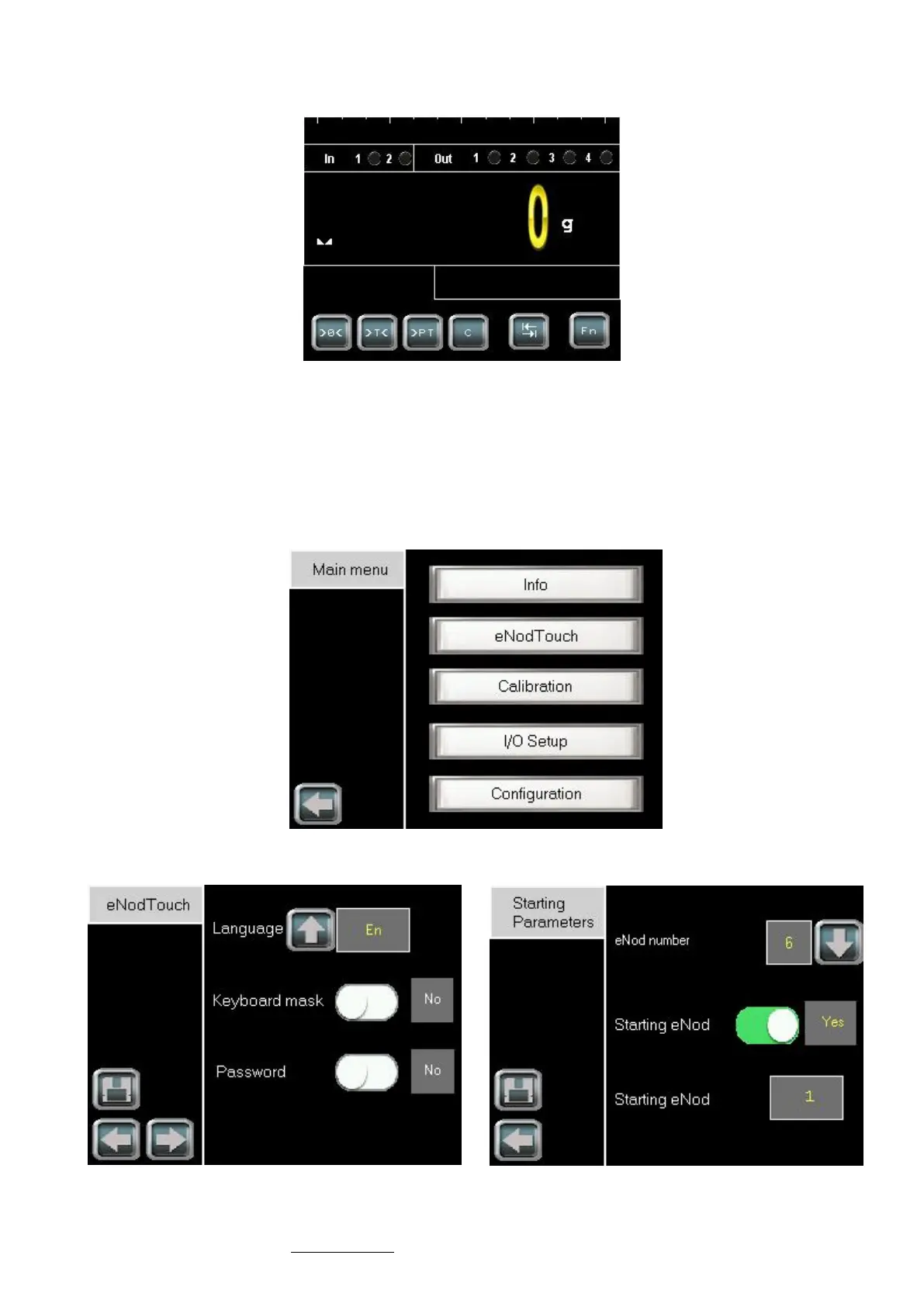
• When communication is established the main screen of eNod4 appears:
12.1.2 Multi-eNod screens
12.1.2.1 Increase eNod number
• To increase the eNod number and have an access to the multi-eNod screen, please follow the procedure:
- Touch the Fn button of the main screen, the main menu appears.
- Enter in the eNodTouch menu.
- Go to the Starting Parameters screen by touching the right arrow button.
Main Menu



 To Next Page