12
4. Disassembling
4.1 Rotor and Door assembly
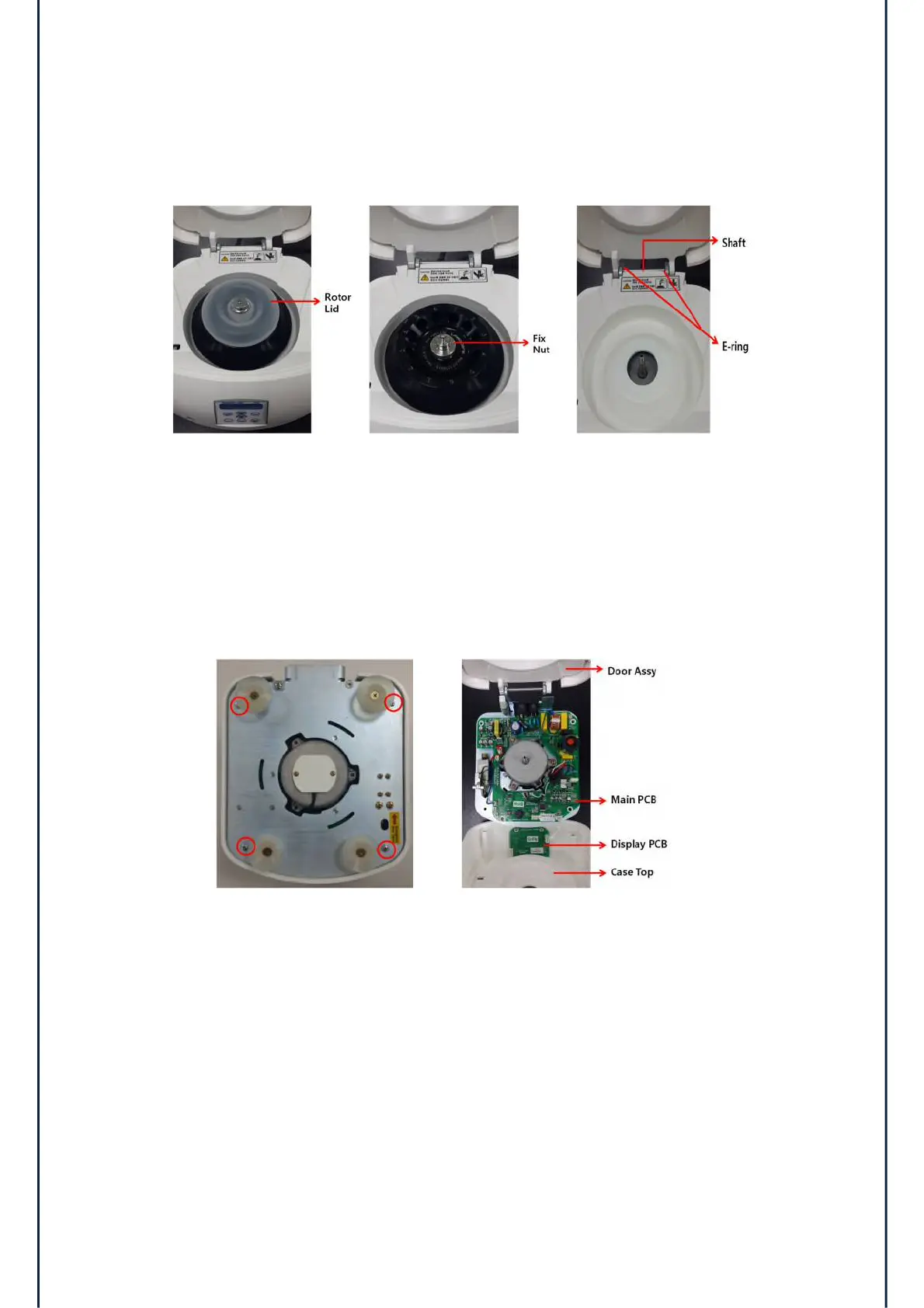
1) Remove the rotor lid
2) Remove the fix nut and rotor.
3) Remove the 2ea E-ring and the shaft.
4) Remove the door assembly.
4.2 Case Top
1) Remove the 4 screws from the bottom of device.
2) Disassemble the case top from the case bottom.


 To Next Page