Micro Centrifuge, mini – Service manual
9
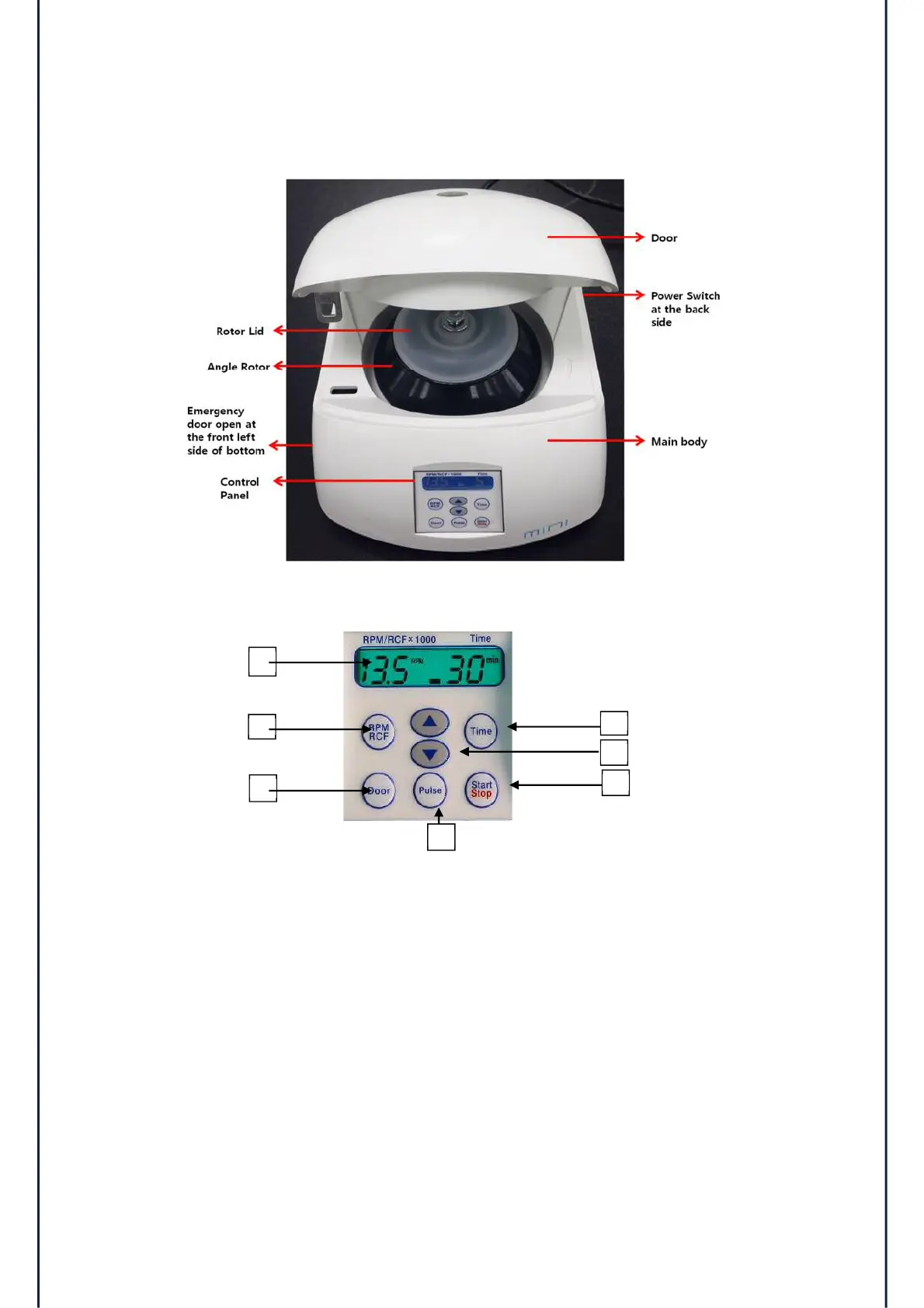
3.3 Outer Description
3.4 Operating Function of Control Panel
1) Display LCD: to show the data of each function.
2) RPM/RCF button: to set speed value and to switch the RPM/RCF display.
3) Door button: to open the door.
4) Time button: to set test time from 1 min to 30 min.
5) Pulse button: to accelerate to set RPM and decelerate rapidly.
6) Start/Stop button: to start and to stop operation.
7) Up & Down arrow button: to change input data.
1


 To Next Page