Schaerer Coffee Art C - Generic 24mo Preventative Maintenance SOP
7. ►
8. ►
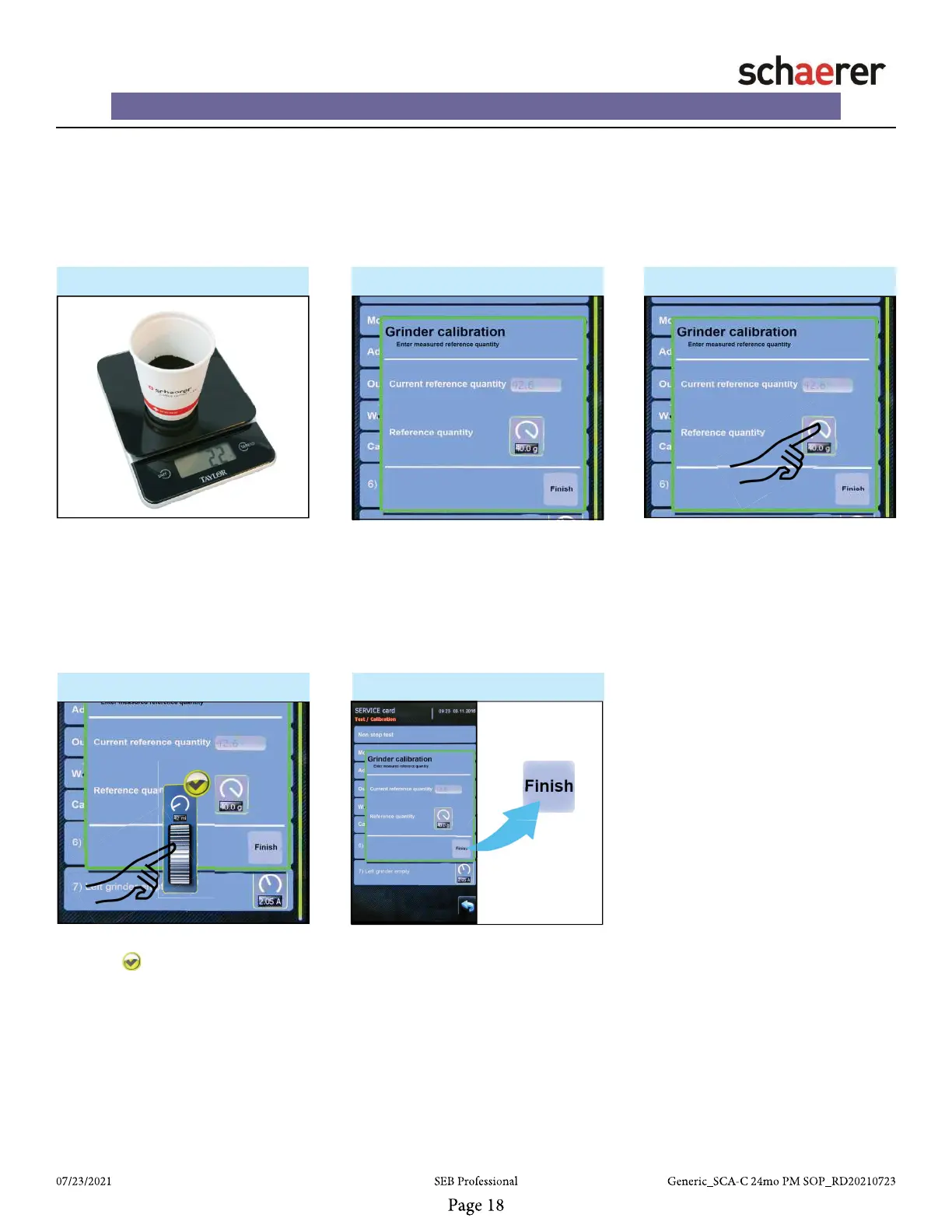
• After reference grinding has complet-
ed, remove cup from Automat and
weigh.
• Press “Continue” button on screen.
• NOTE: Do NOT press “Repeat”,
otherwise the grinder calibration
process must be restarted!
9. - Grinder calibrate ►
• If adjustment is required, press
“Reference quantity” button to dis-
play graphical thumb wheel.
• Compare weight of actual grounds
captured from Automat and “Cur-
rent reference quantity” displayed on
screen.
10. ►
11. ►
• Adjust reference quantity.
• Press “Green Check” icon.
• Press “Finish Button” to complete.
• Repeat all steps in this section
for the Right grinder and Front
grinder.














 To Next Page