Measurements and Recording P746/EN MR/A11
MiCOM P746 (MR) 8-
9
1.2.1.7 Setting changes
Changes to any setting within the relay are logged as an event. Two examples are shown in
the following table:
Type of Setting Change Displayed Text in Event Record Displayed Value
Control/Support Setting C & S Changed 22
Group # Change Group # Changed #
Where # = 1 to 4
Note: Control/Support settings are communications, measurement, CT/VT
ratio settings etc, which are not duplicated within the four setting
groups. When any of these settings are changed, the event record is
created simultaneously. However, changes to protection or
disturbance recorder settings will only generate an event once the
settings have been confirmed at the ‘setting trap’.
1.2.2 Resetting of event/fault records
If it is required to delete either the event, fault or maintenance reports, this may be done from
within the "RECORD CONTROL" column.
1.2.3 Viewing event records via MiCOM S1 support software
When the event records are extracted and viewed on a PC they look slightly different than
when viewed on the LCD.
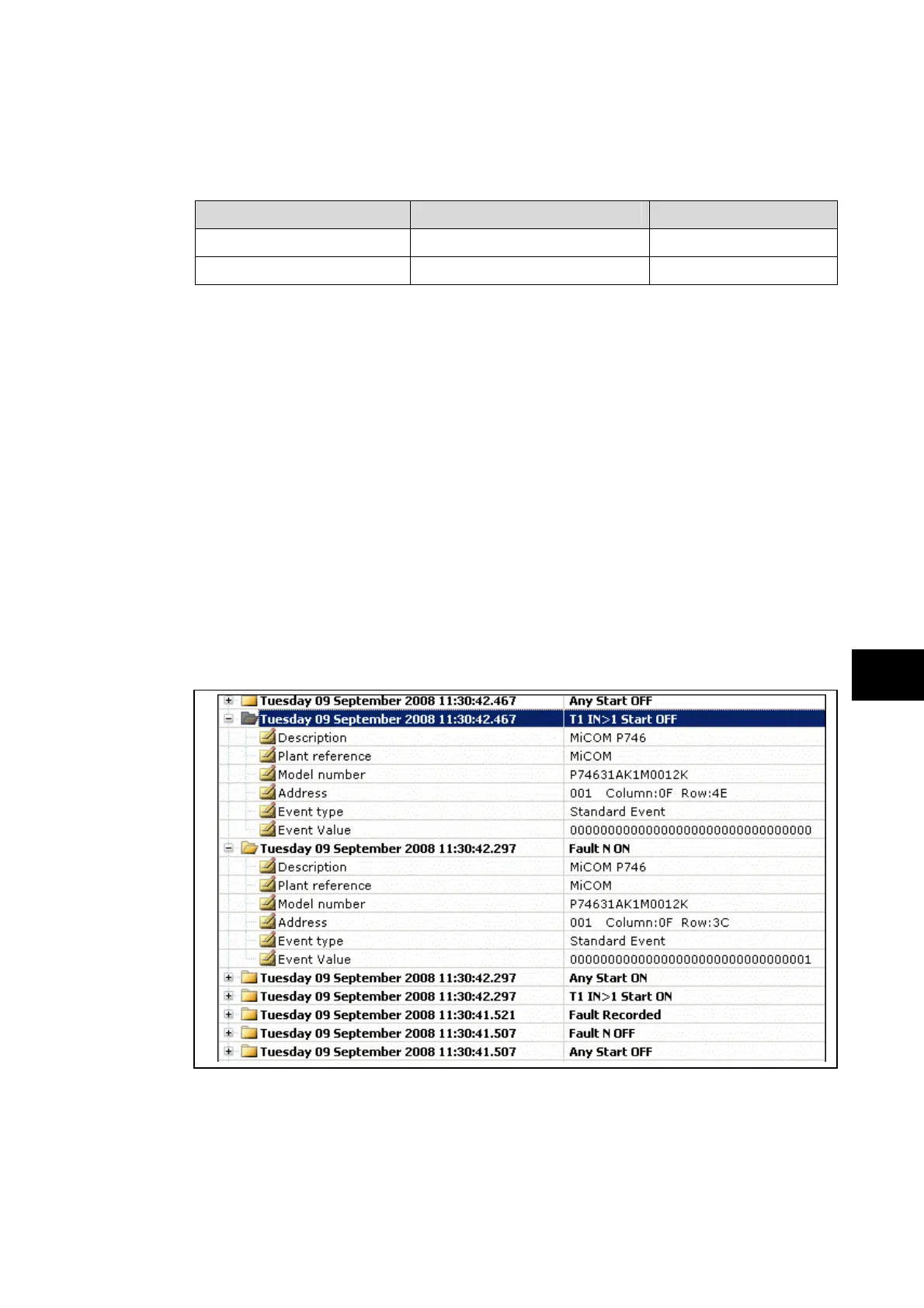
The following shows a P746 example of how various events appear when displayed using
MiCOM S1 V2 or Studio:
As can be seen, the first line gives the description and time stamp for the event, whilst the
additional information that is displayed below may be collapsed via the +/– symbol.
For further information regarding events and their specific meaning, refer to relay menu
database document (P746/EN MR). This is a standalone document not included in this
manual.
MR


 To Next Page