Getting Started P746/EN GS/G31
MiCOM P746 (GS) 3-
3
1. GETTING STARTED
BEFORE CARRYING OUT ANY WORK ON THE EQUIPMENT, THE USER
SHOULD BE FAMILIAR WITH THE CONTENTS OF THE SAFETY
SECTION/SAFETY GUIDE SFTY/4LM/E11 OR LATER ISSUE, THE
TECHNICAL DATA SECTION AND THE RATINGS ON THE EQUIPMENT
RATING LABEL.
1.1 User interfaces and menu structure
The settings and functions of the MiCOM protection relay can be accessed both from the
front panel keypad and LCD, and via the front and rear communication ports. Information on
each of these methods is given in this section to describe how to start using the relay.
GS
1.2 Introduction to the relay
1.2.1 Front panel
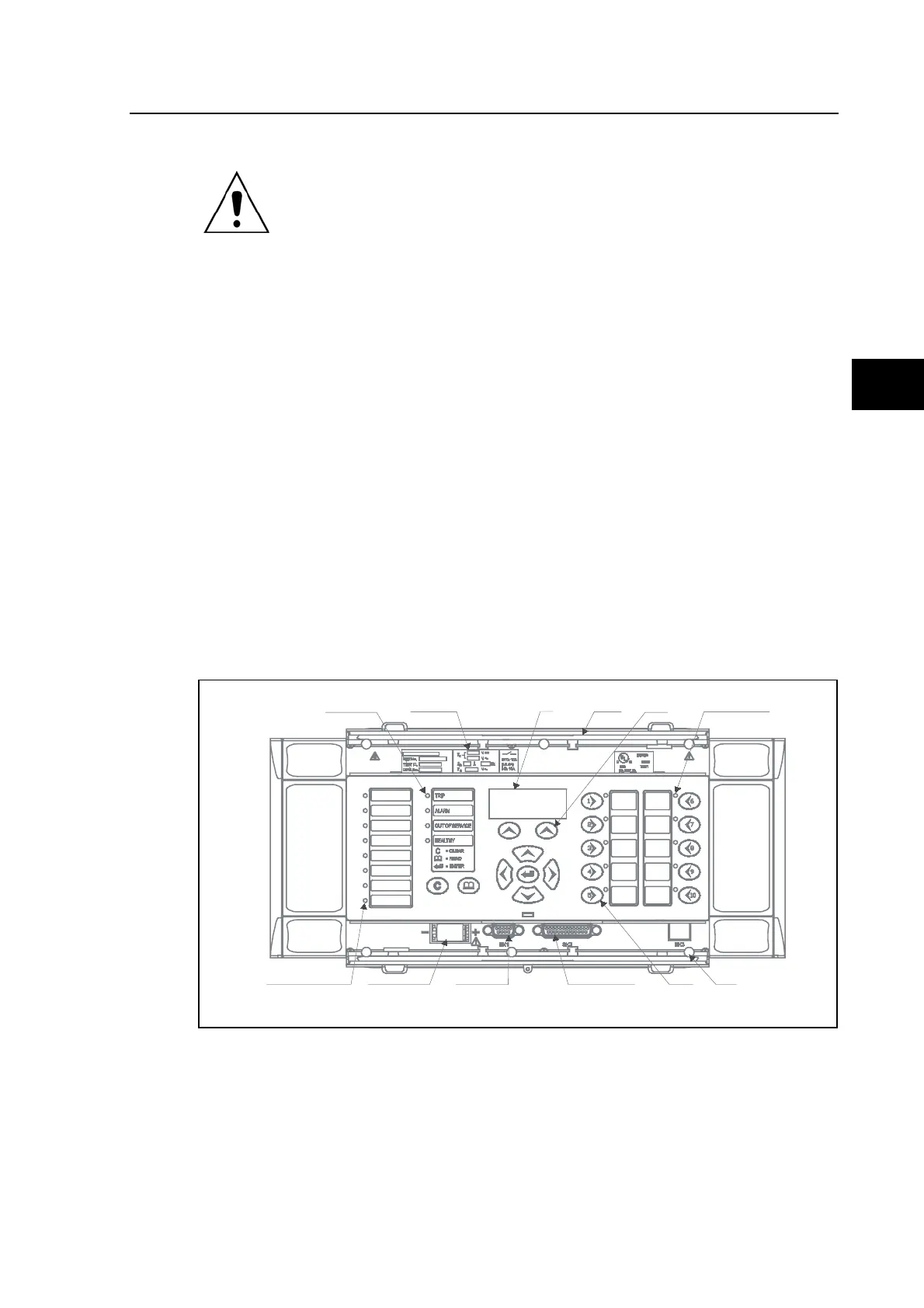
The front panel of the relay is shown in Figure 1, with the hinged covers at the top and
bottom of the relay shown open. Extra physical protection for the front panel can be provided
by an optional transparent front cover. With the cover in place read only access to the user
interface is possible. Removal of the cover does not compromise the environmental
withstand capability of the product, but allows access to the relay settings. When full access
to the relay keypad is required, for editing the settings, the transparent cover can be
unclipped and removed when the top and bottom covers are open. If the lower cover is
secured with a wire seal, this will need to be removed. Using the side flanges of the
transparent cover, pull the bottom edge away from the relay front panel until it is clear of the
seal tab. The cover can then be moved vertically down to release the two fixing lugs from
their recesses in the front panel.
Fixed
function LEDs
Serial NûModel
Nû andRatingsL CD
Topcover
Hotkeys
User programmable
function LEDs (tri color)
Bottom
cover
Function
keypad
Download/monitor portFront commsportBattery compartmentUser programmable function
LED's (tri- color)
P0840ENb
FIGURE 1: RELAY FRONT VIEW
The front panel of the relay includes the following, as indicated in Figure 1:
− a 16-character by 3-line alphanumeric liquid crystal display (LCD)
− a 19-key keypad comprising 4 arrow keys (, , and ), an enter key
(), a clear key (), a read key (c), 2 hot keys () and 10 ( − ) programmable
function keys



 To Next Page