Getting Started P746/EN GS/G31
MiCOM P746 (GS) 3-
15
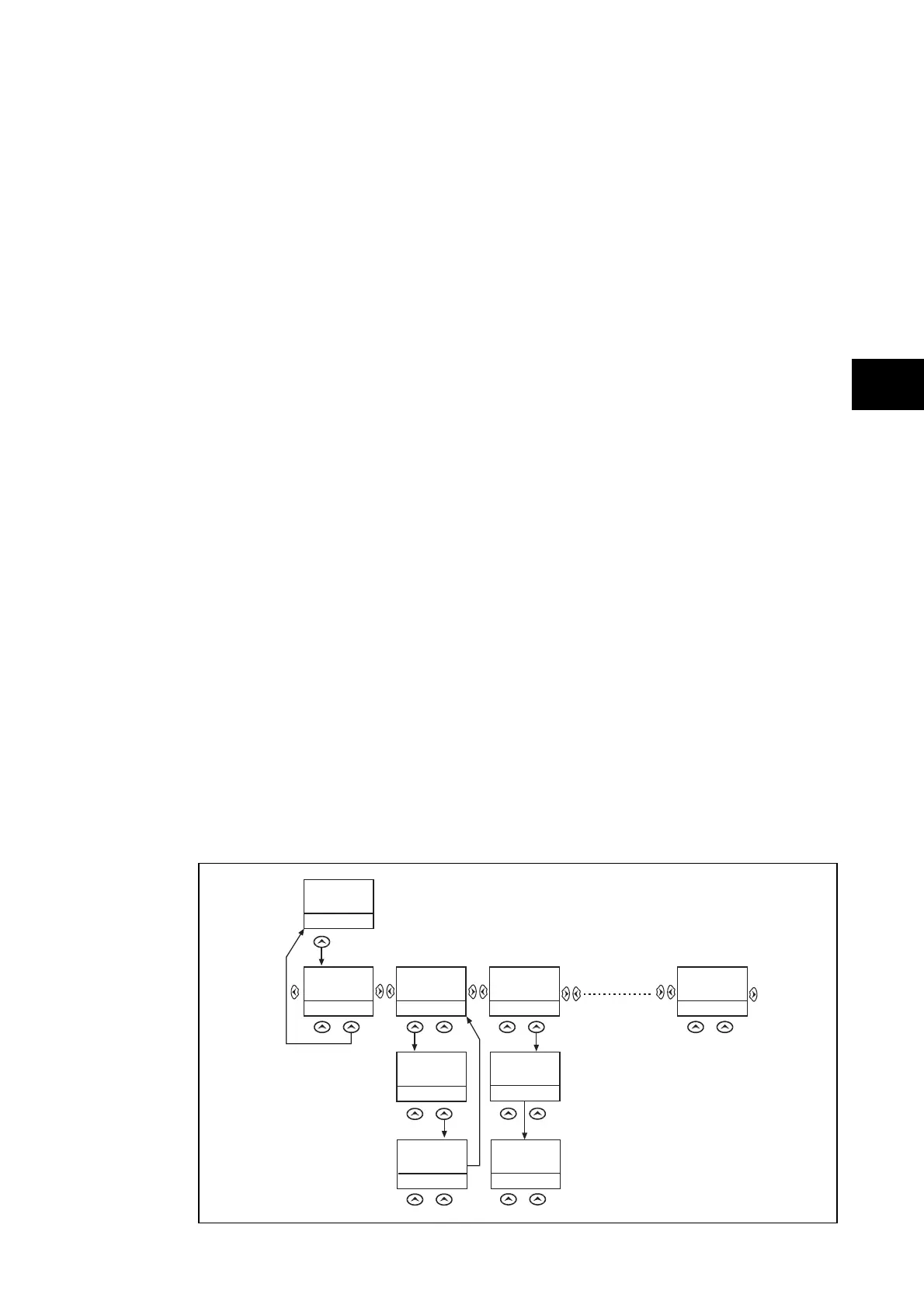
1.8.3 Hotkey menu navigation
The hotkey menu can be browsed using the two keys directly below the LCD. These are
known as direct access keys. The direct access keys perform the function that is displayed
directly above them on the LCD. Thus, to access the hotkey menu from the default display
the direct access key below the “HOTKEY” text must be pressed. Once in the hotkey menu
the ⇐ and ⇒ keys can be used to scroll between the available options and the direct access
keys can be used to control the function currently displayed. If neither the ⇐ or ⇒ keys are
pressed with 20 seconds of entering a hotkey sub menu, the relay will revert to the default
display. The clear key
will also act to return to the default menu from any page of the
hotkey menu. The layout of a typical page of the hotkey menu is described below:
• The top line shows the contents of the previous and next cells for easy menu navigation
• The centre line shows the function
• The bottom line shows the options assigned to the direct access keys
The functions available in the hotkey menu are listed below:
GS
1.8.3.1 Setting group selection
The user can either scroll using <<NXT GRP>> through the available setting groups or
<<SELECT>> the setting group that is currently displayed.
When the SELECT button is pressed a screen confirming the current setting group is
displayed for 2 seconds before the user is prompted with the <<NXT GRP>> or
<<SELECT>> options again. The user can exit the sub menu by using the left and right
arrow keys.
For more information on setting group selection refer to “Changing setting group” section in
the Operation section (P746/EN OP).
1.8.3.2 Control inputs – user assignable functions
The number of control inputs (user assignable functions – USR ASS) represented in the
hotkey menu is user configurable in the “CTRL I/P CONFIG” column. The chosen inputs can
be SET/RESET using the hotkey menu.
For more information refer to the “Control Inputs” section in the Operation section (P746/EN OP).
1.8.3.3 Hotkey menu navigation
HO T KEY MENU
EXIT
Description
MiCOM P741
HO TKEY
<USER 32
STG GP>
SETTING GROUP 1
SELECT
<MENU
USER 01>
NXT GRP
CONTROL INPUT 1
ON
<STG GP
USER 02>
EXIT
CONTROL INPUT 32
ON
<USER 31
MENU>
EXIT
SETTING GROUP 2
SELECT
<MENU
USER 01>
NXT GRP
SETTING GROUP 2
SELECTED
<MENU
USER 01>
CONTROL INPUT 1
ON
<MENU
USER 02>
CONTROL INPUT 1
EXIT
<MENU
USER 02>
OFF
Confirmation
screen
displayed for
2 seconds
Confirmation
screen
displayed for
2 seconds
Default Display
NO TE: <<EXIT>> K ey returns
the user to the Hotkey
Menu Screen
P3915ENa
FIGURE 6: HOTKEY MENU NAVIGATION



 To Next Page