Getting Started P746/EN GS/G31
(GS) 3-
20
MiCOM P746
• Minimum:
− Processor: 1 GHz,
− Memory: 256 MB,
− Operating system: Windows 2000,
− Screen resolution: 800 x 600.
• Recommended:
− Processor: 2 GHz,
− Memory: 1 GB,
− Operating system: Windows XP,
GS
− Screen resolution: 1024 x 768.
• Microsoft Vista:
− Processor: 2 GHz,
− Memory: 2 GB,
1.10.2 Connecting to the P746 relay using MiCOM S1 V2
Before starting, verify that the EIA(RS)232 serial cable is properly connected to the
EIA(RS)232 port on the front panel of the relay. Please follow the instructions in section
1.9
to ensure a proper connection is made between the PC and the relay before attempting to
communicate with the relay.
This section is intended as a quick start guide to using MiCOM S1 and assumes you have a
copy of MiCOM S1 installed on your PC. Please refer to the MiCOM S1 User Manual for
more detailed information
.
1.10.3 Connecting to the P746 using MiCOM S1
1.10.3.1 Connection to the Relay
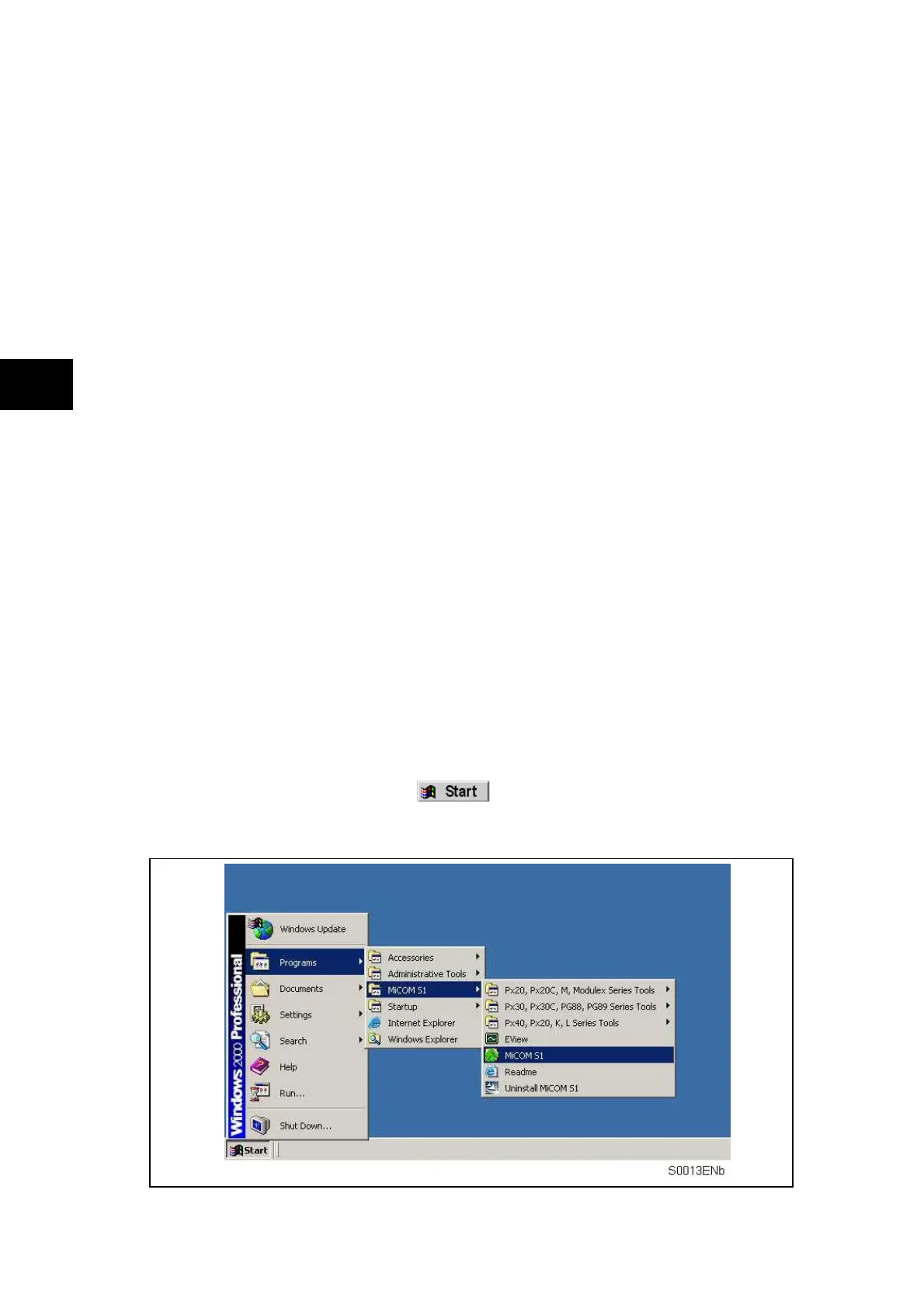
To start MiCOM S1, click on the icon:
In the "Programs" menu, select "MiCOM S1" then "MiCOM S1 Start-up".
WARNING: CLICKING ON "UNINSTALL MiCOM S1", WILL UNINSTALL MiCOM S1,
AND ALL DATA AND RECORDS USED IN MiCOM S1.



 To Next Page