Getting Started P746/EN GS/G31
(GS) 3-
18
MiCOM P746
The relay is a Data Communication Equipment (DCE) device. Thus the pin connections of
the relay’s 9-pin front port are as follows:
Pin no. 2 Tx Transmit data
Pin no. 3 Rx Receive data
Pin no. 5 0V Zero volts common
None of the other pins are connected in the relay. The relay should be connected to the
serial port of a PC, usually called COM1 or COM2. PCs are normally Data Terminal
Equipment (DTE) devices which have a serial port pin connection as below (if in doubt check
your PC manual):
25 Way 9 Way
Pin no. 2 3 2 Rx Receive data
GS
Pin no. 3 2 3 Tx Transmit data
Pin no. 5 7 5 0V Zero volts common
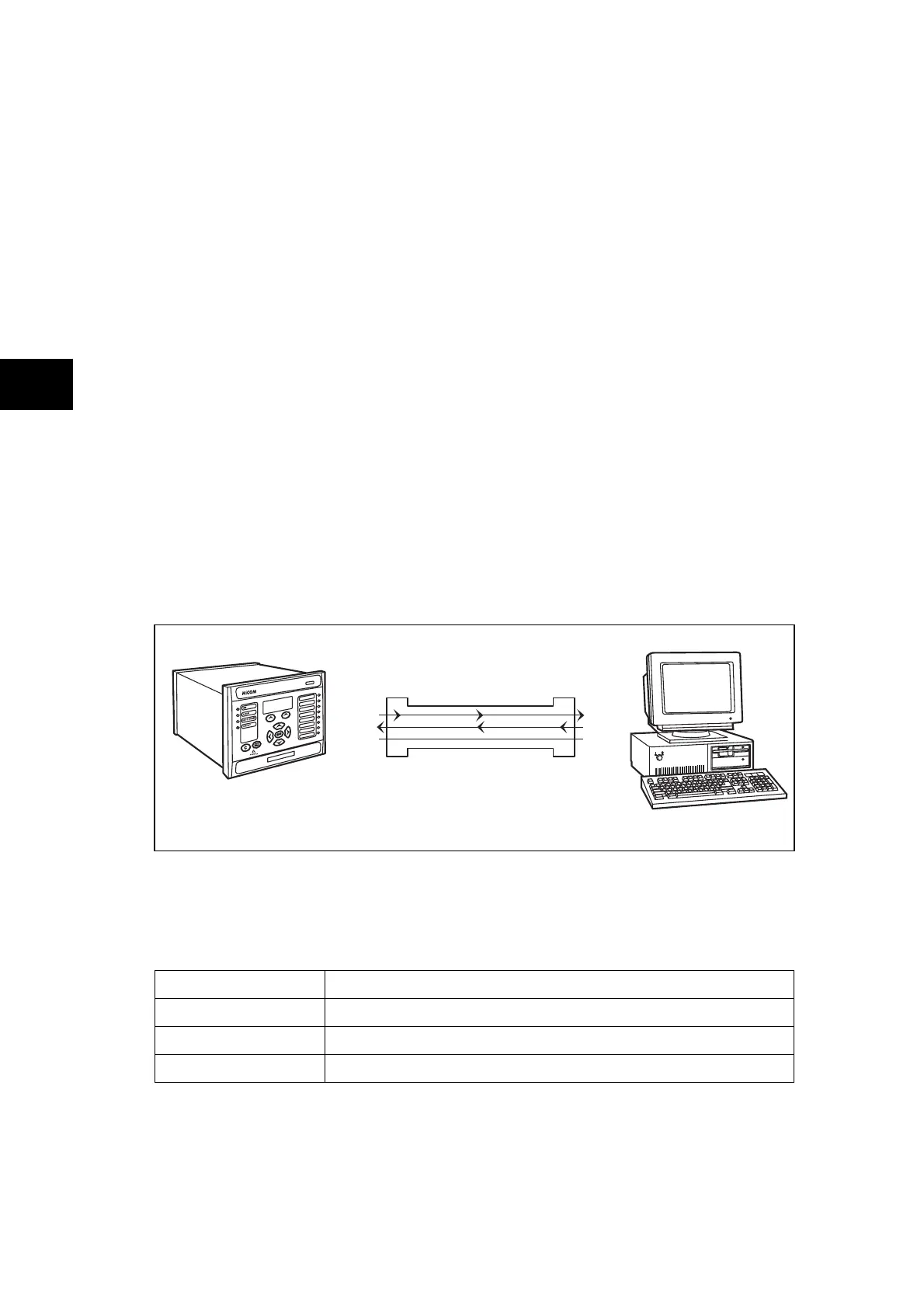
For successful data communication, the Tx pin on the relay must be connected to the Rx pin
on the PC, and the Rx pin on the relay must be connected to the Tx pin on the PC, as shown
in Figure 7. Therefore, providing that the PC is a DTE with pin connections as given above, a
‘straight through’ serial connector is required, i.e. one that connects pin 2 to pin 2, pin 3 to
pin 3, and pin 5 to pin 5. Note that a common cause of difficulty with serial data
communication is connecting Tx to Tx and Rx to Rx. This could happen if a ‘cross-over’
serial connector is used, i.e. one that connects pin 2 to pin 3, and pin 3 to pin 2, or if the PC
has the same pin configuration as the relay.
Pin 2 Tx
Pin 3 Rx
Pin 5 0V
Pin 2 Rx
Pin 3 Tx
Pin 5 0V
MiCOM relay
Serial data connector
PC
DCE DTE
Note: PC connection shown assuming 9 Way serial port
P0108ENc
FIGURE 8: PC – RELAY SIGNAL CONNECTION
Having made the physical connection from the relay to the PC, the PC’s communication
settings must be configured to match those of the relay. The relay’s communication settings
for the front port are fixed as shown in the table below:
Protocol Courier
Baud rate 19,200 bits/s
Courier address 1
Message format 11 bit - 1 start bit, 8 data bits, 1 parity bit (even parity), 1 stop bit
The inactivity timer for the front port is set at 15 minutes. This controls how long the relay will
maintain its level of password access on the front port. If no messages are received on the
front port for 15 minutes then any password access level that has been enabled will be
revoked.



 To Next Page