P746/EN ST/G31 Settings
(ST) 4-
20
MiCOM P746
1.3.5 Measurements
Menu Text Default Settings Available settings
MEASUREMENT SETUP
Default Display Description
Description / 3 ph-neutral Voltage
/ Date and Time / Plant reference
/ Frequency / Access Level
This setting (front panel user interface only) can be used to select the default display from
a range of options, note that it is also possible to view the other default displays whilst at
the default level using the and keys. However once the 15 min timeout elapses the
default display will revert to that selected by this setting.
Local Values Primary Primary/Secondary
This setting controls whether measured values via the front panel user interface and the
front courier port are displayed as primary or secondary quantities.
Remote Values Primary Primary/Secondary
This setting controls whether measured values via the rear communication port are
displayed as primary or secondary quantities.
Measurement ref VA
IA1 / IB1 / IC1 / VA / VB / VC /
IA2 / IB2 / IC2 / IA3 / IB3 / IC3 /
IA4 / IB4 / IC4 / IA5 / IB5 / IC5 /
IA6 / IB6 / IC6
This menu sets the reference of the measure (phase reference and angle)
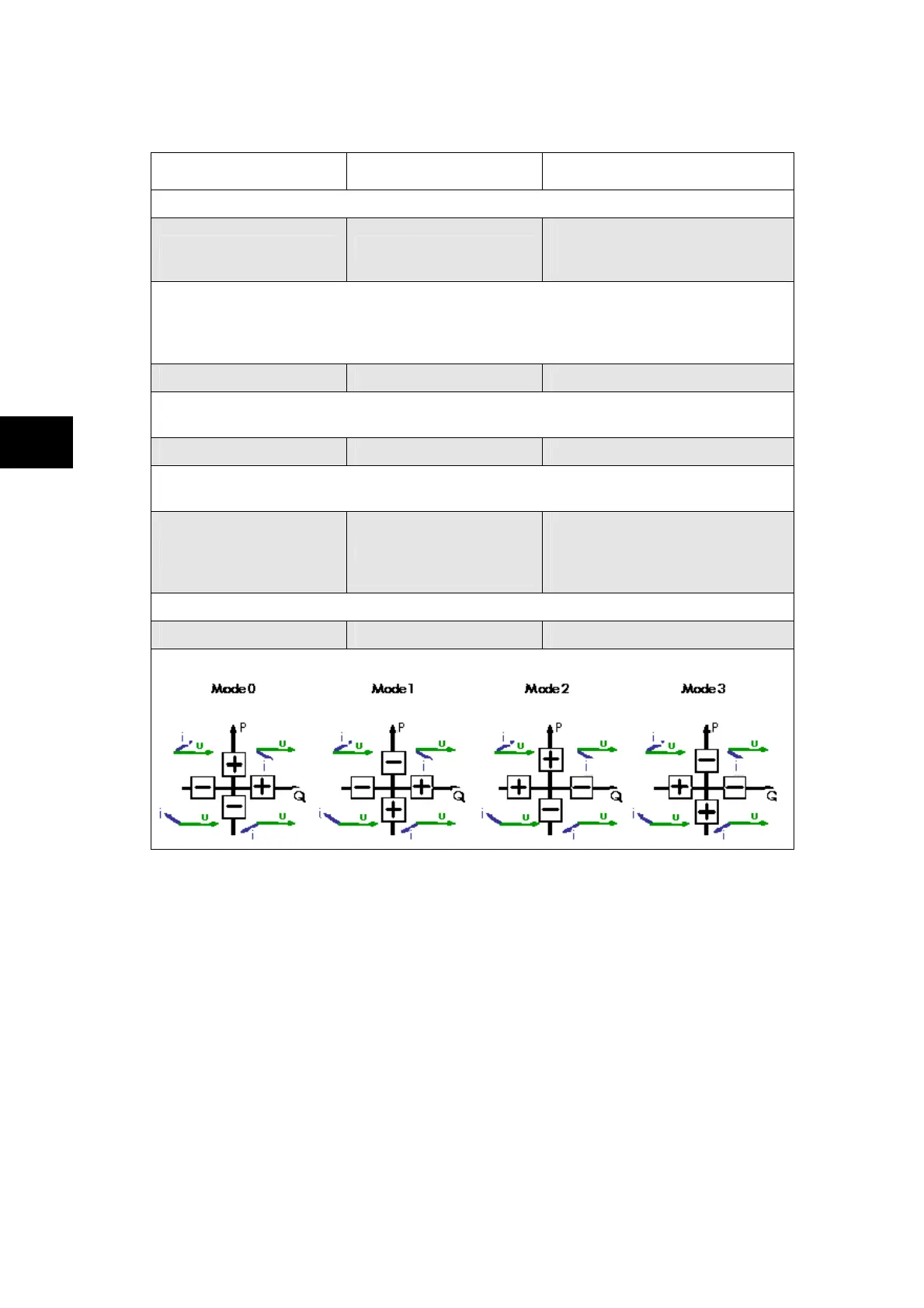
Measurement Mode 0 0 / 1 / 2 / 3
Used to set the mode of measurement, according to the following diagram:
ST
1.3.6 Communications
The communications settings apply to the rear communications port. Further details are
given in the SCADA communications section (P746/EN SC).
These settings are available in the menu ‘Communications’ column and are displayed.



 To Next Page