4 • Schlage • AD-200 user guide
Lock functions
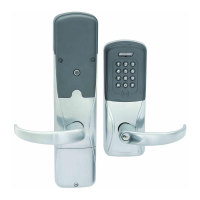
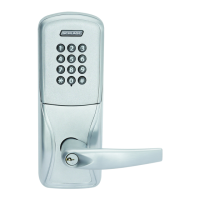
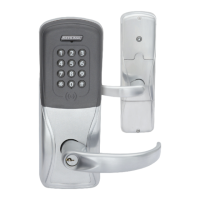
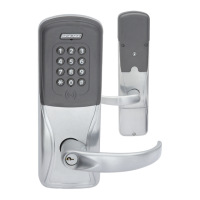
The AD-200/AD-201 is available in one of four functions:
Privacy (40): Lockset is normally secure. Pressing the Inside Push Button or extending the
deadbolt will disable normal electronic access from the outside. Opening the door, retracting
the deadbolt or pressing the Inside Push Button a second time deactivates the privacy
status.
Ofce (50): Lockset is normally secure. Inside Push Button may be used to select passage
or secured status.
Apartment (60): Lockset is normally secure. Inside Push Button is used to select passage or
secure status. While in the secure state, opening the door or pressing the Inside Push Button
causes the lockset to toggle unsecured. The door must be closed and a valid credential
presented to secure the lockset from the outside.
Classroom/Storeroom (70): Lockset is normally secure. Valid toggle credentials may be
used to change to a passage or secure status.
Getting started
Follow these steps when setting up a new lock.
1. Install the lock. See the installation guide that came with the lock, or visit
www.allegion.com/us (see Support>Schlage Electronics>Electronic Locks Technical
Library) for more information.
2. Make sure the batteries are installed properly. See Batteries on page 16 for
instructions.
3. Congure the master construction credential (where applicable). See Construction
access mode on page 5 for more information. The lock should remain in construction
access mode until you are ready to set up the rest of the system.
4. Test the lock for proper mechanical and electronic operation. See Test lock operation on
page 13 for more information.
5. When ready to set up for normal use, program the user credentials. See Credential
types and functions on page 6 for more information.
L Programming the lock with the SUS will remove all credentials that were added
using the master construction credential.
6. Consult the SUS user guide for information about conguring the lock.
7. Familiarize yourself with the information in this guide.
Save this user guide for future reference.
Schlage Utility Software (SUS)
The Schlage Utility Software is used for programming and setup only.
The SUS is used to congure locks. This includes transferring data les between the access
control software and locks. For information about the SUS, refer to the SUS user guide.
1 the tips are in the bullets
1 the word “ofine” is out of rst LOCKS WITH
KEYPADS paragraph
1 omit “with or without additional credentials”


 To Next Page