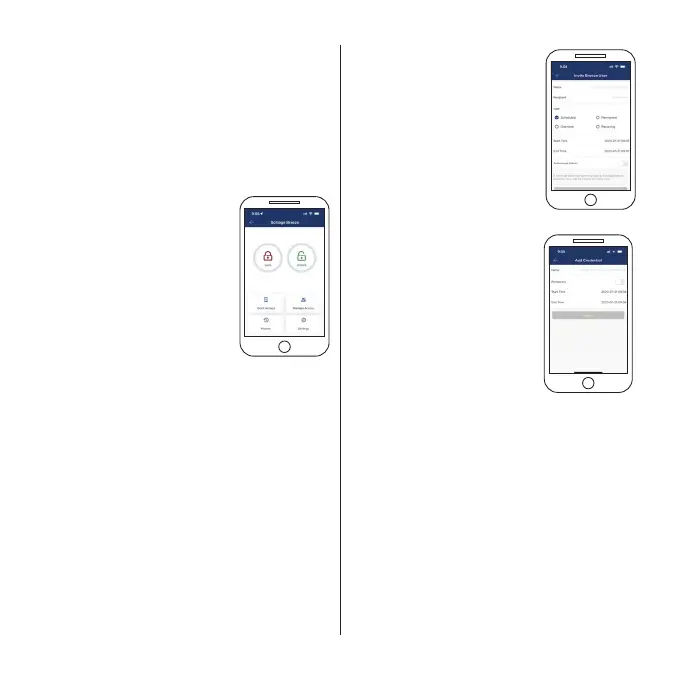
Within the Schlage Breeze app, users have access
to more features than those available on the lock
itself. This guide provides information on many of
the features available.
Status of lock
Use the locked and unlocked
icons to easily lock or unlock
your door, or simply to check
the status of the lock (locked
or unlocked).
PIN codes
The Schlage Artus allows you to store up to
150 PIN codes - either custom, permanent,
recurring or scheduled.
Default master PIN code is 123456#
Master PIN codes must contain 6-11 digits
Custom created codes can contain 4-9 digits
To add a new PIN code, use the Grant Access icon,
add PIN code. For a customised PIN code, use the
custom feature, add your guest’s name, and set
your PIN code.
To manage your PIN codes, select Manage Access
and update or delete user access as required.
Virtual keys
When you regularly need to share
access to many guests, you can
message them PIN code access.
This is a great solution for home
share properties. Select Grant
Access, Invite Breeze User and
enter the details for your guest.
You can share this virtual key by
various options including email or
text message.
Key tags
The Schlage Artus allows you
to store up to 200 key tag
credentials. Three key tags are
provided with your Schlage Artus
lock, additional key tags can be
purchased through your local
door hardware retailer.
To set up your key tags, select
Grant Access, Add Credential,
ensure you name your key tag
and complete set up of your
credential.
To manage your credentials, select Manage Access
and update or delete user access as required.
Auto locking
The Schlage Artus lock default is set with a 5
second auto lock, this can be changed in the
Settings, Auto Lock function by selecting a
different time delay.
6
Schlage Breeze app
user functions






 To Next Page