EasyManua.ls Logo

Schlage Artus - User Manual

Schlage Artus
12 pages
Print Icon
To Next Page IconTo Next Page
Loading...
10
Schlage Artus
NARROW PROFILE SMART LOCK
Quick Start Guide
Question and Answer IconNeed help?

Do you have a question about the Schlage Artus and is the answer not in the manual?

Summary

Parts

Installation

Prepare the door

Instructions on preparing the door, including using the template and mounting the lockbody.

Fasten posts

Guides on attaching the posts to the external unit and securing them loosely.

Position external unit to the door

Steps to position the external lock unit flush on the door, aligning holes and posts.

Position internal unit to the door

Instructions for connecting cables and aligning the internal unit with the spindle.

Affix units to door

How to secure both internal and external lock units to the door using fixing screws.

Install batteries

Guides on installing the AA batteries and securing the battery cover.

Test latch operation

Procedures to test the latch bolt retraction and extension for correct lock operation.

Pair and Programme Lock

Administrator code set up

Essential step for installers to change the default admin code for security.

Manual factory reset

Instructions for performing a manual factory reset to clear all previous settings.

Get Mobile Access with Schlage Breeze

Pair the lock with the app

Instructions on how to pair the Schlage Artus lock with the mobile app via Bluetooth.

Schlage Breeze App User Functions

PIN codes

Information on storing and managing up to 150 custom, permanent, recurring, or scheduled PIN codes.

Lock Functions and Settings

Manual Lock Operation

Change Default Admin Code

Step-by-step guide to changing the default administrator code.

Schlage Artus Lock Functions

Summary

Parts

Installation

Prepare the door

Instructions on preparing the door, including using the template and mounting the lockbody.

Fasten posts

Guides on attaching the posts to the external unit and securing them loosely.

Position external unit to the door

Steps to position the external lock unit flush on the door, aligning holes and posts.

Position internal unit to the door

Instructions for connecting cables and aligning the internal unit with the spindle.

Affix units to door

How to secure both internal and external lock units to the door using fixing screws.

Install batteries

Guides on installing the AA batteries and securing the battery cover.

Test latch operation

Procedures to test the latch bolt retraction and extension for correct lock operation.

Pair and Programme Lock

Administrator code set up

Essential step for installers to change the default admin code for security.

Manual factory reset

Instructions for performing a manual factory reset to clear all previous settings.

Get Mobile Access with Schlage Breeze

Pair the lock with the app

Instructions on how to pair the Schlage Artus lock with the mobile app via Bluetooth.

Schlage Breeze App User Functions

PIN codes

Information on storing and managing up to 150 custom, permanent, recurring, or scheduled PIN codes.

Lock Functions and Settings

Manual Lock Operation

Change Default Admin Code

Step-by-step guide to changing the default administrator code.

Schlage Artus Lock Functions

Overview

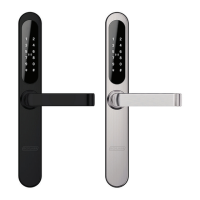
The Schlage Artus is a narrow-profile smart lock designed for residential use, offering both mechanical and electronic access options. It comes in two finishes: black and satin chrome, and is suitable for door thicknesses ranging from 35mm to 60mm.

Function Description:

The Schlage Artus smart lock provides secure and convenient access to your home through multiple methods:

  • Keypad Entry: Users can enter a PIN code on the illuminated keypad to unlock the door. The keypad activates by pressing the '#' key.
  • Key Tag Access: The lock supports up to 200 key tag credentials, allowing quick and easy entry by presenting a programmed key tag to the lock. Three key tags are included with the lock, with additional ones available for purchase.
  • Traditional Key Override: For emergency or traditional access, the lock includes a cylinder for physical key entry.
  • Schlage Breeze Mobile App: For an enhanced experience and additional functionality, the Schlage Breeze mobile app (available on Apple App Store and Google Play Store) allows users to:
    • Lock and unlock the door remotely via Bluetooth.
    • Manage up to 150 PIN codes (custom, permanent, recurring, or scheduled).
    • Create virtual keys for guests, which can be shared via email or text message.
    • Set up and manage key tags.
    • View the lock's status (locked/unlocked).
    • Access a history log of lock usage, including user, time, and incorrect PIN attempts.
    • Configure auto-locking with adjustable time delays.
    • Switch to "Passage Mode," which keeps the internal and external levers unlocked for free entry during specified times or indefinitely.
    • Adjust lock sound settings (enabling/disabling voice prompts and beeps).
    • Perform a factory reset of the lock.
  • Deadbolt Operation: For additional security, the deadbolt can be engaged by rotating the lever upwards when locking. Upon re-entry, entering a PIN code followed by the hash and rotating the lever downwards will retract both the deadbolt and latch.
  • Random PIN Code Feature: This security feature allows users to enter random digits before and/or after their actual PIN code to prevent the PIN code from being exposed to onlookers.
  • Tamper Alert: The lock sounds an alarm for 30 seconds after five incorrect PIN code entries, during which time no further PIN codes can be entered. The alarm can be turned off via the Schlage Breeze app.
  • Low Battery Notification: The keypad flashes and a voice prompt ("Battery low please replace") indicates a low battery. The Schlage Breeze app also displays a low battery notification.

Important Technical Specifications:

  • Dimensions (External and Internal Assemblies): 314mm (L) x 43mm (W) x 25mm (D).
  • Door Thickness Compatibility: 35mm - 60mm.
  • Power Source: 4x AA alkaline batteries.
  • Operation Voltage: 4.8V to 6V.
  • Battery Life: Lasts 6-12 months, depending on usage.
  • Operating Temperature: -30°C to 55°C.
  • Default Master PIN Code: 123456 (must be changed after installation).
  • Master PIN Code Length: 6-11 digits.
  • Custom PIN Code Length: 4-9 digits.
  • Wrong Code Entry Limit: 5 times (default setting).
  • Connectivity: Bluetooth (for Schlage Breeze app pairing).
  • Optional Wi-Fi Connectivity: The Schlage Wi-Fi Bridge (BZ100), sold separately, enables Wi-Fi capability for real-time connection through a smartphone.

Usage Features:

  • Installation: The lock requires preparation of the door using a template, mounting the lock body, fastening posts, adjusting spindle holder direction, attaching gaskets, positioning external and internal units, and affixing them with screws.
  • Handing (as required): The lever can be rotated 180° to adjust for door handing by inserting a hex key into the spindle hole, loosening the screw, rotating the lever, and re-tightening. This process is repeated for both internal and external units.
  • Battery Installation: Requires 4x AA alkaline batteries, secured with a screw-on cover.
  • Manual Lock Operation: A simple chart guides users through manually programming functions such as changing default admin code, adding user codes, and adding/deleting key tags and passwords.
  • Administrator Code Setup: After installation, the default admin code must be changed, and new PIN codes set. This disables the voice prompt for pairing to a mobile device.
  • Manual Factory Reset: For homeowners, a factory reset can be performed by removing the battery cover, pressing the reset button for 4 seconds, entering '000#' on the keypad, and confirming the reset. This deletes all previously set PIN codes.
  • Clock Synchronization: After registering with the Schlage Breeze app, the lock's clock automatically sets to local time, with a daylight savings adjustment feature available in settings.

Maintenance Features:

  • Door Furniture: Fixing screws securing the furniture to the door should be checked and tightened every six months. Loose fittings are not covered under warranty.
  • Cleaning: All door furniture should be wiped clean with a soft, damp cloth. A non-abrasive mild household detergent can be used for ingrained grime.
  • Mortice Lock: Care must be taken during installation to keep internal components free of dirt and filings, as this is a common cause of malfunction and is not covered under warranty.
  • Warranty: The Schlage Artus comes with a 2-year mechanical and electronic warranty. The warranty does not cover defects or damage caused by improper maintenance, installation, or unsuitable application. Further details on finish warranty are available on the manufacturer's website.

Schlage Artus Specifications

General IconGeneral
BrandSchlage
ModelArtus
CategoryDoor locks
LanguageEnglish

Related product manuals