6.7.4 Program transfer
Before a program can be transferred to the PROTECT-PSC, you must first release
the writing process (see Chapter 3.7.3).
After program creation, logical check and storing of the project, the program can
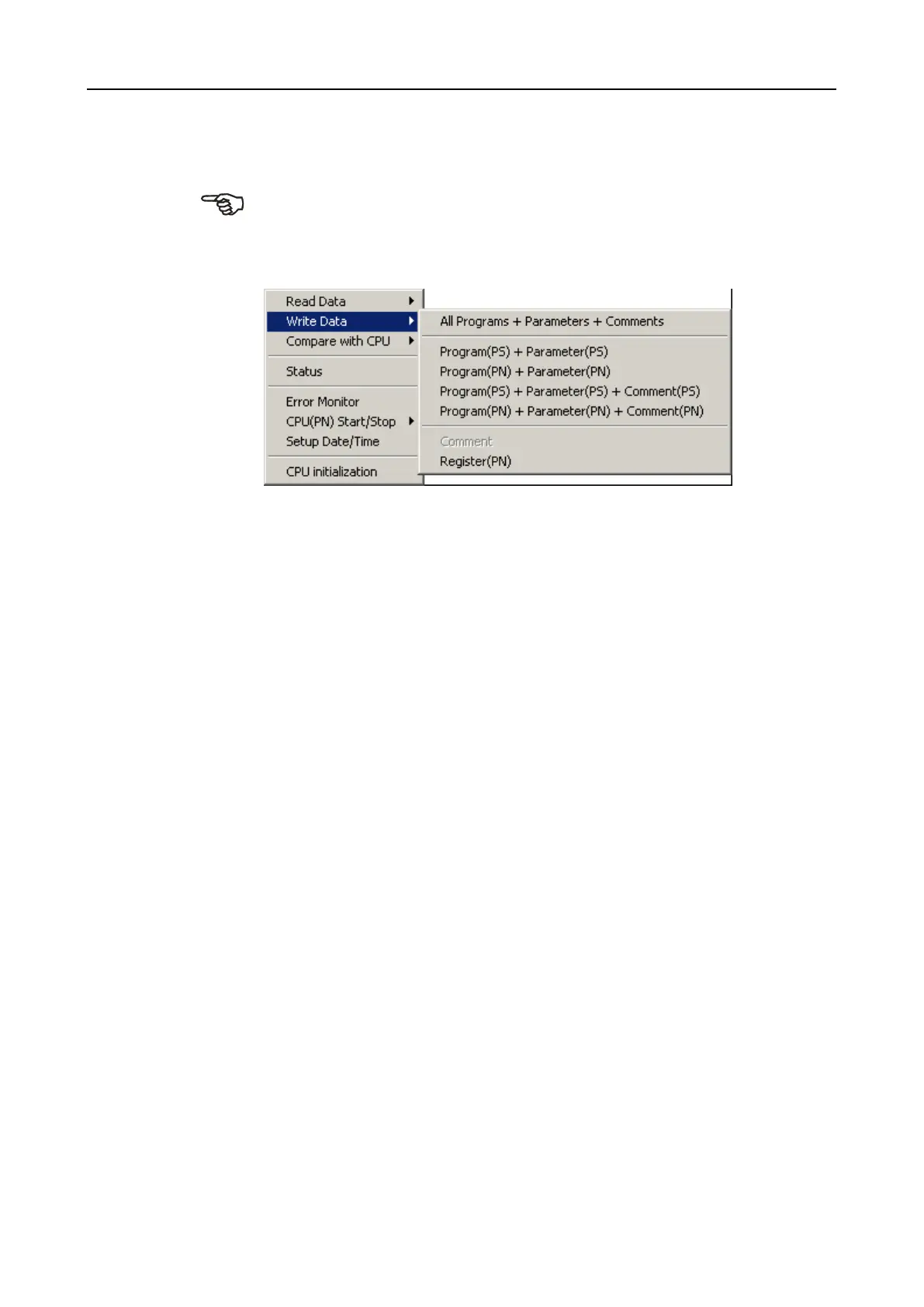
then be transferred to the PROTECT-PSC The menu entry [CPU]-[Write Data] of-
fers several options as to which data should be transferred to PROTECT-PSC.
[All Programs + Parameters + Comments]
Transfers the user programs (PS and PN) (machine code and source text) includ-
ing the machine code of the function blocks (if present), the parameter data and
the comments.
[Program(PS) + Parameter(PS)]
Transfers the PS program (machine code and source text) including the machine
code of the function blocks (if present) and the specific parameters of the PS pro-
gram.
[Program(PN) + Parameter(PN)]
Transfers the PN program (machine code and source text) including the machine
code of the function blocks (if present) and the specific parameters of the PN pro-
gram.
[Program(PS) + Parameter(PS) + Comment(PS)]
Transfers the PS program (machine code and source text) including the machine
code of the function blocks (if present), the specific parameters and the comments
of the PS program
[Program(PN) + Parameter(PN) + Comment(PN)]
Transfers the PN program (machine code and source text) including the machine
code of the function blocks (if present), the specific parameters and the comments
of the PN program.
[Comment]
Only transfers the comments.


 To Next Page