EasyManua.ls Logo

schmersal PROTECT-PSC - Page 155

schmersal PROTECT-PSC
267 pages
Print Icon
To Next Page IconTo Next Page
To Previous Page IconTo Previous Page
Loading...
Programming / parameter assignment
6
Instruction Manual PROTECT-PSC
V 2.6R01 / 04.19
6-21
Data
Editing of comments
Monitoring of the memory
6.8.4 Client area
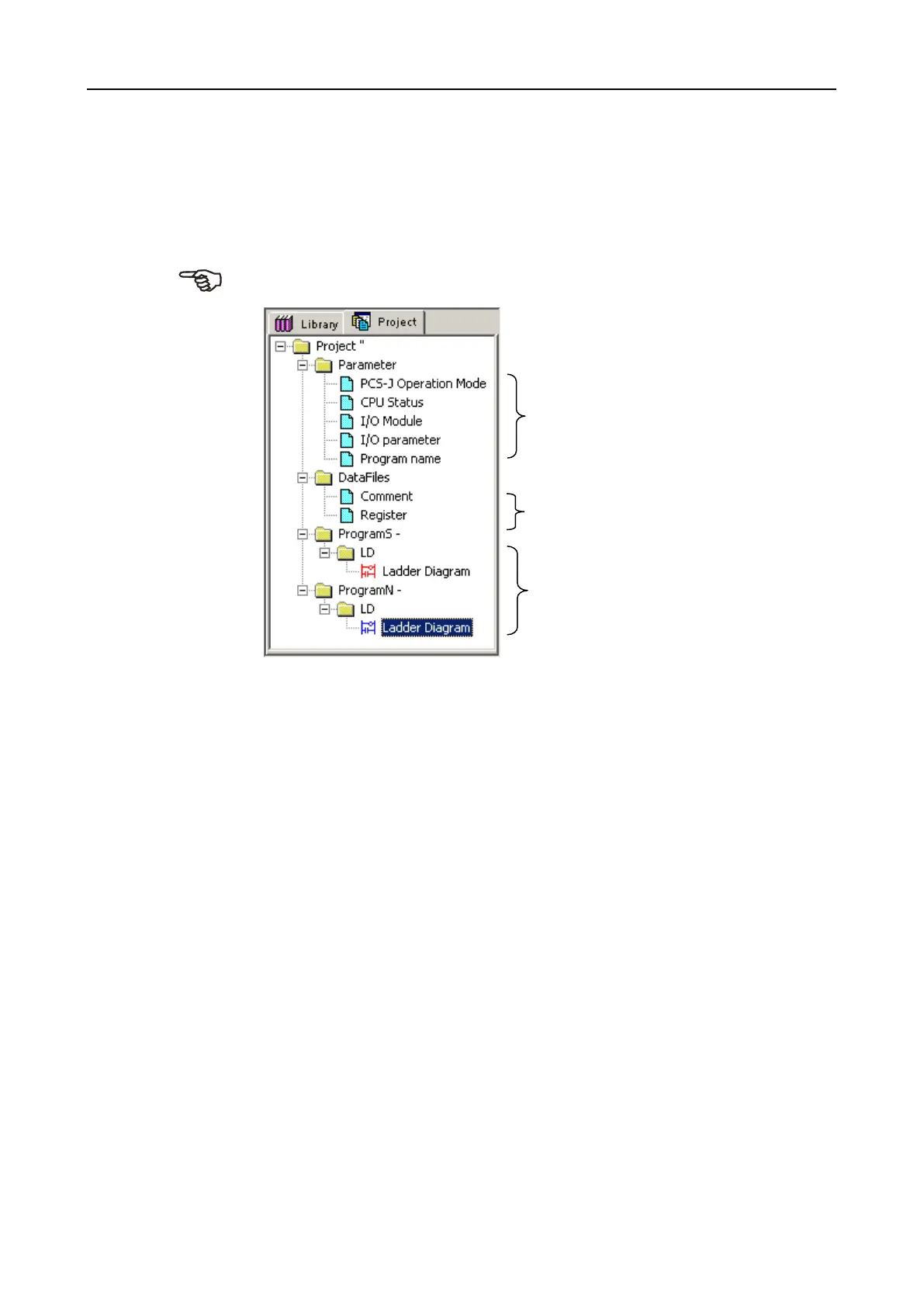
Project window
Different project settings can be made here. The individual options are accessible
via a tree structure. A description of the tab [Library] can be found in Chapter
6.12.2.
F
F
i
i
g
g
u
u
r
r
e
e
6
6
-
-
1
1
7
7
P
P
r
r
o
o
j
j
e
e
c
c
t
t
w
w
i
i
n
n
d
d
o
o
w
w
If the program is protected, the ‘lock symbol for the protected elements is dis-
played. See Figure 6-18.
Fehler! Es ist nicht glich, durch die Bearbeitung von Feldfunktionen Ob-
jekte zu erstellen.
F
F
i
i
g
g
u
u
r
r
e
e
6
6
-
-
1
1
8
8
P
P
r
r
o
o
j
j
e
e
c
c
t
t
w
w
i
i
n
n
d
d
o
o
w
w
w
w
i
i
t
t
h
h
p
p
r
r
o
o
t
t
e
e
c
c
t
t
i
i
v
v
e
e
p
p
r
r
o
o
g
g
r
r
a
a
m
m
6.12.2 / 6-63
Parameters
See Chapter 6.9.
Programs
Opens the programs

Table of Contents