Incoming call
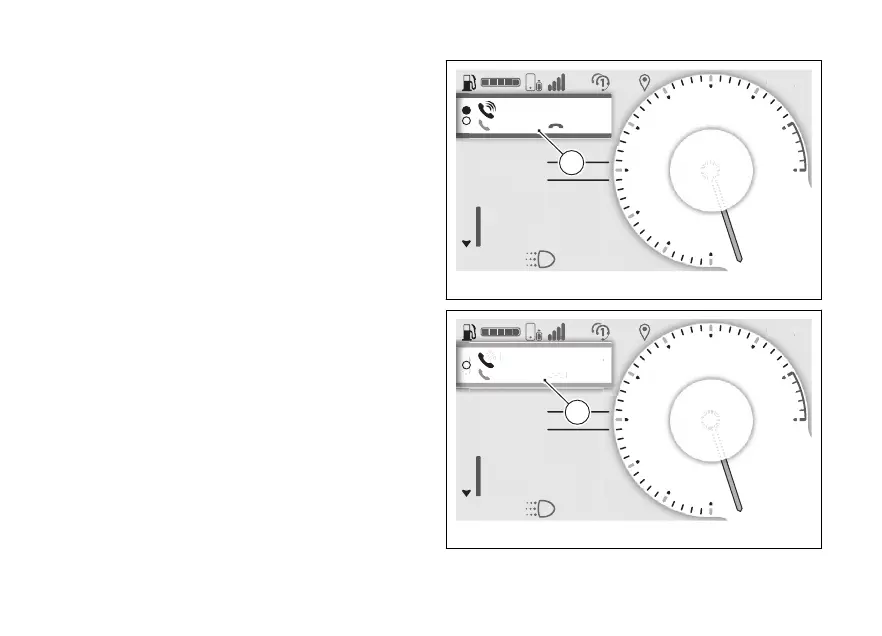
When you receive a call, a green window is shown
with the name or number of the caller as well as the
items “Accept” and “Decline” (G).
In this case, press the ENTER (3) to
select the "Accept" or "Decline" item, press the
ENTER (3) for a long time to the
action of the selected item.
Call back
At the end of a call or declining an incoming call,
the orange window will be displayed for 5 seconds
with the name or number of the contact and “Call
back” (H): press ENTER (3) to the call.
N
Gear
A
Air 22°C
0
km/h
ROAD
km1229
Total
DTC 3
DQS ON
Emmanuel Reginalbr...
DECLINEACCEPT
G
Fig 12
N
Gear
A
Air 22°C
0
km/h
ROAD
km1229
Total
DTC 3
DQS ON
Emmanuel Reginalbr...
DECLINEACCEPT
Emmanuel Reginalbr...
CALL BACK
H
Fig 13
32



 To Next Page