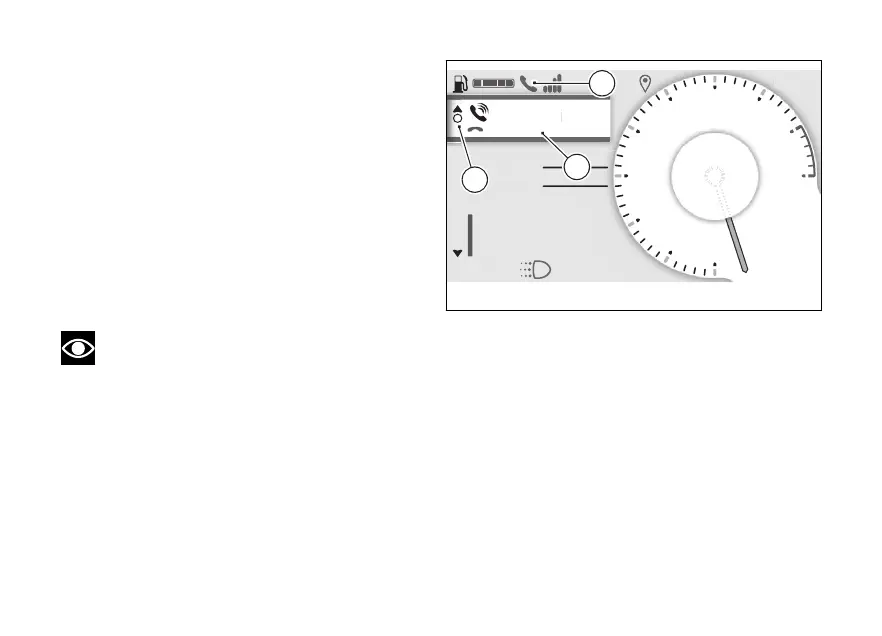
Call in progress
When a call is in progress, a green window is shown
with the name or number of the contact as well as
the item “End call” (D). To end the call, press the
ENTER (3).
During the call, the solid arrow at the top (E)
indicates that, by holding down the (1), you
can exit the call display to access other menus on the
main screen. The blue phone icon (F) is also activated
to indicate that the call is in progress.
To return to the call in progress window (D), select
"Phone” (B, Fig 8) from the Interactive Menu, and
press ENTER (3).
Note
The music player will be paused during a call.
N
Gear
A
Air 22°C
0
km/h
ROAD
km1229
Total
DTC 3
DQS ON
Emmanuel Reginalbr...
END CALL
E
F
D
Fig 11
31



 To Next Page