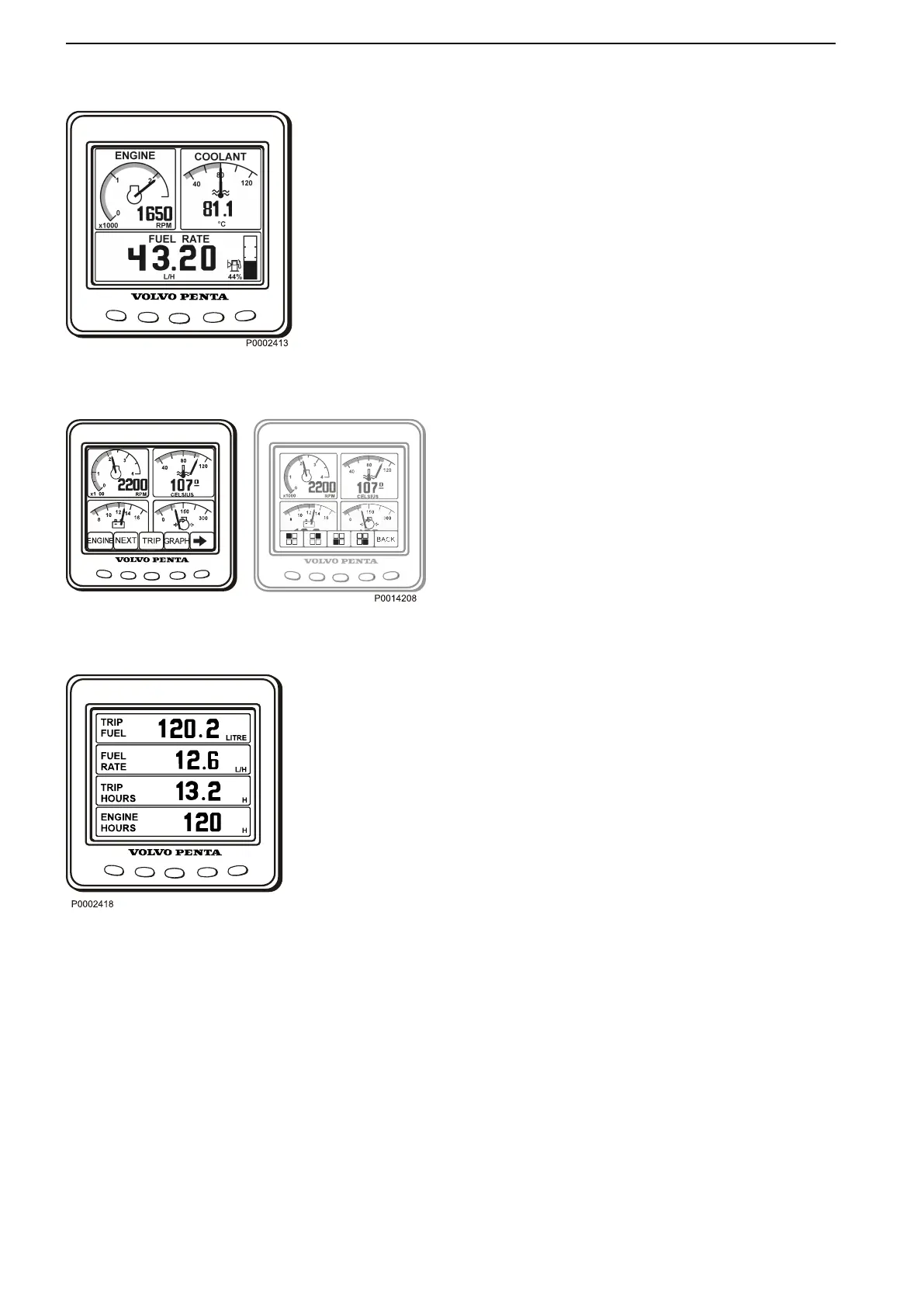
Engine
Rpm and coolant temperature is shown in the upper
part of the display. In the lower part it will show trip
computer
and
a
fuel
level indicator, if these function are
installed.
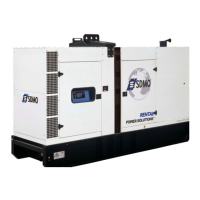
Multi
In the multi mode, button 2, the information can be
shown in four windows,analogue or digital. The display
toggles between the two when button 2 is pressed
repeatedly.
By pressing button 5, the right arrow, you choose what
information to be shown in the different windows.
Press repeatedly on the button that correspond to the
window, until desired information is shown.
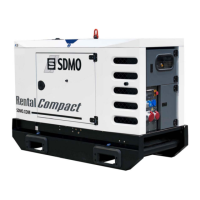
Trip
To display the trip computer press button 3, Trip
Trip Fuel, since last reset
Fuel Rate, fuel consumption
Trip hours, since last reset
Engine hours, total amount of operating hours
Reset by pressing button 3 for three seconds until a
beep is heard.
Instruments and Controls
18 7748681 12-2011


 To Next Page