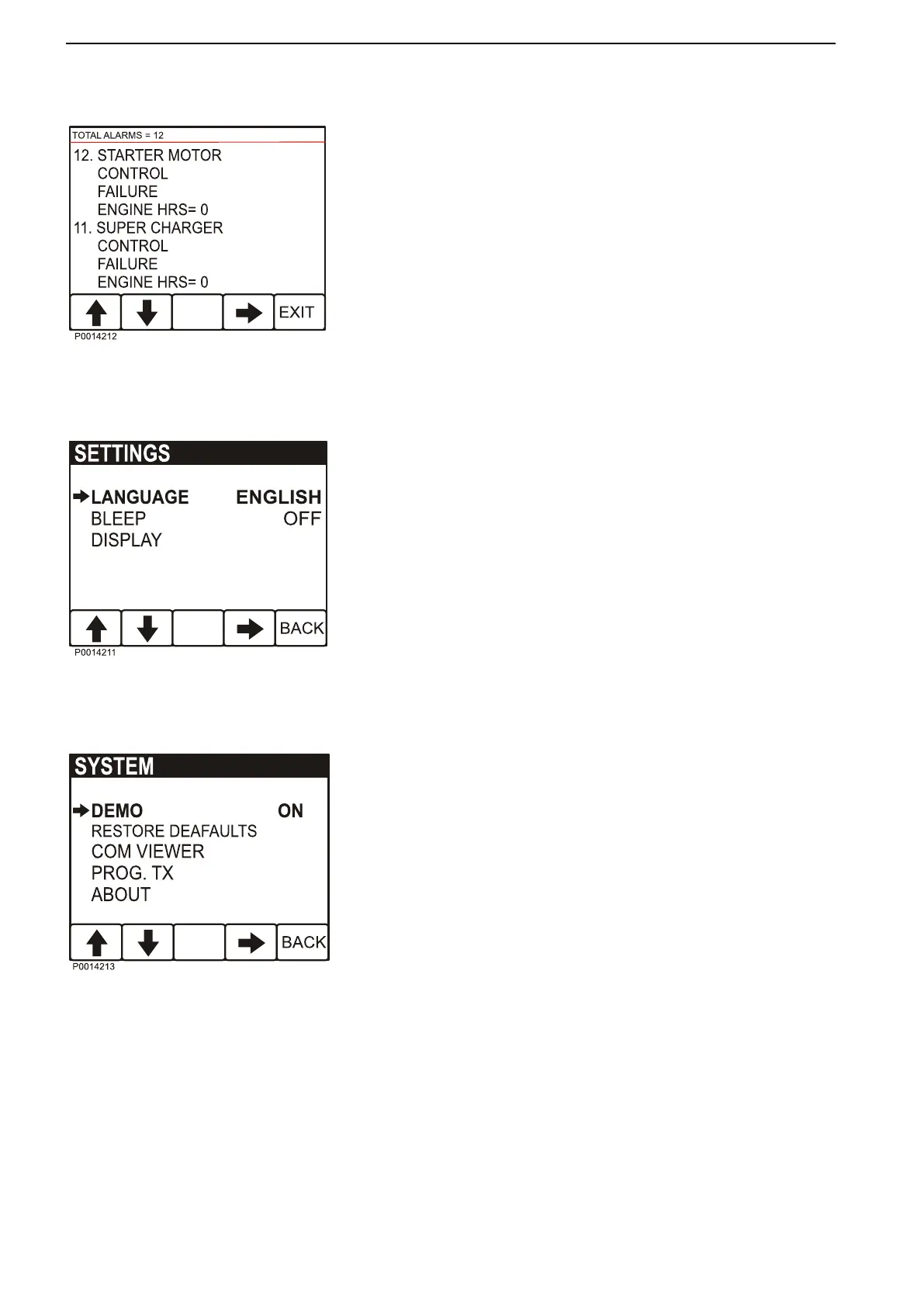
Alarm Status
List of active alarms, refer to Fault Han-
dling page 33
Settings
- LANGUAGE; setting
of what language is to be used
in the display.
- BLEEP; On/Off, setting if pressing the instrument
buttons will be followed by a beep or not.
- DISPLAY; setting of ENGINE RPM gauges
RPM ENGINE, 2500–9000 RPM, in steps of 500
RPM
GRAPH RANGE, 2 minutes– 8 hours in the follow-
ing steps,
2MINS, 10MINS, 30MINS, 60MINS, 2HRS, 4HRS,
8HRS
SYSTEM
- DEMO, switches the DEMO mode ON/OFF.
- RESTORE DEAFAULTS, reset all configuration to
default values.
- COM VIEWER, displays latest message on com-
munication ports
- PROG TX, transfers content of the application on
Flash memory to other CAN units on the same CAN
bus.
- ABOUT, displays
ID NO – display serial number
EEPROM – number of write on EEPROM
VERS – software version number
CHK – Flash memory checksum
PART No – Volvo software part number
SOURCE – source of received data
LABLE – Allocated Label on the same bus.
Instruments and Controls
20 7748681 12-2011


 To Next Page