ADVANCED OPERATIONS
17
ENT
ENT
ENT
UP
UP
DN
DN
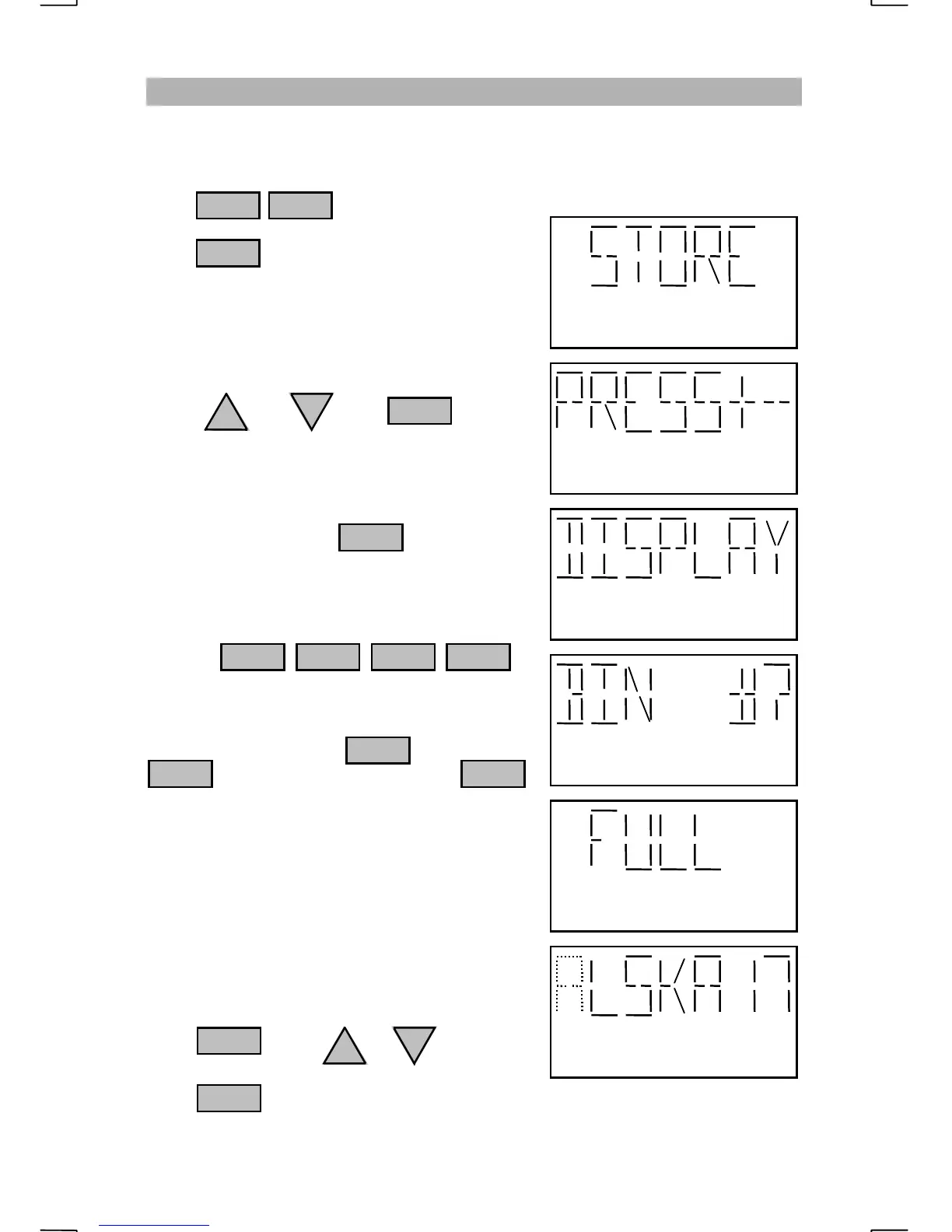
STORING THE DISPLAYED FREQUENCY
After selecting a channel or commonly used frequency, the displayed
information may be saved into any bin location. This will include the mode of
operation such as LSB, receive only, etc. To save the displayed information,
press to enter the program mode.
Press when “STORE” appears on the
display.
You will be prompted to “PRESS+-” for
selecting the type of information to store.
Press or then when
“DISPLAY” appears.
Enter any bin number for storing the displayed
frequency followed by
e.g. To save the displayed information to bin
number 171 press:
If the bin is “FULL”, you may overwrite the
information by pressing or press
to select a new bin. Pressing
will exit the programming mode.
Because bin 170 is factory programmed as
“ALSKA16”, the radio will make the
assumption that the operator will want this
channel’s name tag to be ALSKA17.
The character that is ready to edit will blink.
If you wish to leave the character the same
press . Press or to change
the blinking character.
Press to move to the next character .
ENT
ENT
1
ENT
11
7
1 FNC
ENT
0
2182
Blinking character may be changed


 To Next Page