FUNCTION MENUS
41
UP
UP
DN
DN
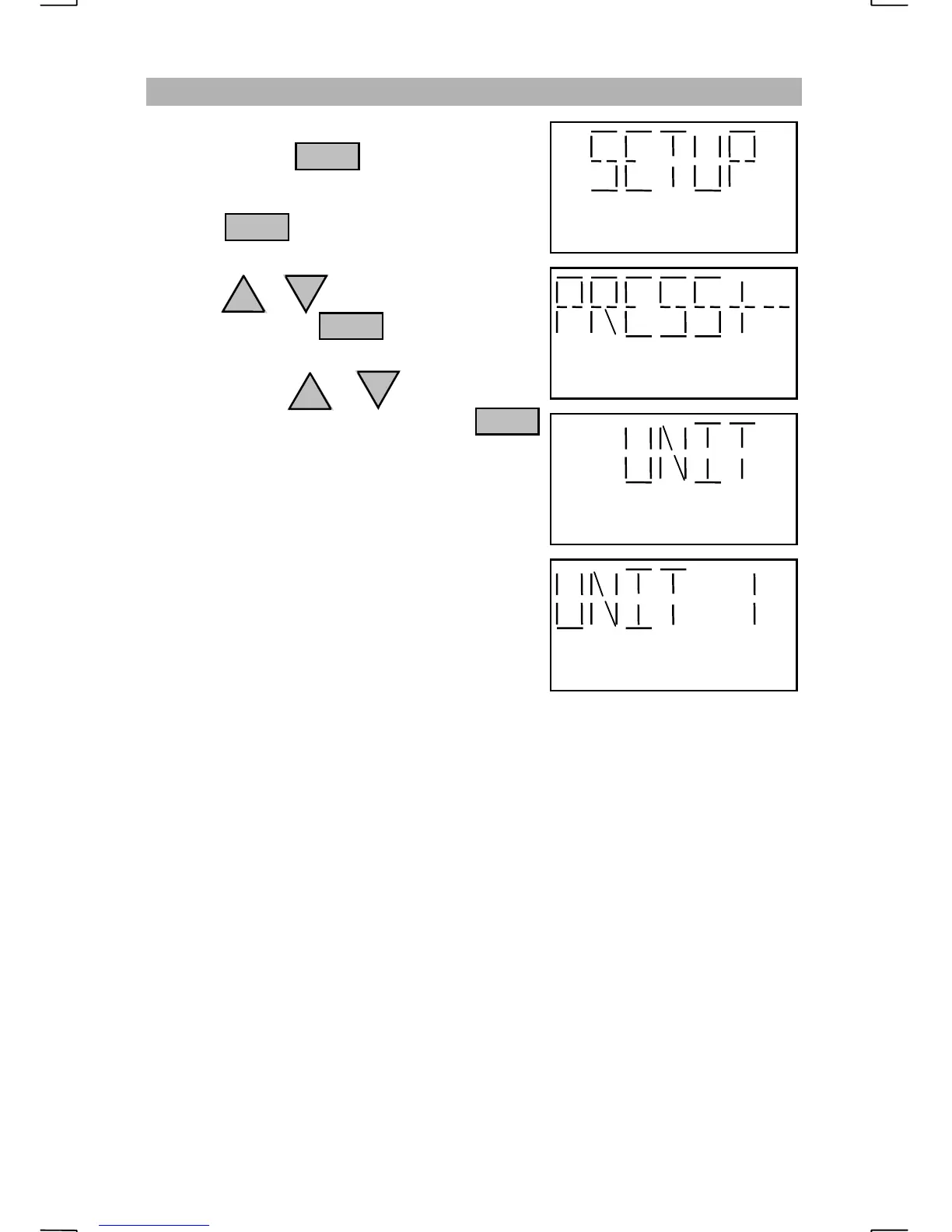
CHANGING THE CONTROLLER UNIT NUMBER
Repeatedly press until “SETUP” is
displayed.
Pressing with “SETUP” displayed
will prompt the operator to “PRESS+-”.
Press the or key until “UNIT” is
displayed then press
Each press of the or key will change
the controller’s assigned number. Press
to select the displayed setting.
The default controller number is “1”. The unit
number can be changed from 1 to 9.
A recommended maximum of four controllers
may be connected to the radio at the same time.
Both the receive and transmit audio level will
decrease slightly when additional controllers
are connected.
Each controller must be assigned a different
number.
ENT
FNC
ENT
ENT


 To Next Page