FUNCTION MENUS
40
UP
UP
DN
DN
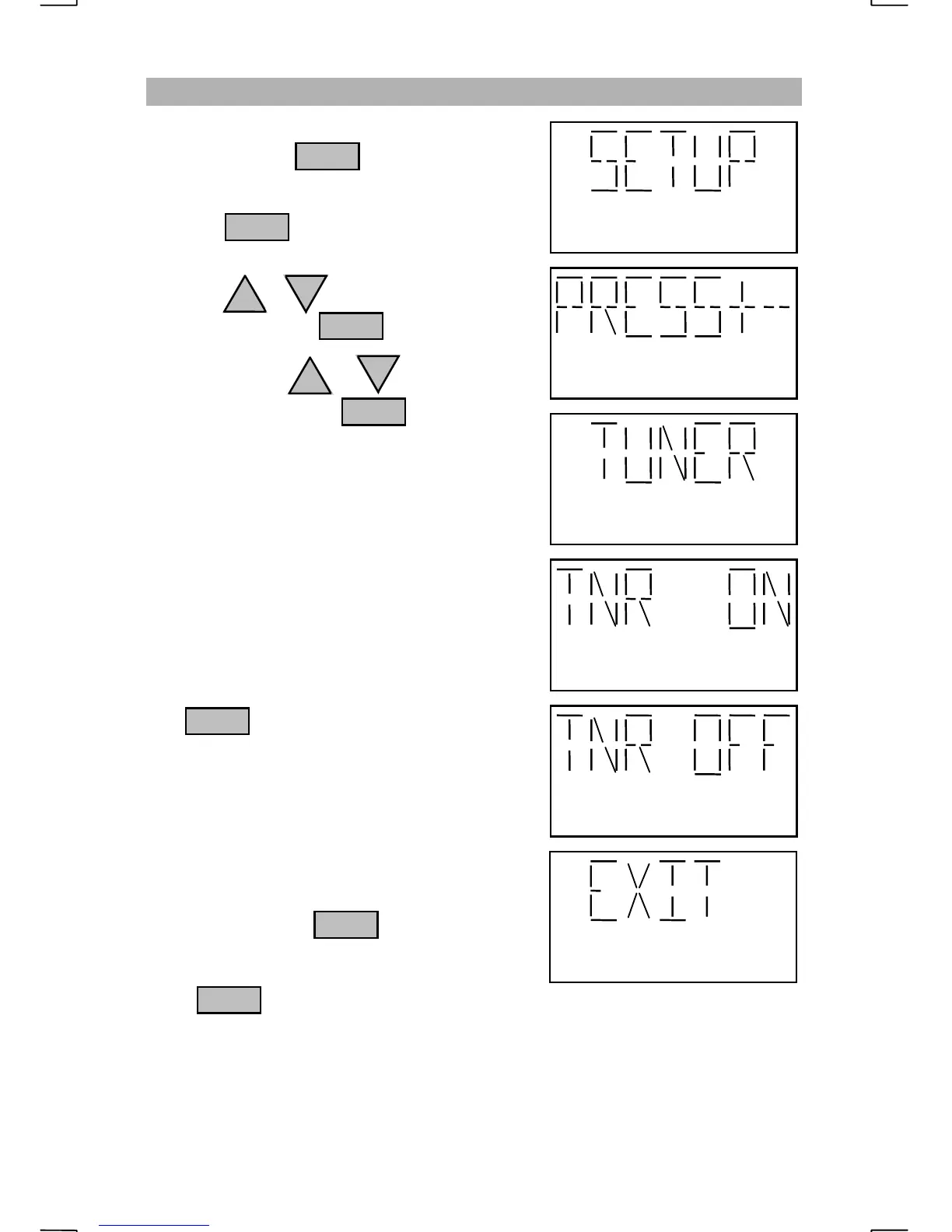
CHANGING THE TUNER STATUS
Repeatedly press until “SETUP” is
displayed.
Pressing with “SETUP” displayed
will prompt the operator to “PRESS+-”.
Press the or key until “TUNER” is
displayed then press
Each press of the or key will change
the tuner setting. Press to select the
displayed setting.
Select “TNR ON” when the radio will be used
with a SEA 1612B, 1612C or 1635 antenna
tuner. The “LOW” indicator will appear on the
display to show the antenna is not tuned for full
output power. The tuner will “match” the
antenna when the operator does one of the
following:
1)
Speaks into the microphone during
transmit
2)
Holds the microphone PTT and presses the
key. The radio will output a
signal to “match” the antenna.
When the tuner has finished “matching” the
antenna, the VSWR will be displayed, the
“LOW” indicator will turn off and full power
will be transmitted.
Select “TNR OFF” when using a tuner that
does not supply a ground potential “TND”
signal. Pressing the key while the PTT
is held will not transmit a signal for “matching”
the antenna.
If the key is pressed at the “EXIT”
display, the tuner status is not changed.
NOTE
:
If the operator has set the radio to “LO PWR” or “VLO PWR” via the power
setup menu, and the tuner has found a “match”, the radio will not increase to full power
until the operator manually changes the output power to “HI PWR”.
ENT
FNC
ENT
ENT
FNC
FNC
FNC


 To Next Page