G4K Pro User Guide
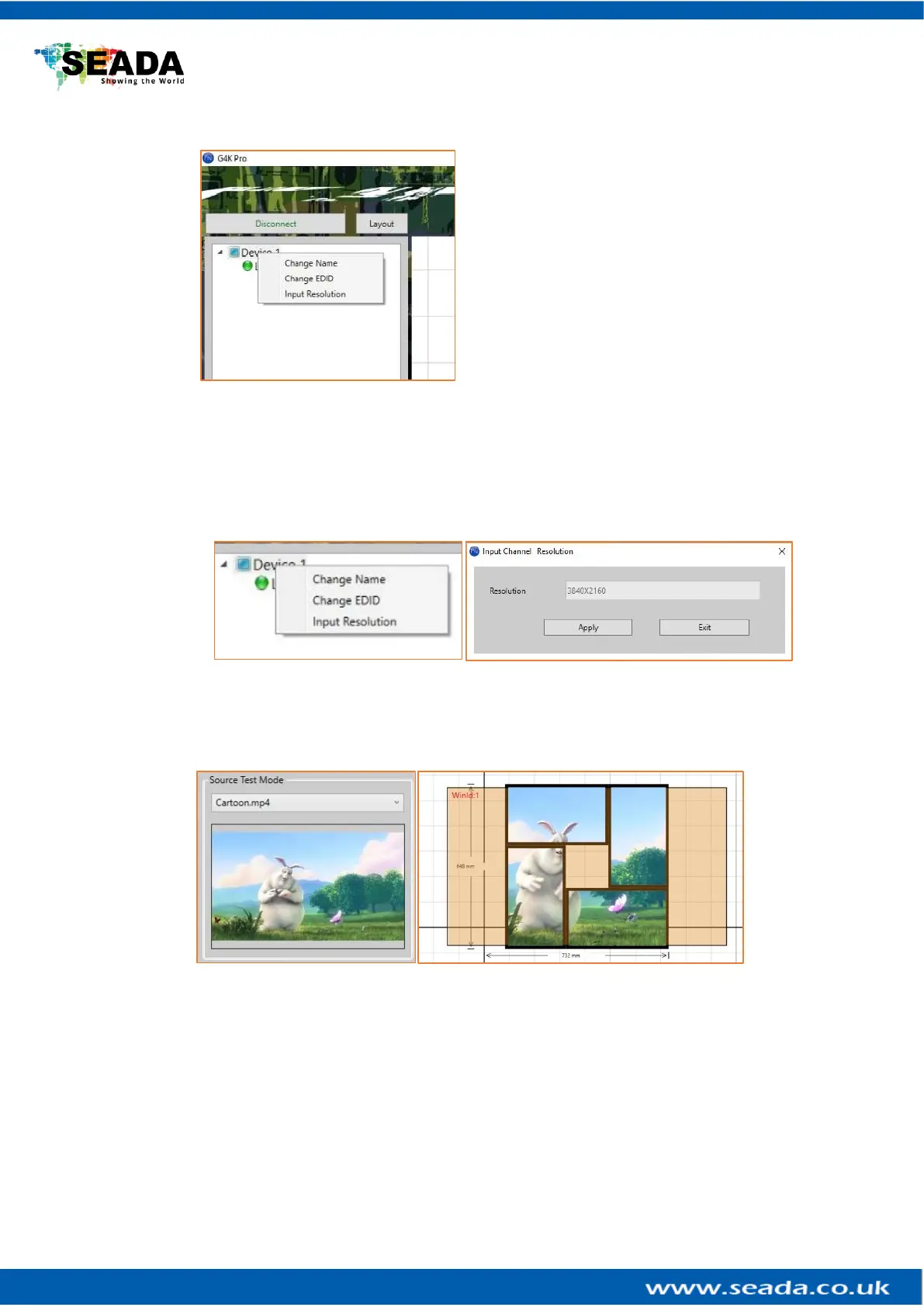
3.3.1.6. Change EDID
Users are able to change the input EDID of G4K
Pro to match any shape of video wall layout. Go
into ‘Input’ and then right click on the device
needed EDID change and choose ‘Change EDID’ in
drop down menu. The default path for EDID files
are C:\G4KPro\Edid
If the EDID needed is not in the folder, users are
able to customise the EDID using EDID Editor
(3.4.5)
After the EDID having been changed, users need to disconnect and connect the input to
the G4K Pro in order to apply the change.
3.3.1.7. Check input resolution
Users are able to check the input video resolution in the management software
3.3.1.8. Source test mode
It will apply an image or video onto layout in the software to indicate the crop images for
each screen of the video wall.



 To Next Page