G4K Pro User Guide
3.4. Tool Bar
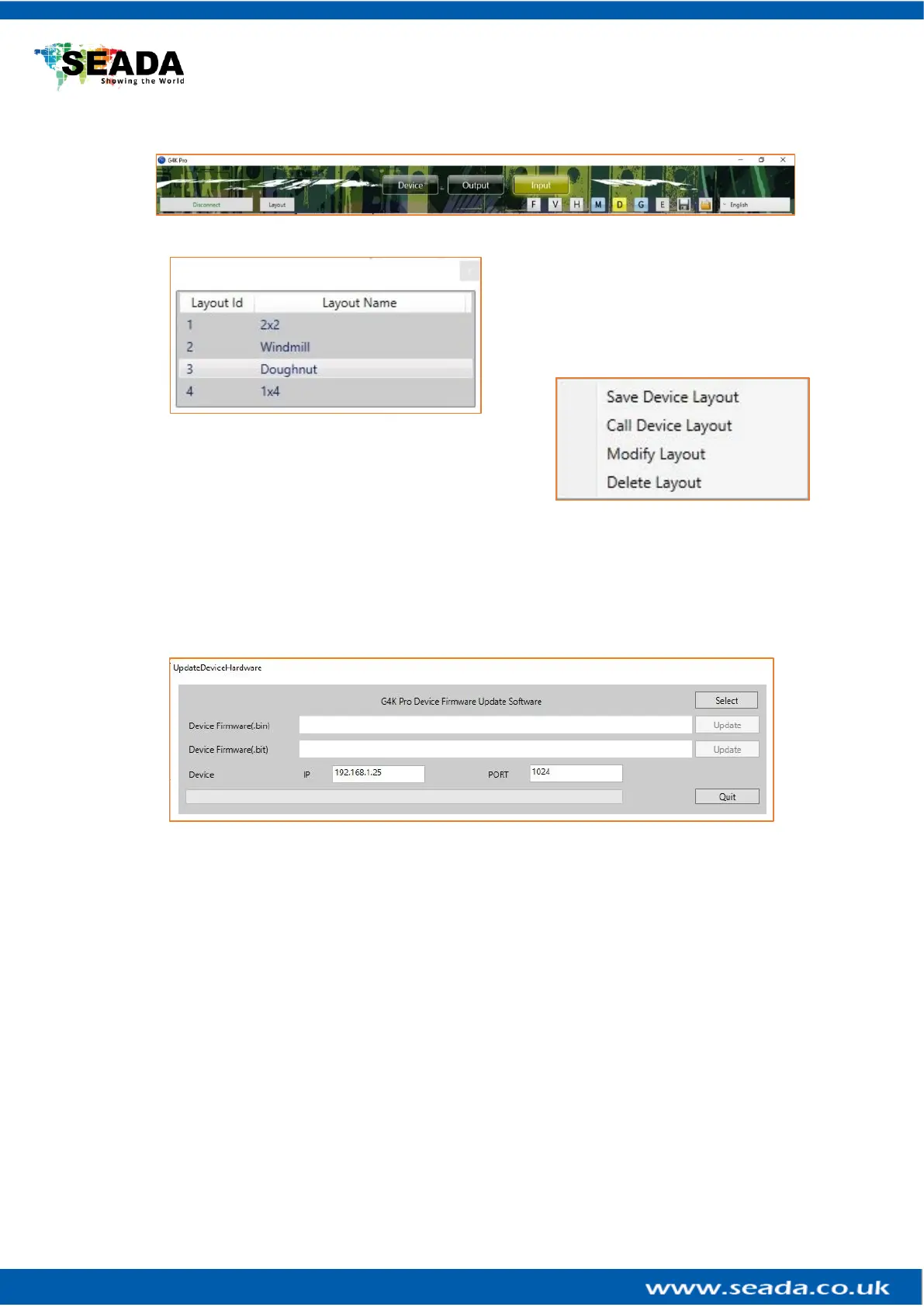
3.4.1. Layout pre-set layouts saved on device
Users are able to save up to 4 pre-set layouts
here onto the G4K Pro and the layouts can be
loaded by G4KPro management software or
3rd party controller via telnet.
Right click onto each layout to Save new layout, Call,
Modify or Delete existing layouts
3.4.2. F Firmware update
Press this button to open firmware update dialog window
• Select the firmware file (.zip file)
• Make sure the IP address is the same address as the unit which needs to be updated
• Please update .bin file first and then .bit file
3.4.3. V Version of firmware of devices
It shows the firmware version of all the G4K Pro devices which are connected to the software.
3.4.4. H Home
Centre the layout to the grid area.
3.4.5. M Show Measurements
Show the length and width of the video wall layout
3.4.6. D Snap to Display
When move the display, it will snap to the next display.
3.4.7. G Snap to Grid
When move the display, it will snap to the next grid.



 To Next Page