G4K Pro User Guide
2. Software installation on control PC
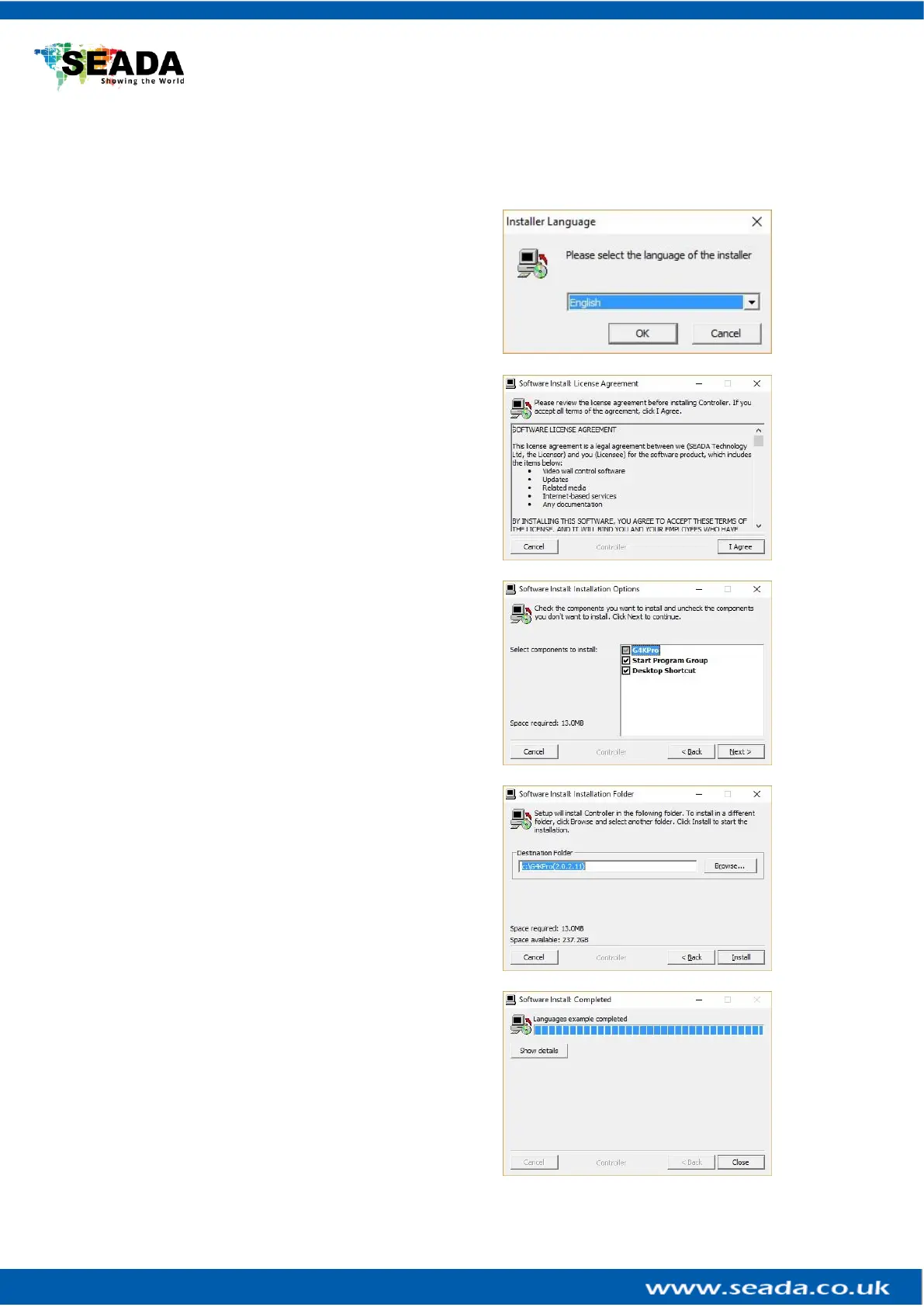
Insert the SEADA Software CD into your control PC’s CD-ROM drive to begin the installation. Double
click the G4K Pro management software in software folder to start the installation.
Click the drop down menu to choose the
language for the software.
The default language is English.
After choosing the language, click OK to
continue
Click I Agree to accept the License Agreement
Check and uncheck the items for installation.
And then click Next.
Choose the path for installation as you wish and
then click Install to start the installation process.
Note: The installation may take several minutes
to finish
Click Close to complete the installation



 To Next Page