G4K Pro User Guide
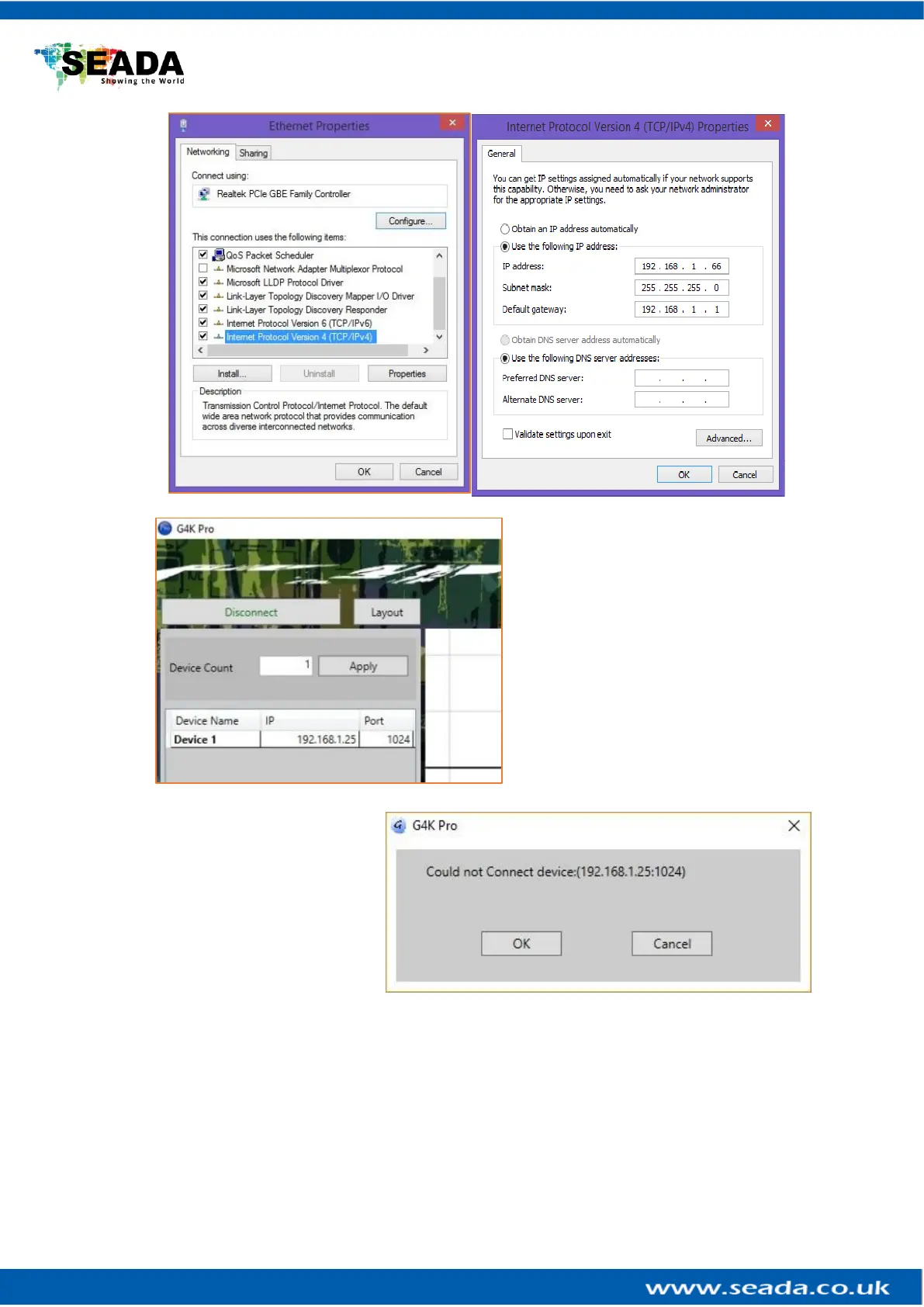
• Once the control PC IP address
having been set up, press the Connect
button to connect the G4K Pro.
• The Connect button changes to
Disconnect button indicating the
connection has been set up successfully.
• If a dialog window as below comes
up, the connection was failed.
➢ Please check if control PC IP address
is correctly set up
➢ Please check the network cable
connection between PC and G4K Pro.



 To Next Page