4K 4x1 Seamless Switcher with Multi-view
Website: www.seada.co.uk 11 / 33 E-mail: sales@seada.co.uk
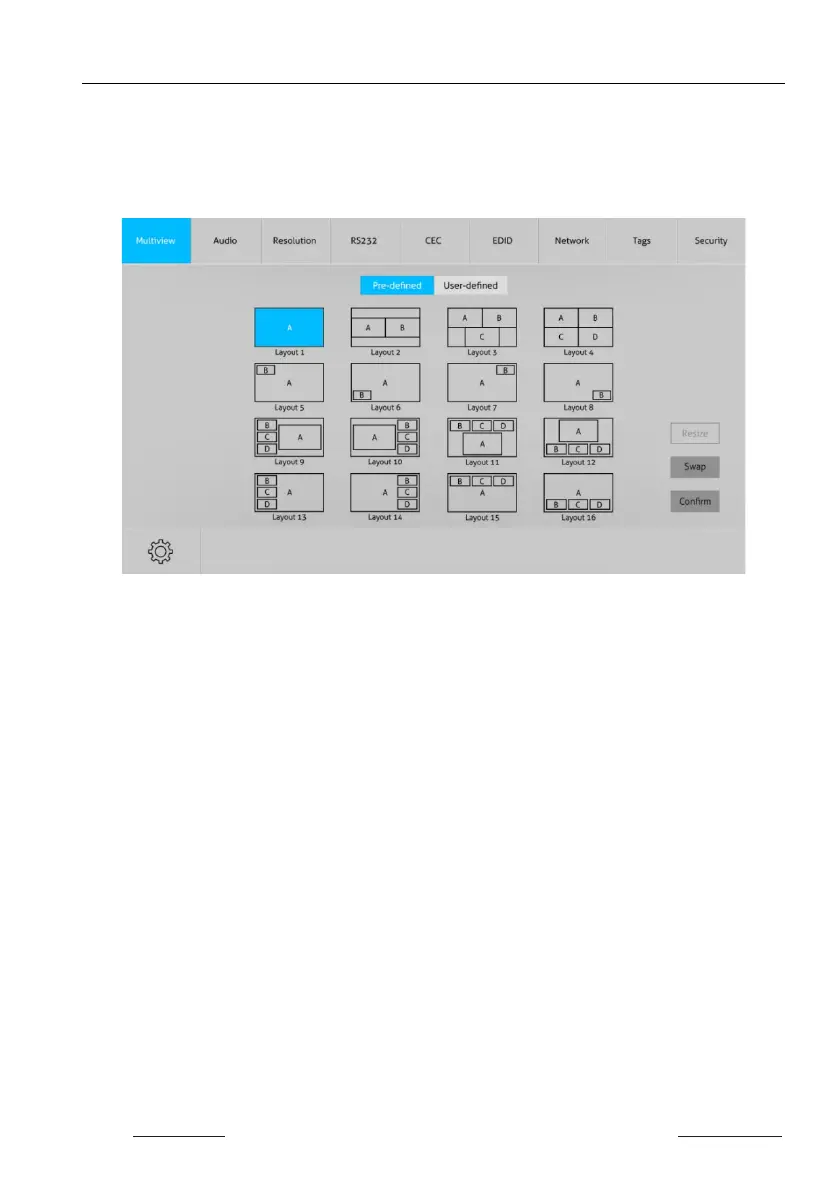
7.1 Multiview Tab
Type the default user name and password, and then click Login to enter the Multiview
Tab shown as below:
Pre-defined
Pre-defined:
Click the corresponding button (Layout1~16) to select video input view and
mode.
Click the Layout2, Layout5~Layout8, Layout9~Layout12 buttons to enable the
Resize function.
Press SWAP button to select window display screen anti-clockwise direction.
Click Confirm button complete the selection.
Note: Only layout2, layout5~8 and layout9~12, 9 layouts in total, can be resized.


 To Next Page