4K 4x1 Seamless Switcher with Multi-view
Website: www.seada.co.uk 18 / 33 E-mail: sales@seada.co.uk
Click Setting button to set built-in EDID.
Click HDMI 1-4 button to select input source.
Click any one of built-in EDIDs for the selected input source device.
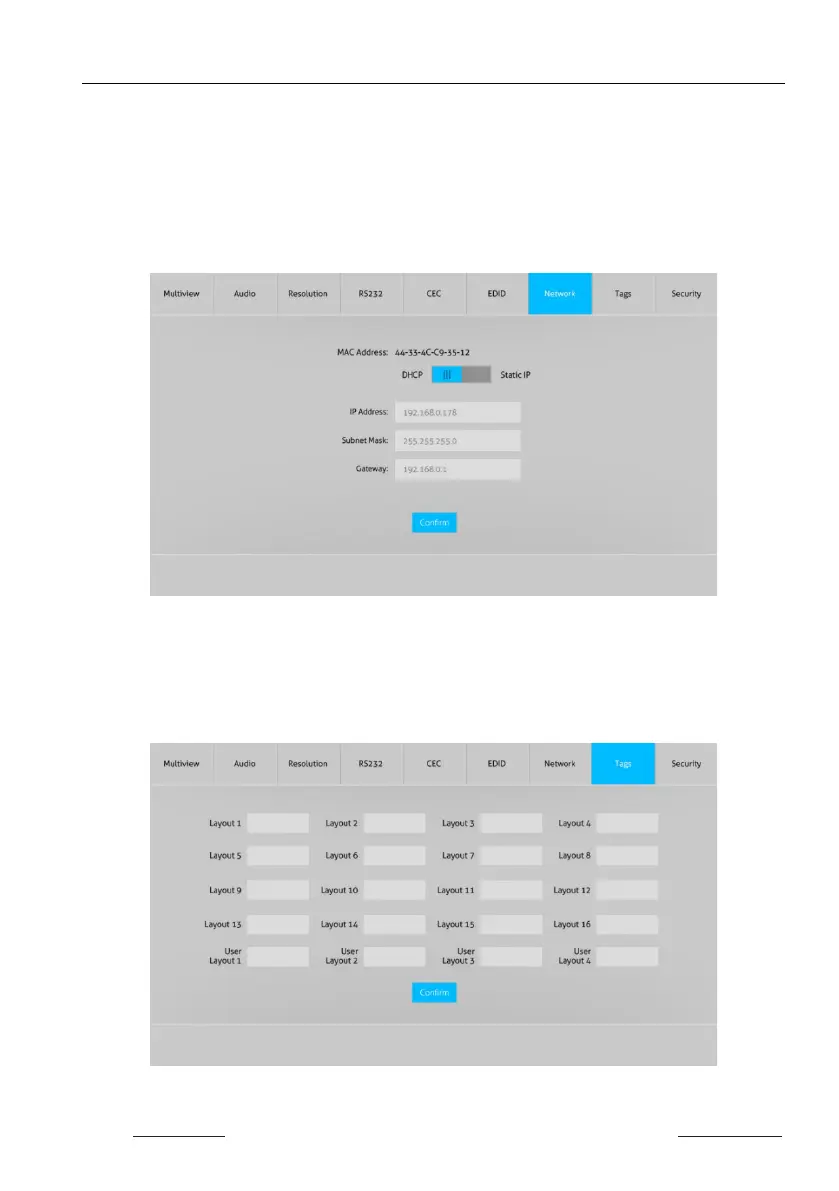
7.7 Network Tab
Static IP or Dynamic Host Configuration Protocol (DHCP).
Modify the static IP Address, Subnet Mask, and Gateway.
7.8 Tags Tab
Modify the input button labels.


 To Next Page