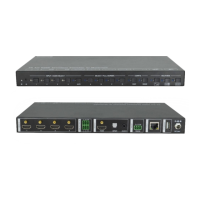
4K 4x1 Seamless Switcher with Multi-view
Website: www.seada.co.uk 27 / 33 E-mail: sales@seada.co.uk
Command Function
Command & Feedback
#GET_OFF_CNT
Get the number of times to send the
@OFF_CNT 1
#SET_OFF_DELAY
[PARAM]
Set the sending interval between two
Display OFF commands.
[PARAM]=5 ~ 100 (1=100ms)
#SET_OFF_DELAY 5
@OFF_DELAY 5
#GET_OFF_DELAY
Get the the sending interval between
two Display OFF commands.
@OFF_DELAY 5
8.5 CEC Command
The ending mark of command is “<CR><LF>”.
Command Function
Command & Feedback
#SET_SRC_MENU
[PARAM]
Send CEC MENU command to source
device.
[PARAM]=1 ~ 4
1 - HDMI 1
2 - HDMI 2
3 - HDMI 3
#SET_SRC_MENU 1
@SRC_MENU 1
#SET_SRC_UP [PARAM]
Send CEC UP command to source
device.
[PARAM]=1 ~ 4
1 - HDMI 1
2 - HDMI 2
3 - HDMI 3
#SET_SRC_UP 1
@SRC_UP 1
#SET_SRC_DOWN
[PARAM]
Send CEC DOWN command to source
device.
[PARAM]=1 ~ 4
1 - HDMI 1
2 - HDMI 2
3 - HDMI 3
#SET_SRC_DOWN 1
@SRC_DOWN 1
#SET_SRC_LEFT
[PARAM]
Send CEC LEFT command to source
device.
[PARAM]=1 ~ 4
#SET_SRC_LEFT 1


 To Next Page