4K 4x1 Seamless Switcher with Multi-view
Website: www.seada.co.uk 26 / 33 E-mail: sales@seada.co.uk
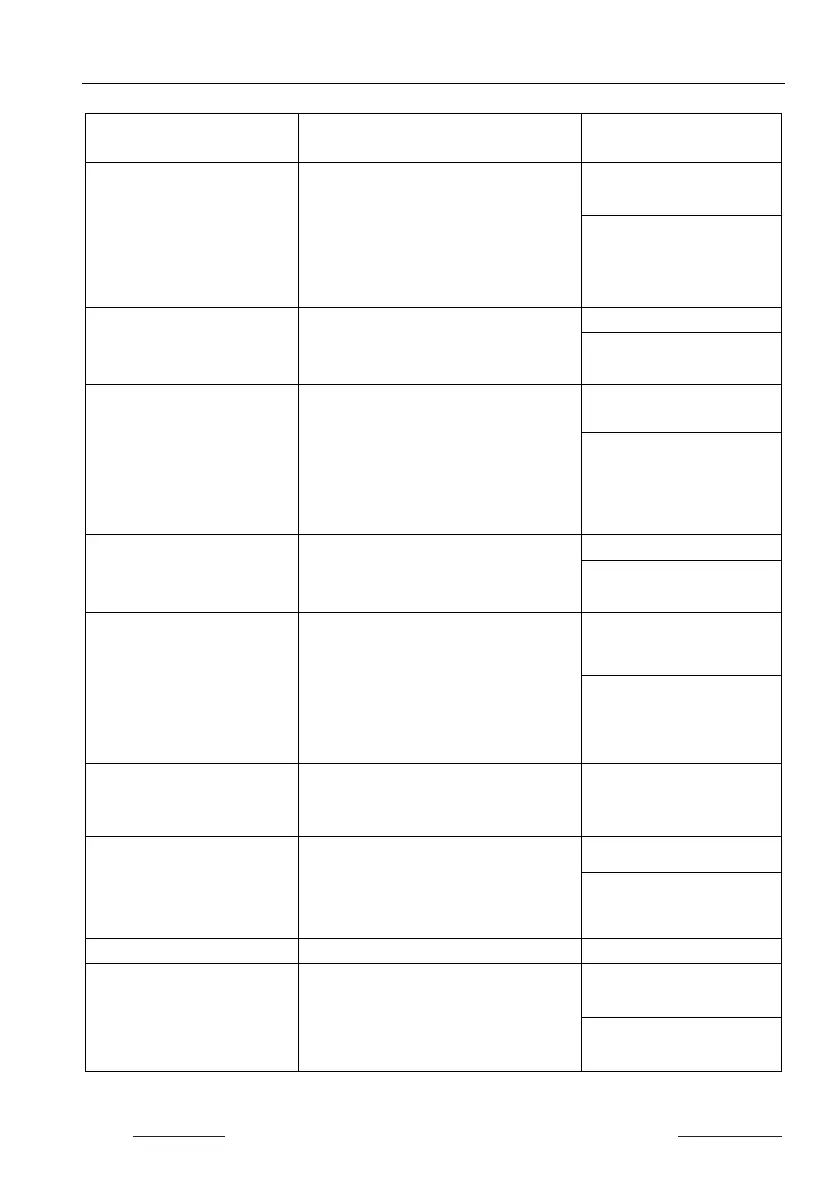
Command Function
Command & Feedback
#SET_SYNCACT_CEC
[PARAM]
Enable/Disable whether automatically
send corresponding CEC command
when detecting Power on/off signal.
[PARAM]= 0 ~ 1
0 - Disable
#SET_SYNCACT_CEC 1
@SYNCACT_CEC 1
#GET_SYNCACT_CEC
Get whether automatically send
corresponding CEC command when
detecting Power on/off signal.
@SYNCACT_CEC 1
#SET_SYNCACT_RS232
[PARAM]
Enable/Disable whether automatically
send corresponding RS232 command
when detecting Power on/off signal.
[PARAM]= 0 ~ 1
0 - Disable
1 - Enable
#SET_SYNCACT_RS232
@SYNCACT_RS232 1
#GET_SYNCACT_RS232
Get whether automatically send
corresponding RS232 command when
detecting Power on/off signal.
@SYNCACT_RS232 1
#SET_DTIME
[PARAM1]:[PARAM2]
Set the delay time of auto sending
Display OFF command when no signal
is detected.
[PARAM1]=0 ~ 30 minus
[PARAM2]=0 ~ 1800 seconds
(PS: All the time in 0s ~ 30m)
#SET_DTIME 1:30
@DTIME 1:30
#GET_DTIME
Get the delay time of auto sending
Display OFF command when no signal
@DTIME 1:30
#SET_AUTO_POWER
[PARAM]
Enable/Disable auto standby function.
[PARAM]=0 ~ 1
0 - Disable
1 - Enable
#SET_AUTO_POWER 1
@AUTO_POWER 1
Get the auto stadby function status.
#SET_OFF_CNT [PARAM]
Set the number of times to send the
DISPLAY OFF command.
[PARAM]=1 ~ 2
#SET_OFF_CNT 1
@OFF_CNT 1


 To Next Page