Before you get started … • 81
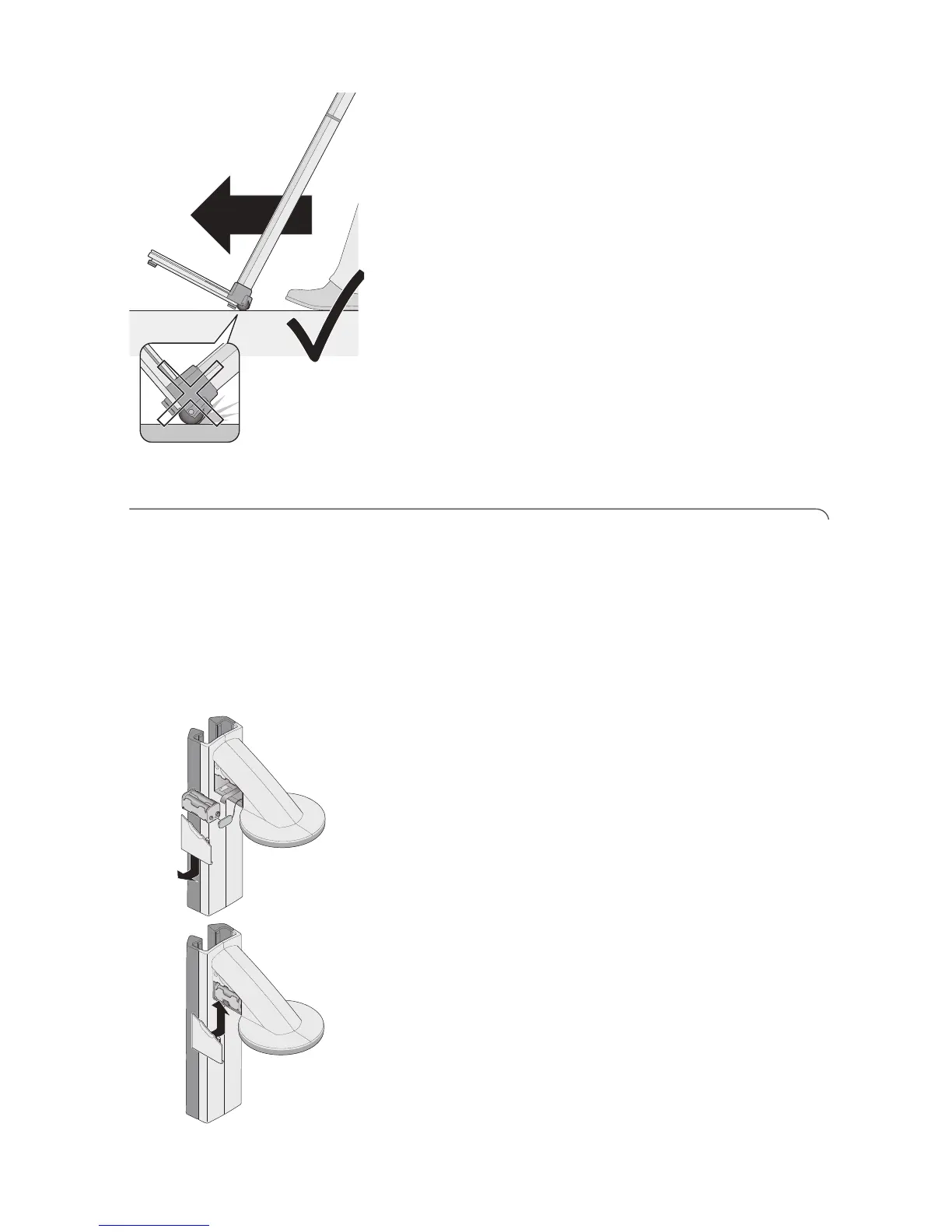
2. Tilt the device backwards until it can freely move on
the castors.
3. Transport the device to its new location.
4. Upright the device.
5. Plug the power supply unit into the socket.
4.5 Connecting the power supply
The head slide is supplied with power from batteries.
The scales and the multifunctional display are run with
a power supply unit.
Insert batteries The battery holder supplied already contains 4 mignon
batteries, type AA, 1.5 volt. To connect the power
supply for the head slide, proceed as follows:
1. Remove the cover of the battery compartment.
2. Remove the connection cable from the battery
compartment.
3. Connect the battery holder to the connection cable.
4. Insert the battery holder into the battery
compartment.
ATTENTION!
Damage to device and malfunction due to
clamped or pinched cable
– Lay the battery cable before closing the
battery compartment so that it cannot get
clamped between the cover and the battery
compartment.
5. Slide the cover onto the battery compartment until
it audibly latches into position.



 To Next Page