Operate scales • 93
5.2 Additional functions (menu)
Additional functions are available in the device's menu.
This allows you to optimally configure the device to suit
your own needs.
* The menu item "rF" is described in section “Operate
measuring station in a wireless group (menu)” on
page 108.
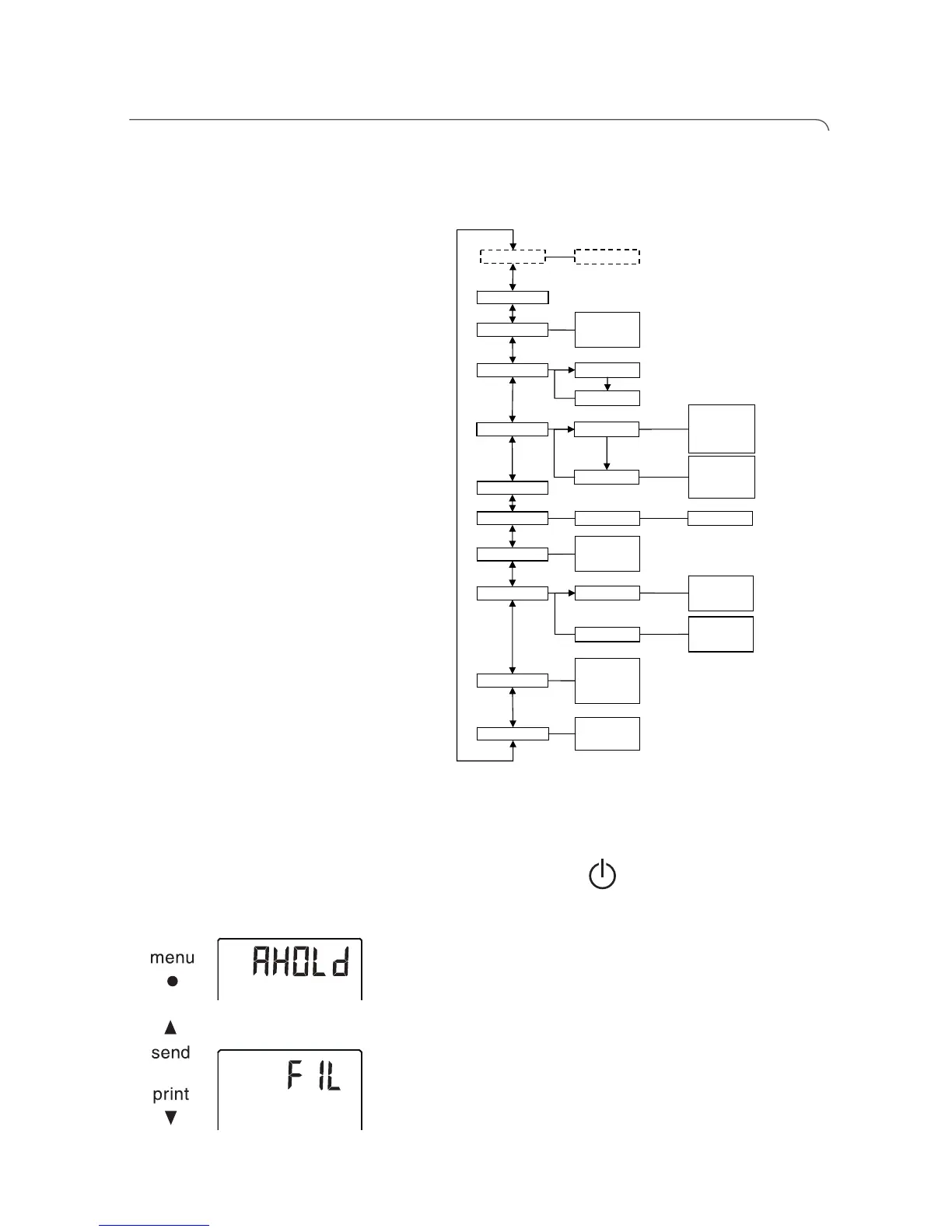
Navigate within the
menu
1. Press the Start key of the multifunctional
display.
2. Press the menu key.
The last menu item selected is shown in the display
(here: Autohold "Ahold").
3. Keep pressing the arrow key send or print until the
required menu item appears in the display (here:
attenuation "Fil").
rF* ….
ResetReset
PT Weight Net WeightPre-Tara
Autohold
• on
• off
Beep
• on
• off
• on
• off
Press
Hold
LCD
• Short
• Long
• Permanent
• 50 %
• 100%
• off
Duration
Brightness
Height
Autoclear
• on
• off
Filter
• 0
• 1
• 2
Unit
• kg
• lbs
Body BMI
BFR



 To Next Page