
EasyManua.ls Logo

Secure PT3 Series - User Manual

Secure PT3 Series
40 pages
Print Icon
To Next Page IconTo Next Page
Loading...
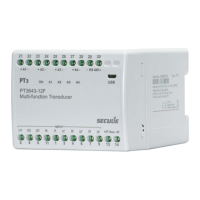
PT3 transducer range
Technical reference manual
BGX701-014-R03

Questions and Answers

  • T
    Thomas SmithAug 4, 2025
    What to do if the Secure PT3 is connected via USB cable, but no values are shown in Reading mode?
    • Z
      zsullivanAug 4, 2025
      If the Secure Transducer is connected via USB, but no values appear in Reading mode, the auxiliary supply may not be connected or energized. Check the auxiliary supply, ensuring the ON LED on the front panel glows green. If the values are all zeroes, verify the input connections.
  • E
    edward50Aug 10, 2025
    How to fix Secure Transducer when A1 (or A2, A3 or A4) LED on the front panel is glowing red?
    • S
      Shane ElliottAug 10, 2025
      If the A1 (or A2, A3 or A4) LED on the front panel of the Secure Transducer is glowing red, it means that the mA analogue output loop is open-circuit or voltage analogue output loop is short circuit. If the current mA analogue output is open circuit, connect a load resistor of approximately 750 ohm across the terminals (+A1-, +A2-, +A3-, or +A4-), and if the voltage analogue output is short circuit, connect a load resistor of approximately 2k ohm across the terminals (+A1-, +A2-, +A3-, or +A4-). Verify the LED operation by applying an input as per specified ranges.
  • D
    dalenewtonAug 16, 2025
    What to do if the output level from the Secure Transducer is lower or higher than expected?
    • M
      Mitchell JosephAug 16, 2025
      If the output level from the Secure Transducer is lower or higher than expected, even though the input signal is healthy and the correct primary and secondary scaling has been applied, the phase inputs may be connected incorrectly, or the wiring configuration may be incorrectly selected. Check that the physical connections for each phase and ensure that phase 1 is connected to L1 inputs, phase 2 to L2 inputs, and phase 3 to L3 inputs. Also, check the selection for Measurement method, wiring and connection diagram.
  • A
    Amy AllenAug 22, 2025
    What to do if the new configuration has not taken effect on Secure Transducer?
    • J
      Jessica KelleyAug 22, 2025
      If the Secure Transducer is connected and powered by auxiliary supply, but the new configuration has not taken effect, the transducer may need to be power-cycled for the new configuration to take effect. Power OFF the auxiliary supply for a few seconds, and then power it back ON. The new configuration should now be activated for reading.
  • G
    garzamaryAug 27, 2025
    How to check accuracy of Secure PT3 input and output measurements?
    • H
      harrellrichardAug 27, 2025
      To address doubts related to the accuracy of input and output measurements of the Secure Transducer, you should measure the input and output of the transducer using a suitable measurement device. Ensure that the device being used supports the measurement ranges configured in the transducer. By comparing the result with configured input and output ranges, any deviation can be easily detected.

Summary

Preface

Purpose and Audience

Manual covers PT3 transducer configuration, installation, and usage for power and process industries.

Abbreviations

Glossary of abbreviations used in the manual, like PT, FAQS, RMS, and USB.

Related Documentation

Information on downloading the ConfigView software tool and associated documentation from the website.

Disclaimer

Important Safety Information

Safety During Installation and Servicing

Precautions for making electrical connections, handling hazardous voltages, and ensuring safe installation/servicing practices.

Disposal Guidelines

Instructions for safe and responsible disposal of PT3 transducers according to applicable regulations.

Maintenance Requirements

PT3 transducers typically require no maintenance; adhere to manufacturer specifications for user experience.

Introduction to Three-Phase Transducers

Physical Features

Illustrated guide to the main parts and components of the PT3 transducer device.

Communication Ports

Details the micro USB port for configuration and the RS-485 port for Modbus communication.

Technical Specifications

Environmental & Safety

Covers protection class, pollution degree, temperature, humidity, altitude, and installation categories.

Electrical & Output Specs

Details electrical inputs, outputs, scale factors, frequencies, and measurement parameters.

Auxiliary Supply & Standards

Information on auxiliary power supply options and the standards complied with by the PT3 transducer.

Mechanical Specifications

Information on product dimensions, weight, material, mounting type, and connector specifications.

PT3 Output Signals

Configuring PT3 Transducers

Configure PT3 in Online Mode

Step-by-step procedure for configuring PT3 transducers directly via USB connection using ConfigView.

Configure PT3 in Offline Mode

Process for creating and saving configuration files offline in ConfigView for later transfer to the transducer.

Change Customer Serial Number

Instructions for modifying the transducer's customer serial number using ConfigView via a USB cable.

Print;Export Configuration Label

Guide on printing or exporting configuration labels for PT3 transducers directly from ConfigView.

Installing PT3 Transducers

Dimensional Details

Provides precise physical dimensions of the PT3 transducers for installation planning.

Mounting on DIN Rail

Step-by-step instructions for securely mounting the PT3 transducer onto a standard DIN rail.

Demounting the PT3 Transducer

Procedure for safely removing the PT3 transducer from its DIN rail mounting.

PT3 Network Connections

Modbus Mapping

Modbus Overview & References

Introduces Modbus mapping, lists references, and explains its use for parameter reading and data acquisition.

Modbus Settings

Covers essential Modbus settings including connections, slave address, register addresses, and serial port configuration.

Modbus Function Codes & Registers

Details Modbus function codes for reading registers and provides an overview of fixed and standard registers.

Supported Reading Parameters

Reading Holding Registers

Troubleshooting PT3 Transducers

Transducer Operation Issues

Addresses transducer not working, red LED indicators, and configuration not taking effect.

ConfigView & USB Communication Issues

Troubleshoots ConfigView errors and problems displaying values via USB connection.

Output & Measurement Accuracy Issues

Solves incorrect output levels, wiring errors, and general measurement accuracy concerns.

Frequently Asked Questions (FAQs)

Installation and Configuration FAQs

Covers installation sequence, driver errors, and configuration without auxiliary supply.

Connectivity and Feature FAQs

Clarifies USB port capabilities, RS-485 availability, and the function of scale factors and breakpoints.

Secure PT3 Series Specifications

General IconGeneral
Accuracy±0.5% FS
Electrical ConnectionM12x1 connector
Housing MaterialStainless Steel
Output Signal4-20 mA
Diaphragm MaterialStainless steel