enable/disable”.
Language
Click and roll the mouse on Language to choose OSD language.
The DVR supports 18 versions of OSD language: T-Chinese, S-Chinese, Japanese,
English, Czech, Dutch, Spanish, French, Italian, Deutsch, Polish, Russian, Hebrew, Thai,
Danish, Swedish, Finnish and Vietnamese.
NTSC/PAL Select
Click and roll the mouse on NTSC/PAL Select to choose Auto, NTSC or PAL system.
1. Auto: The DVR will detect the camera’s system (NTSC or PAL) automatically when
DVR is power on, if no camera installed, it will be the same as previous setting.
2. NTSC: The DVR will be set to NTSC even PAL cameras are installed.
3. PAL: The DVR will be set to PAL even NTSC cameras are installed.
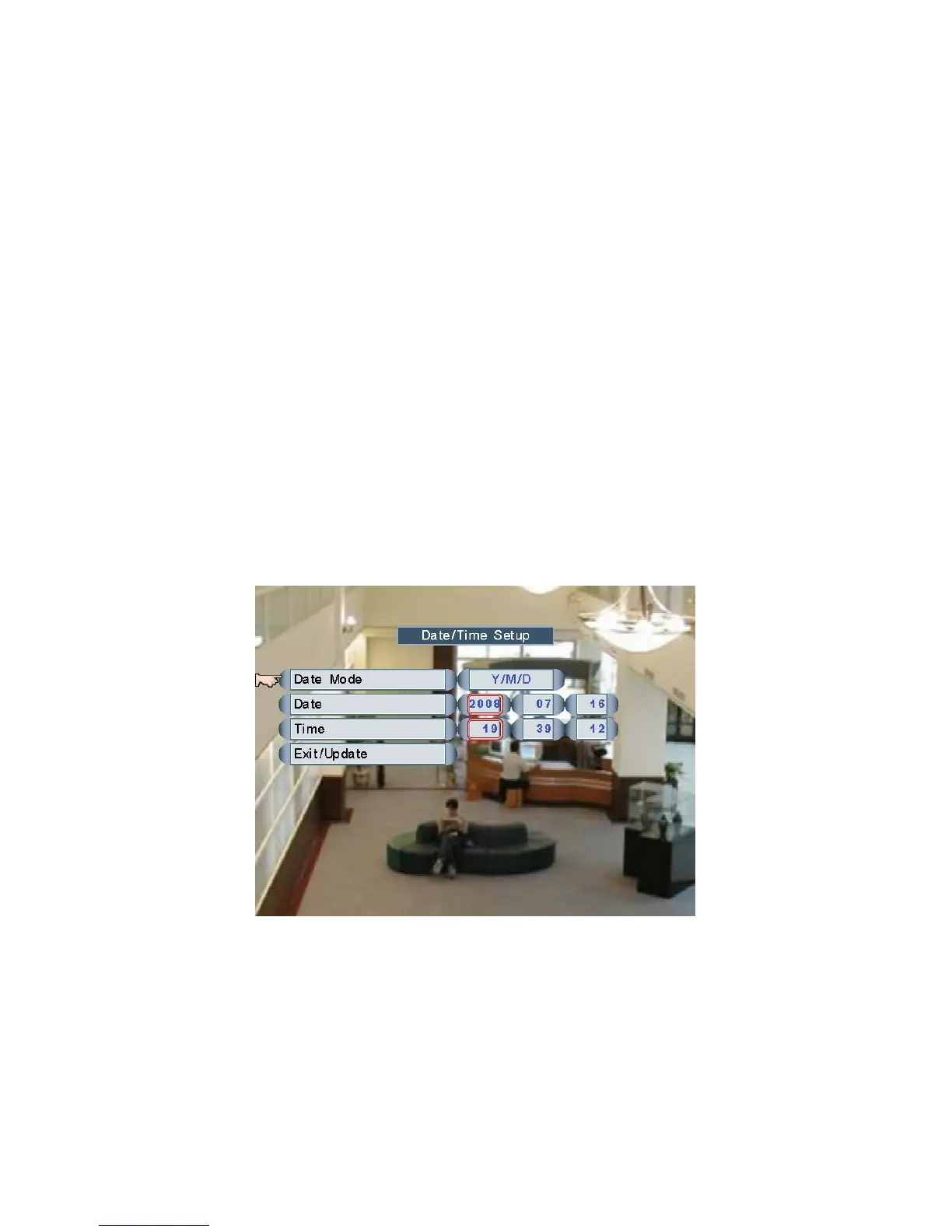
Date/Time Setup
Move and click the mouse to select one of the items, roll the mouse to adjust Date Mode,
Date or Time.
NOTE: It is necessary to click Exit/Update to save the settings.
The date mode set here will be shown in the bottom-left corner of the screen.
Page 23



 To Next Page