STICKY: Is your Pi not booting? (The Boot Problems Sticky) - Raspberry Pi Forums.
For more detail please check the Raspberry Pi forum: https://forums.raspberrypi.com//viewtopic.php?f=28&t=58151
2.2.2 Buzzer
The reComputer R1000 features an active buzzer, which can be used for various purposes such as alarm and event
notifications. The buzzer is controlled through GPIO21 to CM4.
2.2.3 RS485
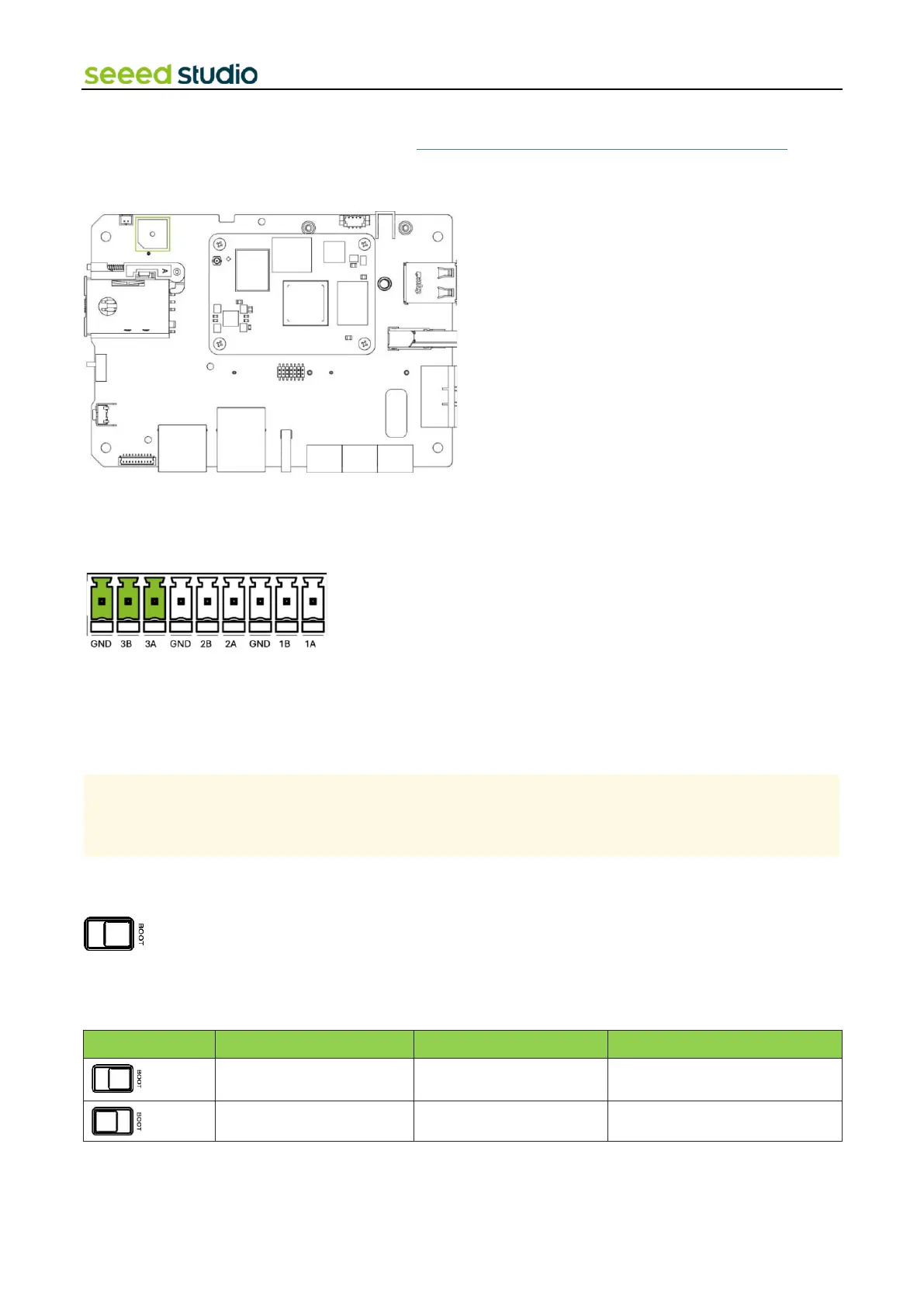
The reComputer R1000 is equipped with 3 sets of RS485 interface using 3-pin connector, which is isolated for both signal
and power to ensure safe and reliable operation in industrial and automation applications. The RS485A and RS485B signals
are isolated using capacitive isolation, which provides excellent EMI immunity and meets the high-speed communication
requirements of the RS485 interface.
By default, 120Ω terminal resistors is not installed. However, the packaging box includes five surface-mount resistors. If
needed, users should solder the resistor onto the device themselves.
The RS485 interface uses an isolated power supply, which means that the ground signal for external devices connected
to the RS485 interface should be connected to the GND_ISO pin
2.2.4 Boot Switch
The Boot Switch of the reComputer R1000 is connected to the nRPI_BOOT pin of CM4. This switch provides users with the
option to select the boot source between eMMC and USB. In normal mode, the switch should be set away from the side
with the "BOOT" label, enabling the system to boot from eMMC. Conversely, when users need to flash the system image,
they should set the switch towards the "BOOT" label, allowing the system to boot from the Type-C USB interface.



 To Next Page