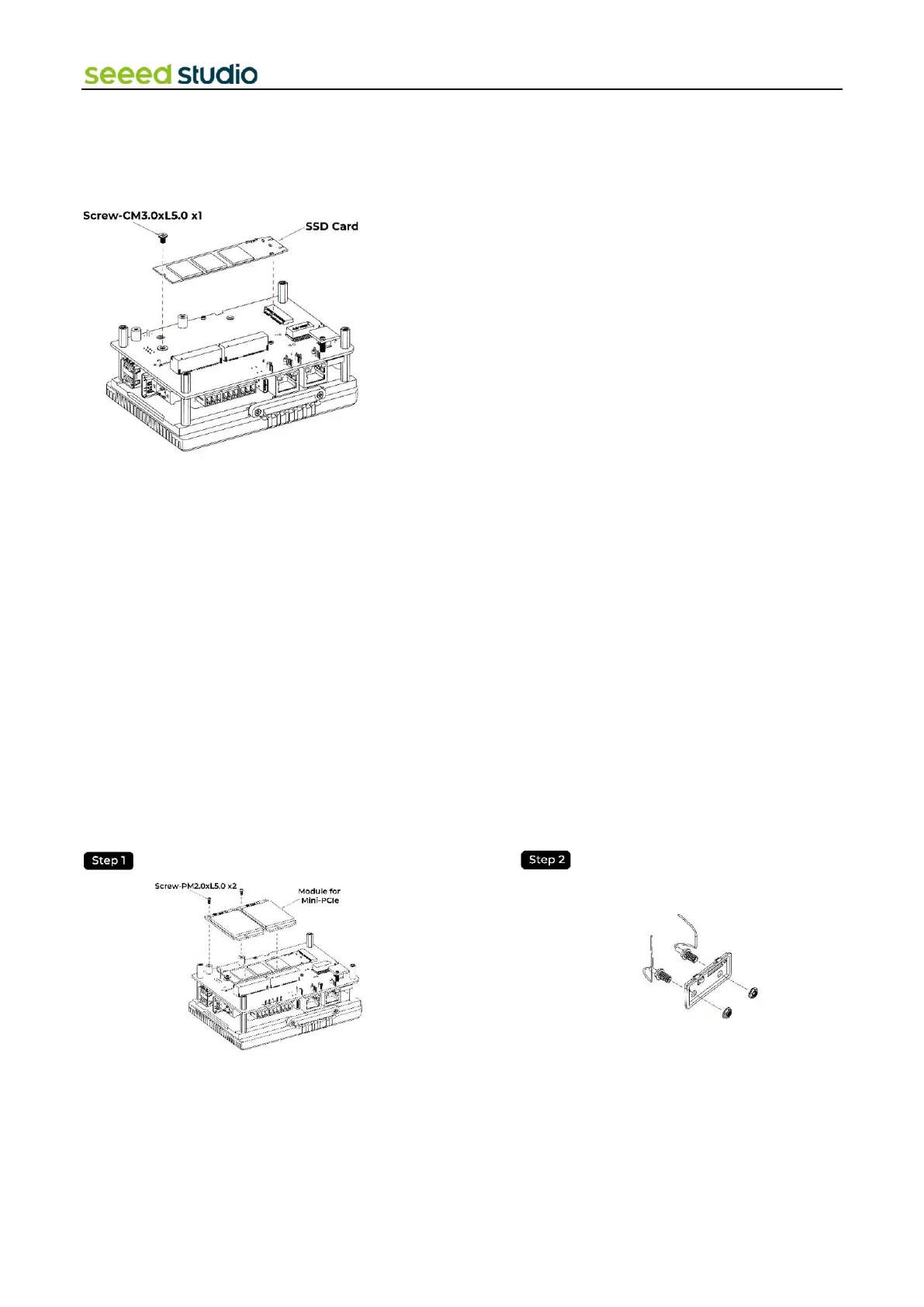
4.2 Assemble SSD
Step 1: Remove the back cover following the disassembly guide.
Step 2: Load the SSD into the M.2 socket and lock the screws.
4.3 Assemble Wi-Fi/BLE Antenna
Step 1: Disassemble the entire device following section 4.1 "Disassembly Guide".
Step 2: Connect the feeder line from the CM4 module to antenna hole following the illustrastions below.
Step 3: Assemble the device for usage.
4.4 Assemble 4G/LoRa®/Zigbee Module and Antenna
Step 1: Make sure the module for Mini-PCIe slots is loaded above the SSD card.
Step 2: Load the 4G module/LoRa® Module/Zigbee Module(following the matching relationship of each slot according to
section"2.2.8") into the Mini-PCIe slot and lock the screws.
Step 3: Install the feeder line following the pictures below.



 To Next Page