EasyManua.ls Logo

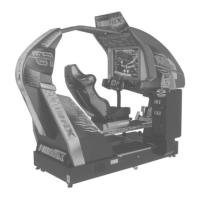
Sega AFTER BURNER CLIMAX - User Manual

Sega AFTER BURNER CLIMAX
234 pages
Print Icon
To Next Page IconTo Next Page
Loading...
IMPORTANT
Before using this product, read this manual carefully to understand the
contents herein stated.
After reading this manual, be sure to keep it near the product or in a
convenient place for easy reference when necessary.
OWNER'S MANUALAFTER BURNER CLIMAX
420-6955-02
Nissay Aroma Building, 5-37-1, Kamata, Ohta-ku, Tokyo 144-8721, Japan
Phone: +81-3-5480-6582 Facsimile: +81-3-5480-6584
© SEGA
Produced under license from Boeing Management Company. Boeing, McDonnell Douglas, McDonnell, Douglas, North American Aviation, their distinctive
airplane liveries, logos and product markings are among the trademarks owned by Boeing.
Produced under a license from Northrop Grumman Systems Corporation. F-14D Super Tomcat, F-5E Tiger II, A-10A Thunderbolt II, B-2A Spirit, and CVN-65
Enterprise are trademarks of Northrop Grumman Systems Corp. and are used under a license to Sega Corporation.
420-6955-02
1
ST
PRINTING

Table of Contents

Questions and Answers

  • S
    Sarah DennisAug 19, 2025
    What to do if my Sega Arcade Game Machine is not activated?
    • J
      James PenaAug 19, 2025
      If your Sega Arcade Game Machine isn't turning on, here's what you can check: * Ensure the power plug is firmly inserted into the outlet. * Verify that you're using the correct power source and voltage. * If the Circuit Protector of the AC Unit activated due to overcurrent, eliminate the overload cause and reset it. * If the fuse in the fuse holder blew due to overcurrent, address the overload and replace the fuse with one of the specified rating.
  • G
    Garrett YoungAug 21, 2025
    Why is there no sound coming from my Sega Arcade Game Machine?
    • C
      Christopher BridgesAug 21, 2025
      If there's no sound from your Sega Arcade Game Machine, try these solutions: * Adjust the sound volume on the switch unit. * Check the connections for the game board, amp, speakers, and volume connectors. * Perform an output test to check the board, amplifier, and speaker. * Verify the AUDIO OUTPUT setting on the game setting screen.
  • G
    gmayAug 23, 2025
    What to do if the colors on my Sega AFTER BURNER CLIMAX monitor screen are strange?
    • H
      hicksmichaelAug 23, 2025
      If the colors on your Sega Arcade Game Machine's monitor appear strange, check the visual signal connector to ensure it's properly secured. Also, verify that the screen adjustment is appropriate.
  • M
    mckayallisonAug 26, 2025
    What to do if the screen of Sega Arcade Game Machine is black but sound and lamps are working?
    • S
      sarah19Aug 26, 2025
      If your Sega Arcade Game Machine has sound and the lamps are lit, but the screen is black, check the connections for the monitor and game board connectors.
  • P
    Paul SchaeferAug 28, 2025
    Why is the on-screen image swaying or shrinking on my Sega Arcade Game Machine?
    • S
      Stephen Barber Jr.Aug 28, 2025
      If the image on your Sega Arcade Game Machine screen sways or shrinks, it could be due to an incorrect power source or voltage. Ensure that the power supply and voltage are correct.
  • R
    Rachel RhodesAug 30, 2025
    How to fix irregular colors on the monitor screen of Sega Arcade Game Machine?
    • S
      Shannon WallAug 30, 2025
      To fix irregular or uneven colors on your Sega Arcade Game Machine monitor screen, press the DEGAUSS button on the adjustment board.
  • T
    Tracy HoustonSep 1, 2025
    What to do if my Sega Arcade Game Machine does not accept input from any switch or volume?
    • M
      Matthew HenrySep 2, 2025
      If your Sega Arcade Game Machine isn't responding to switch or volume inputs, check the connection for the I/O board and cabinet connector. Also, check the power for the I/O board.
  • J
    Juan Byrd PhDSep 4, 2025
    Why is the control stick or throttle lever operation unsatisfactory on my Sega Arcade Game Machines?
    • E
      Eric EdwardsSep 4, 2025
      If the control stick or throttle lever operation on your Sega Arcade Game Machine is unsatisfactory, try these steps: 1. Perform calibration in test mode. 2. Adjust the installation and check in test mode if there's a faulty volume or gear mesh installation. 3. Check the connections of the control stick and throttle lever connectors. 4. Replace the volume if it's malfunctioning.
  • A
    Amanda RobersonSep 6, 2025
    How to troubleshoot unsatisfactory seat moving actions in Sega Arcade Game Machines?
    • M
      Maria LeeSep 6, 2025
      To troubleshoot unsatisfactory seat moving actions in your Sega Arcade Game Machine, consider the following: * Re-engage the power and confirm that initialization completes normally. * Perform calibration in test mode if there is a faulty volume setting. * Adjust installation and check in test mode if there is a faulty volume or faulty gear mesh installation. * Replace the volume if it's malfunctioning. * Check connections of wires laid out near movable components and fasten them where they will not contact movable components. * Check for anything blocking the sensor and check sensor operation in test mode.
  • D
    Dana WilliamsSep 8, 2025
    What to do if the seat does not move in my Sega Arcade Game Machine?
    • J
      Jennifer HansenSep 8, 2025
      If the seat in your Sega Arcade Game Machine isn't moving, try the following: * Confirm that initialization completes normally. * Check settings of CABINET TYPE and CABINET MOVEMENT on game setting screen. * Check connections of connectors between game board and servo driver and between servo driver and servo motor. * If the thermal element of servo motor activates, wait for the temperature to cool down; it will return to normal automatically.

Summary

Handling Precautions

General Safety Warnings

Essential safety rules for operating, electrical, and physical handling of the product.

Sticker and Warning Displays

Explains the purpose and location of product stickers and warning displays.

Precautions Regarding Installation Location

Limitations of Usage

Specifies environmental conditions, power supply, and wiring requirements for safe operation.

Precautions Regarding Product Operation

Before Operation Checks

Checks for lighting, monitor adjustment, adjusters, and placement of items before starting.

During Operation Safety

Guidelines for player safety, including prohibited activities and health considerations.

Assembly and Installation

Installation Sequence and Essential Tools

Outlines the installation steps and lists essential tools required for assembly.

Engaging Power and Software Installation

Procedure for engaging power, installing software, and initial system setup.

Post-Installation Confirmation Tests

Confirms assembly and proper function using test modes for input/output devices and calibration.

Precautions When Moving the Machine

General Moving Precautions

Safety guidelines for moving the machine, including floor conditions and speed limits.

Precautions for Moving Loads

Safety measures for lifting, securing, and transporting the heavy machine using equipment.

Game Description

Safety Device Explanation and Operation

Explains how safety devices like seatbelts and sensors function and display messages during play.

Explanation of Test and Data Display

Monitor

Monitor Safety Cautions and Warnings

Highlights high voltage risks and safety precautions for handling the monitor components.

Control Stick

How to Remove Control Stick

Step-by-step instructions for removing the control stick assembly from the unit.

Throttle Lever

Replacing the Fluorescent Lamps

Periodic Inspection

Periodic Inspection Checklist and Schedule

Provides a table detailing inspection items, frequency, and reference sections for maintenance.

Troubleshooting

Understanding Error Messages

Lists common error messages and their potential causes and countermeasures.

Troubleshooting Common Problems

A table addressing common issues like machine activation, lamps, sound, and input problems with solutions.

Game Board

Network Play

Optional Items

Wiring Diagram

Sega AFTER BURNER CLIMAX Specifications

General IconGeneral
BrandSega
ModelAFTER BURNER CLIMAX
CategoryArcade Game Machines
LanguageEnglish

Related product manuals