www.seuservice.com
72
11 - 4 REMOVE THE INCLINATION SENSOR
The Inclination Sensor detects the inclination of right and left of the Ride. Malfunctioning the
Ride toward right-and-left direction can cause a failure of the Inclination Sensor. Replace the
Sensor, which located in the bottom behind the Ride, in the following procedure.
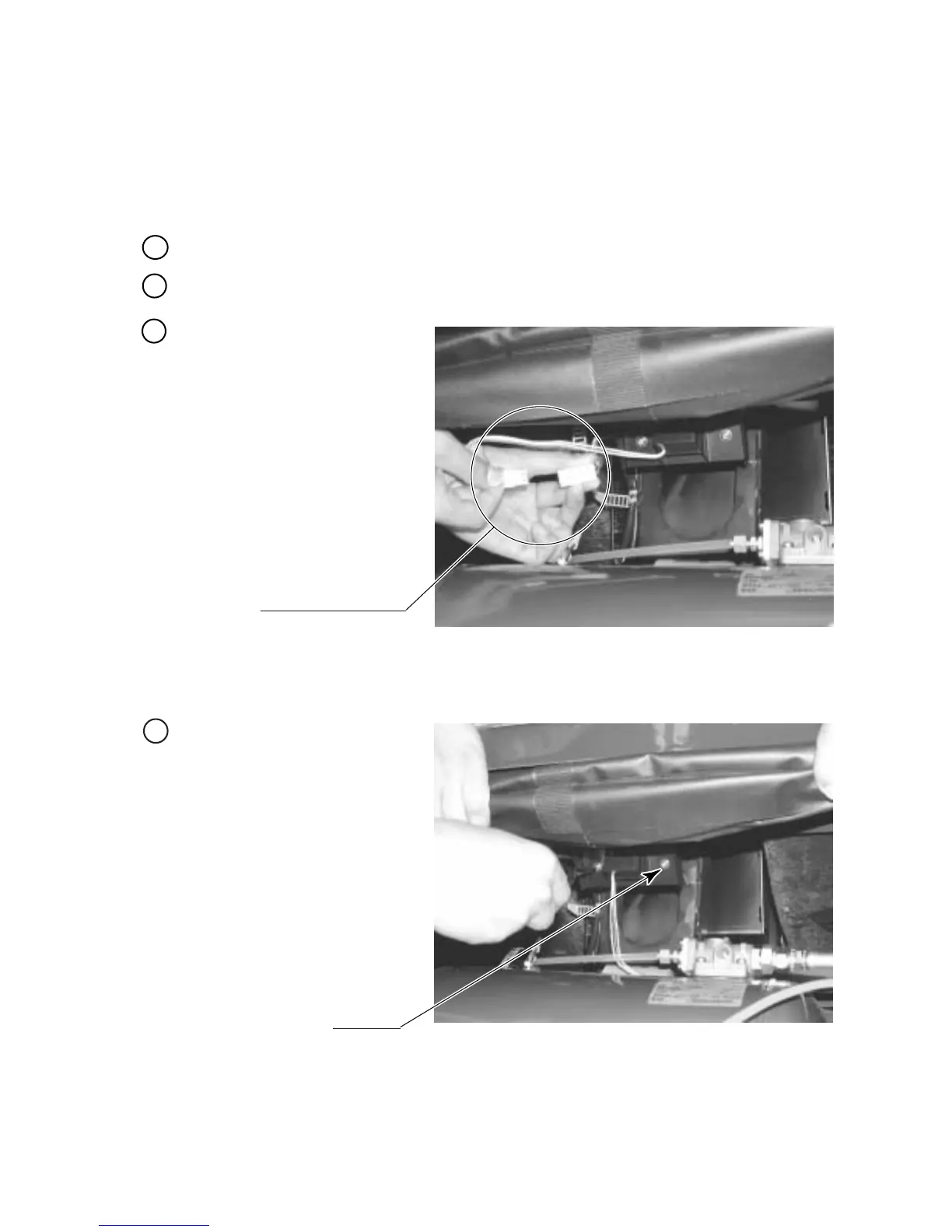
Pull off the Inclination Senor
Connector.
Disconnect the connector.
PHOTO 11. 4 a
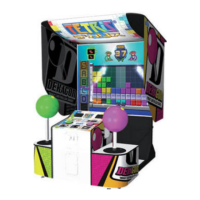
Take out the 2 screws and remove
the whole bank bracket of the
Sensor.
SCREW (2)
M4 X 8,w/flat & spring washers
PHOTO 11. 4 b
Turn the main switch of the AC Unit off.
Remove the Rear Lid, the Step L and the Step R (see 11 - 1).
1
2
3
4


 To Next Page