EasyManua.ls Logo

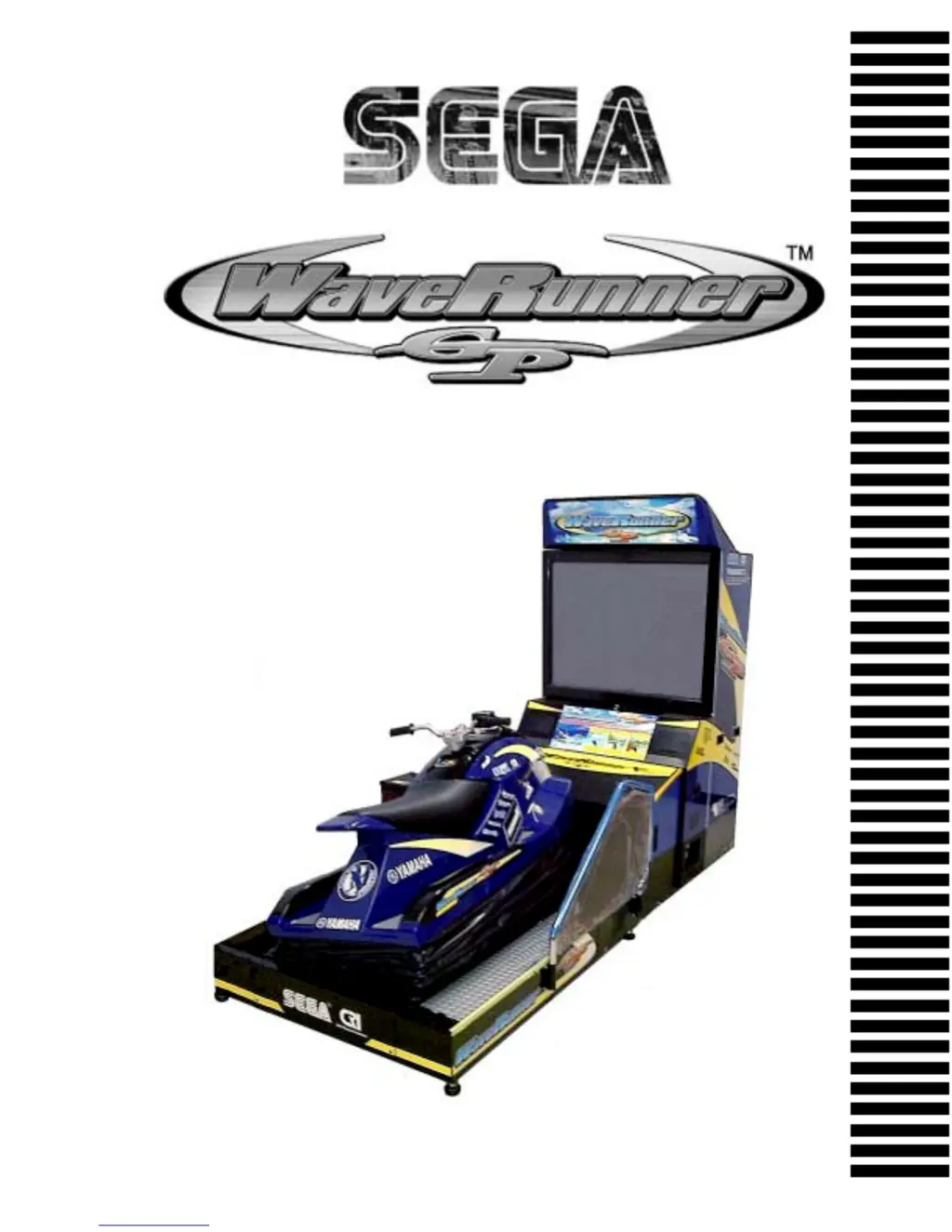
Sega WaveRunner - User Manual

Sega WaveRunner
182 pages
Print Icon
To Next Page IconTo Next Page
Loading...
1st PRINTING NOV 01
MANUAL NO. 999-1375
OWNER’S MANUAL
SEGA ENTERPRISES, INC. USA
www.seuservice.com

Table of Contents

Questions and Answers

  • L
    Lisa GomezSep 9, 2025
    Why is communication play not possible on my Sega WaveRunner Game?
    • C
      Curtis OwenSep 9, 2025
      If communication play is not possible on your Sega Game, ensure the communication cables are connected correctly. Also, verify that the communication settings are correct and adjust them if necessary.
  • R
    Ryan KnoxAug 23, 2025
    What to do if my Sega Game displays 'DISPLAY NETWORK ERROR: DUPLICATE MASTER SITE'?
    • C
      Catherine RoseAug 23, 2025
      If your Sega Game shows 'DISPLAY NETWORK ERROR: DUPLICATE MASTER SITE', it means the MASTER setting is duplicated in Communication Mode. To fix this, perform the Communication Mode setting in the Game Assignments, setting only one machine to MASTER and all others to SLAVE.
  • J
    joshua80Aug 25, 2025
    What to do if my Sega Game displays 'DISPLAY NETWORK ERROR: NO MASTER SITE'?
    • M
      Michele AndersonAug 25, 2025
      If your Sega Game shows 'DISPLAY NETWORK ERROR: NO MASTER SITE', it means there is no MASTER setting in Communication Mode. To resolve this, perform the Communication Mode setting in the Game Assignments. Set one of the machines to MASTER and all others to SLAVE.
  • B
    Brandon WilliamsAug 27, 2025
    What to do if my Sega WaveRunner Game displays 'DISPLAY NETWORK ERROR: NO SLAVE SITE'?
    • K
      Kevin CoxAug 27, 2025
      If your Sega Game shows 'DISPLAY NETWORK ERROR: NO SLAVE SITE', it means there is no SLAVE setting in Communication Mode. To fix this, perform the Communication Mode setting in the Game Assignments, setting one of the machines to MASTER and all others to SLAVE.
  • L
    lholmesAug 27, 2025
    What does 'DISPLAY NETWORK ERROR: DUPLICATE CABINET ID' mean on my Sega WaveRunner Game?
    • K
      kingnathanAug 28, 2025
      The 'DISPLAY NETWORK ERROR: DUPLICATE CABINET ID' on your Sega Game indicates that the number of Cabinet ID is duplicated in Communication Mode. To correct this, change the number of Cabinet ID for every seat in the Game Assignments.
  • J
    Jonathan NortonAug 29, 2025
    What does 'DISPLAY NETWORK ERROR: TOO MANY NODES SITE' mean on my Sega WaveRunner?
    • J
      Jordan GarzaAug 29, 2025
      The error message 'DISPLAY NETWORK ERROR: TOO MANY NODES SITE' on your Sega Game means that too many machines are connected. To allow communication play, connect up to 4 machines.
  • A
    Amy WilliamsSep 18, 2025
    Why is there no PTV screen image on my Sega WaveRunner?
    • C
      Chad MyersSep 18, 2025
      If there is no PTV screen image on your Sega Game, check the connector connection between the PTV and the Cabinet to ensure there is no fault.
  • J
    jennifer89Sep 19, 2025
    Why isn't the fluorescent lamp lighting up on my Sega WaveRunner?
    • J
      Joseph ArnoldSep 22, 2025
      If the fluorescent lamp isn't lighting up on your Sega Game, check the connector connections between the Billboard and PTV. If the connections are secure, the fluorescent lamp may need replacement.
  • J
    Jacqueline CarrollSep 8, 2025
    Why are the left/right movements of the Ride weak and irregular on my Sega WaveRunner?
    • L
      lindseyjonesSep 8, 2025
      If the left/right movements of the Ride are weak and irregular on your Sega Game, it could be due to several reasons. Check for a Deviation of Roll Volume and adjust Volume values in the Test mode. Also, verify if the Preset pressure is incorrect and make pressure adjustment. Inspect the Air Drive System for Air leakage. Check for a Communication fault between the I/O BD and Drive BD by performing a wiring test. Finally, a Malfanctioning of the Inclination Sensor may also be the cause, requiring you to replace the Inclination Sensor.
  • A
    Alexander FreemanSep 4, 2025
    Why is the sound not emitted from my Sega WaveRunner?
    • B
      barrbethSep 4, 2025
      If sound is not being emitted from your Sega Game, first check the sound volume adjustment on the SWITCH UNIT. Ensure it is correctly adjusted. If the problem persists, perform a SOUND TEST, as there may be a malfunction in the BD or Amp.

Summary

Handling Precautions

Installation Location Precautions

Product Operation

Assembly and Installation

Assembling the PTV

Procedure for assembling the PTV unit.

Cabinet Wiring Connections

Connecting wiring between different cabinets of the machine.

Securing in Place (Adjuster)

Adjusting the machine's level and securing it in place.

Removing Shipping Bracket

Instructions for removing shipping brackets before operation.

Power Supply and Earth Connection

Connecting the power supply and ensuring proper grounding.

Turning Power On

Steps and precautions for turning on the machine's power.

Assembly Check

Performing tests to verify correct assembly and functionality.

Moving the Machine Precautions

Test and Data Display Explanation

Air Drive System

Mechanism Unit Maintenance

Handle Mechanism

Coin Selector

Projector

Periodic Inspection Table

Troubleshooting

Troubleshooting Guide

Table of common problems, causes, and countermeasures.

Error Messages

List of error messages, their causes, and solutions.

Game Board

Communication Play

Installation Precautions

Safety precautions for installing communication play.

Sega WaveRunner Specifications

General IconGeneral
GenreRacing
PlatformArcade
DeveloperSega AM2
Release Date1996
Game ModesSingle-player
ControlsHandlebar, throttle

Related product manuals