EasyManua.ls Logo

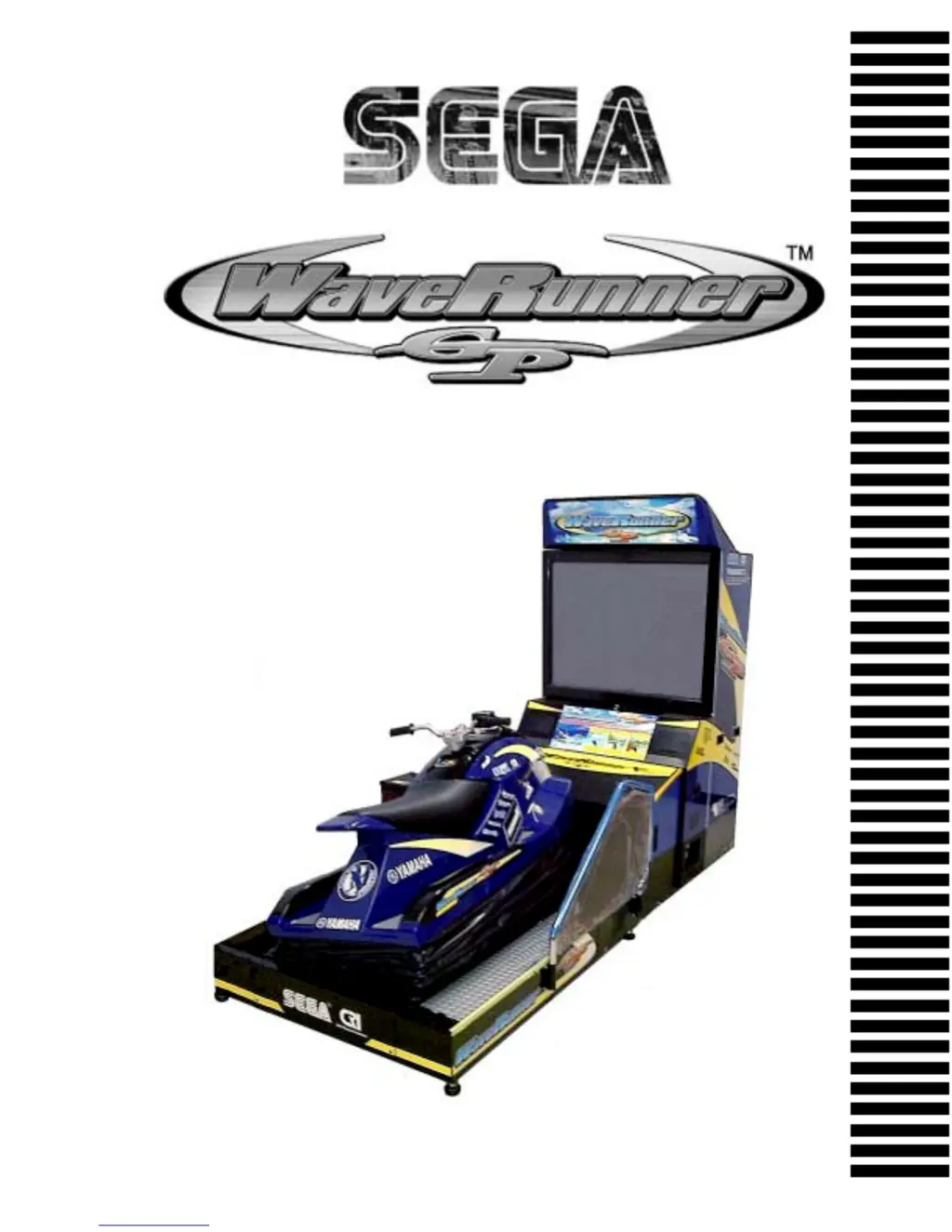
Sega WaveRunner - User Manual

Sega WaveRunner
182 pages
Print Icon
To Next Page IconTo Next Page
Loading...
1st PRINTING NOV 01
MANUAL NO. 999-1375
OWNER’S MANUAL
SEGA ENTERPRISES, INC. USA
www.seuservice.com

Table of Contents

Questions and Answers

  • S
    stephanieleonAug 21, 2025
    Why is my Sega WaveRunner not activated when the main switch is ON?
    • P
      Pamela CummingsAug 21, 2025
      The Sega Game might not activate due to several reasons. First, ensure the power is correctly plugged into the outlet. Then, verify that the power source and voltage are correct. If a momentary overcurrent occurred, the Circuit Protector may have functioned; in this case, eliminate the overload cause and restore the Circuit Protector of the AC Unit. Lastly, check if the fuse of the connect board blew out due to a momentary overcurrent; if so, replace it with the specified rating fuse (514-5036-7000, FUSE 6.4 ø X 30 7000mA 125V) after resolving the overload.
  • M
    Martin EverettSep 3, 2025
    Why doesn't the Ride advance when gripping the Throttle Lever on my Sega WaveRunner?
    • E
      Elizabeth HardinSep 3, 2025
      If the Ride does not advance when gripping the Throttle Lever on your Sega Game, it could be due to a deviation or malfunction of the Throttle Volume. Adjust the Volume values in the Test mode. If the issue persists, consider replacing the Volume.
  • B
    Brian JohnsSep 1, 2025
    Why is the Ride on my Sega Game not turning when the Handlebars are turned?
    • H
      harrisleahSep 1, 2025
      If the Ride isn't turning when the Handlebars are turned in your Sega Game, it could be due to a deviation or malfunction of the Handle Volume. Try adjusting the Volume value in the test mode. If that doesn't work, you may need to replace the Volume.
  • F
    ferrellcatherineAug 30, 2025
    What does 'DISPLAY DRIVE BD ERROR: E2H' mean on my Sega Game?
    • K
      Kenneth LiAug 31, 2025
      The 'DISPLAY DRIVE BD ERROR: E2H' error on your Sega Game means that the Ride is not centering with the right value. Make sure that the Ride is not slanted and that the connector of the ASSY Wire Tube is connected securely.
  • J
    Jonathan NortonAug 29, 2025
    What does 'DISPLAY NETWORK ERROR: TOO MANY NODES SITE' mean on my Sega WaveRunner?
    • J
      Jordan GarzaAug 29, 2025
      The error message 'DISPLAY NETWORK ERROR: TOO MANY NODES SITE' on your Sega Game means that too many machines are connected. To allow communication play, connect up to 4 machines.
  • L
    lholmesAug 27, 2025
    What does 'DISPLAY NETWORK ERROR: DUPLICATE CABINET ID' mean on my Sega WaveRunner Game?
    • K
      kingnathanAug 28, 2025
      The 'DISPLAY NETWORK ERROR: DUPLICATE CABINET ID' on your Sega Game indicates that the number of Cabinet ID is duplicated in Communication Mode. To correct this, change the number of Cabinet ID for every seat in the Game Assignments.
  • B
    Brandon WilliamsAug 27, 2025
    What to do if my Sega WaveRunner Game displays 'DISPLAY NETWORK ERROR: NO SLAVE SITE'?
    • K
      Kevin CoxAug 27, 2025
      If your Sega Game shows 'DISPLAY NETWORK ERROR: NO SLAVE SITE', it means there is no SLAVE setting in Communication Mode. To fix this, perform the Communication Mode setting in the Game Assignments, setting one of the machines to MASTER and all others to SLAVE.
  • J
    joshua80Aug 25, 2025
    What to do if my Sega Game displays 'DISPLAY NETWORK ERROR: NO MASTER SITE'?
    • M
      Michele AndersonAug 25, 2025
      If your Sega Game shows 'DISPLAY NETWORK ERROR: NO MASTER SITE', it means there is no MASTER setting in Communication Mode. To resolve this, perform the Communication Mode setting in the Game Assignments. Set one of the machines to MASTER and all others to SLAVE.
  • R
    Ryan KnoxAug 23, 2025
    What to do if my Sega Game displays 'DISPLAY NETWORK ERROR: DUPLICATE MASTER SITE'?
    • C
      Catherine RoseAug 23, 2025
      If your Sega Game shows 'DISPLAY NETWORK ERROR: DUPLICATE MASTER SITE', it means the MASTER setting is duplicated in Communication Mode. To fix this, perform the Communication Mode setting in the Game Assignments, setting only one machine to MASTER and all others to SLAVE.

Summary

Handling Precautions

Installation Location Precautions

Product Operation

Assembly and Installation

Assembling the PTV

Procedure for assembling the PTV unit.

Cabinet Wiring Connections

Connecting wiring between different cabinets of the machine.

Securing in Place (Adjuster)

Adjusting the machine's level and securing it in place.

Removing Shipping Bracket

Instructions for removing shipping brackets before operation.

Power Supply and Earth Connection

Connecting the power supply and ensuring proper grounding.

Turning Power On

Steps and precautions for turning on the machine's power.

Assembly Check

Performing tests to verify correct assembly and functionality.

Moving the Machine Precautions

Test and Data Display Explanation

Air Drive System

Mechanism Unit Maintenance

Handle Mechanism

Coin Selector

Projector

Periodic Inspection Table

Troubleshooting

Troubleshooting Guide

Table of common problems, causes, and countermeasures.

Error Messages

List of error messages, their causes, and solutions.

Game Board

Communication Play

Installation Precautions

Safety precautions for installing communication play.

Sega WaveRunner Specifications

General IconGeneral
GenreRacing
PlatformArcade
DeveloperSega AM2
Release Date1996
Game ModesSingle-player
ControlsHandlebar, throttle

Related product manuals