12
English
CONNECTIONS
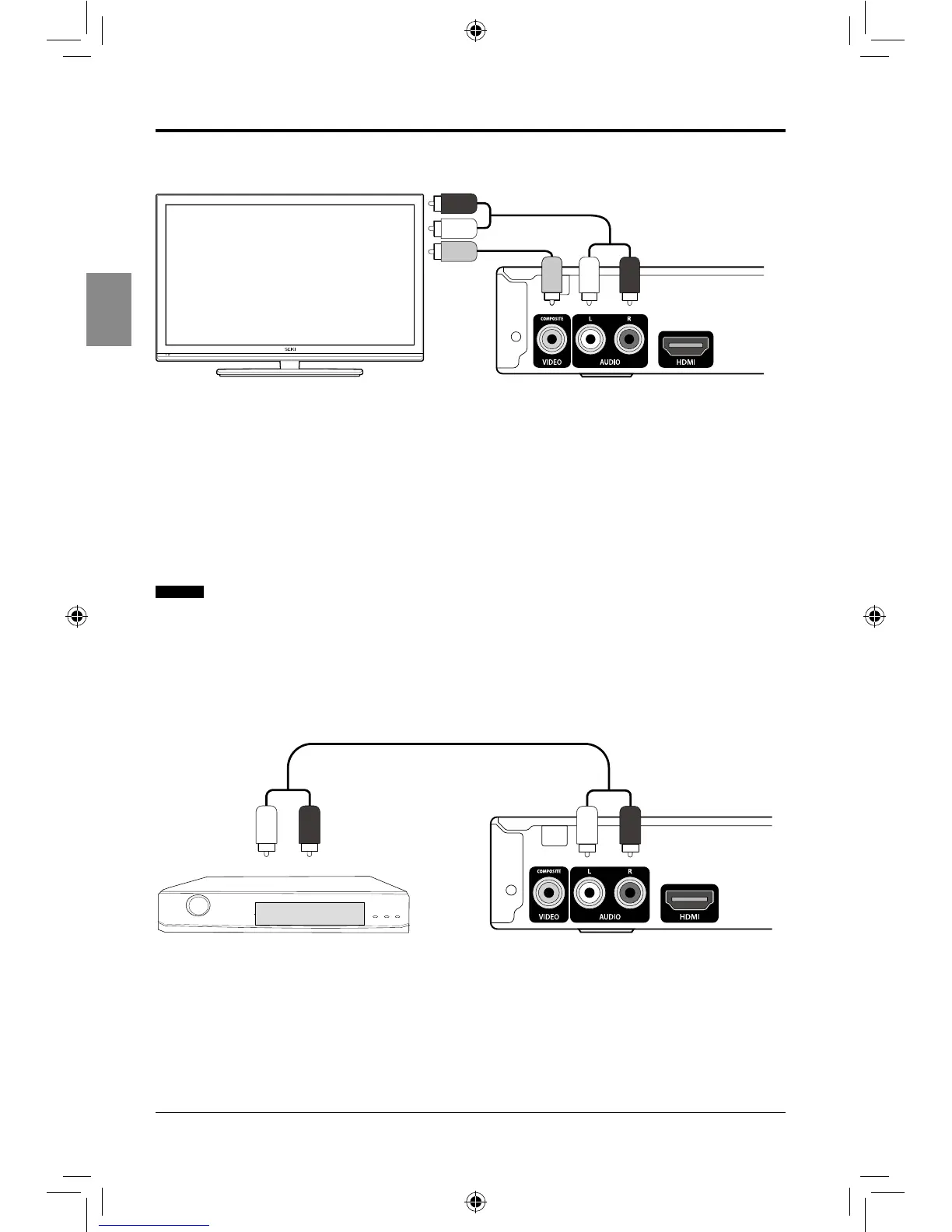
Connecting to an audio system (2 Channel Amplier)
1. Using the audio cables, connect the AUDIO OUT (red and white) sockets of the player to
the AUDIO IN (red and white) sockets of the Amplier.
2. Turn on the player and the Amplier.
3. Select correct external input on the Amplier.
SEIKI Blu-ray Manual V01.indd 12 2012-8-14 15:02:05



 To Next Page