11
English
CONNECTIONS
Do not connect the AC power cord until all the connections are complete.
Be sure to make connections rmly to avoid hum and noise.
Refer to the Owner’s Manual for your TV, Amplier and other devices to be connected to the
Blu-Ray player for detailed connection procedures.
Connecting to a TV
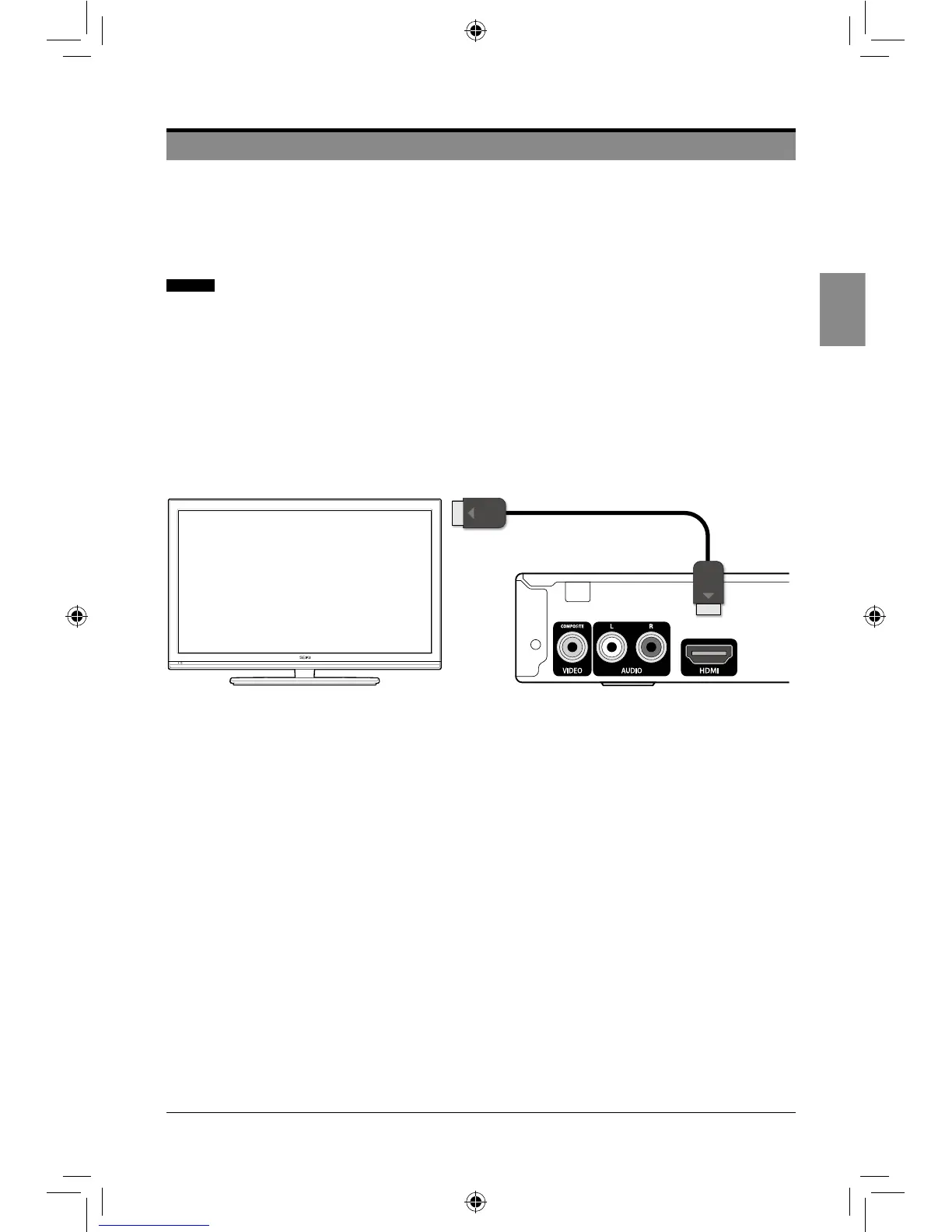
Case 1: Connecting to a TV with an HDMI cable-Best Quality
1. Using an HDMI cable, connect the HDMI OUT socket of the player to the HDMI IN socket
of the TV.
2. Turn on the player and the TV.
3. Select correct input source (e.g. HDMI) on the TV.
Note:AnHDMIcableoutputsdigitalvideo/audio,soyoudon’tneedtoconnectanaudiocable.
Case 2: Connecting to a TV with RCA video/audio cables -Good Quality
1. Using video/audio cables, connect the VIDEO OUT (yellow)/AUDIO OUT (red and white)
sockets of the player to the VIDEO IN (yellow)/AUDIO IN (red and white) sockets of the
TV.
2. Turn on the player and the TV.
3. Select correct input source (e.g. AV) on the TV.
CONNECTIONS
SEIKI Blu-ray Manual V01.indd 11 2012-8-14 15:02:05



 To Next Page