MANUAL DE INSTRUCCIONES CODIGO 80342 REV O 11/2021 Pag.: 43
J.P. SELECTA s.a.u. Autovía A-2 Km 585.1 Abrera 08630 (Barcelona) España Tel 34 937 700 877 Fax 34 937 702 362
e-mail: selecta@jpselecta.es - website: http://www.grupo-selecta.com
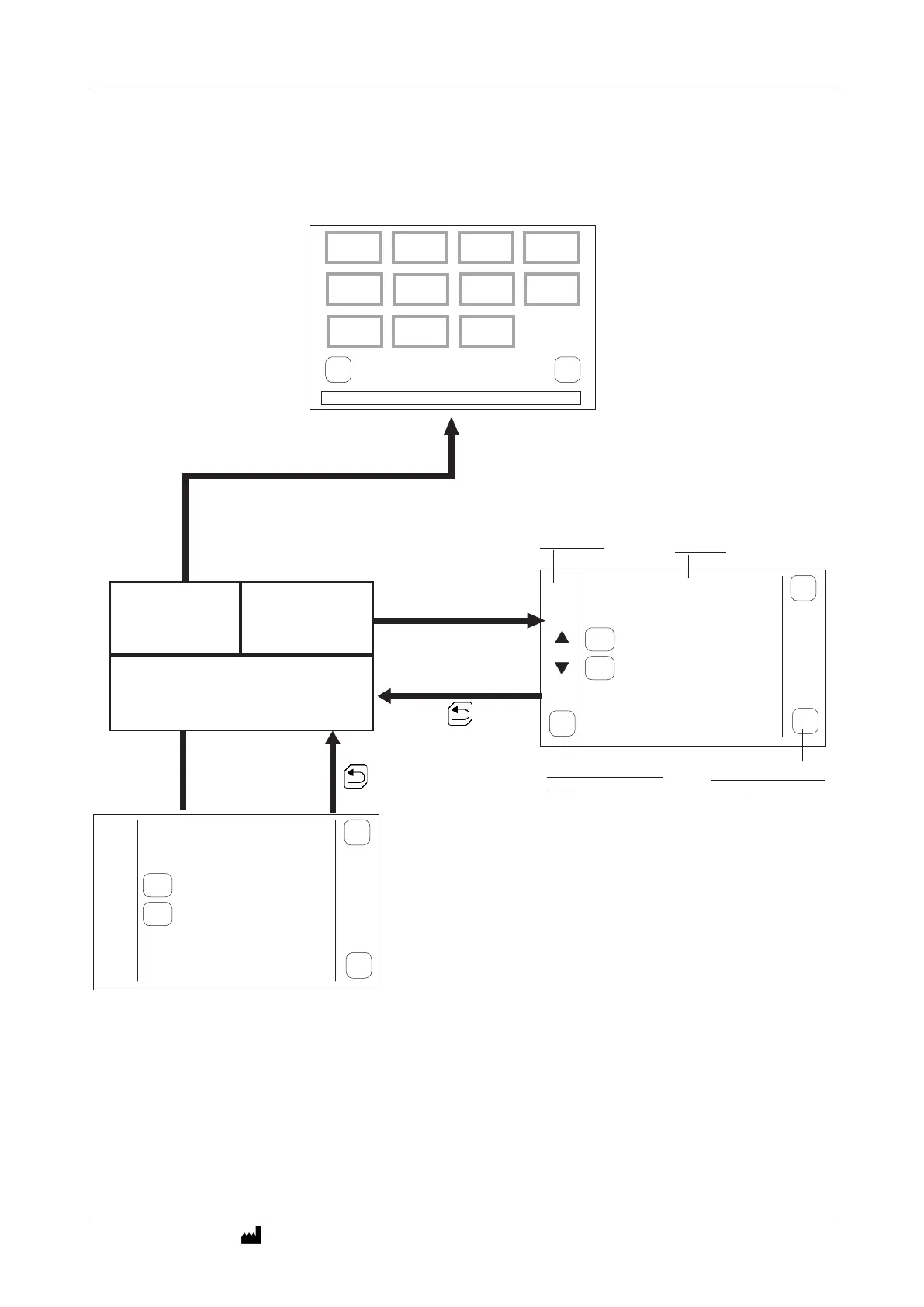
INITIAL SCREEN
home
cal
LANGUAGE
DATE
UNITS PASSWORD
INSERT
PRINTER
WATER
BRIGHT PASSWORD
CHANGE
Selected program or operating
Conguration
P03
hEART
117.0
º
C
wATER
121.3
º
C
PRESSURE
1.75 BAR
FO
1.7
RUN
back
AJUSTES
SETTINGS
PROGRAMACIÓN
PROGRAMMING
TRABAJO
TASK
Selection and editing of the program:
•Selectionoftheprobe.
•Endofstepselection.
•Pre-heatingofthewater.
•Purging
•Heatingandsterilizationsteps.
•Coolingsteps.
1 121.0ºC 00h 03m +1.60bar
PRE 80ºC
PUR 98ºC 05m 00s
P03
edit
Sel
back
Program number
Prgram steps
Shows if program is selected
or not.
Press EDIT to modify the
program.
2 80.0ºC 00h 05m +1.60bar
1 121.0ºC 00h 03m +1.60bar
PRE 80ºC
PUR 98ºC 05m 00s
2 80.0ºC 00h 05m +1.60bar
PARAMETERS SETTINGS
UNLOAD LOGS
INFORMATION
F0 CUSTOM



 To Next Page