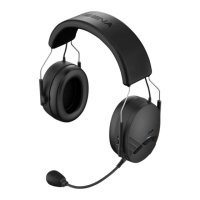
Expand Boom
22
7 UNIVERSAL INTERCOM
You can have an intercom conversation with non-Sena Bluetooth
headsets using the Universal Intercom function. Non-Sena Bluetooth
headsets can be connected to the Sena Bluetooth headset if they
support the Bluetooth Hands-Free Prole (HFP). The working distance
may differ depending on the performance of Bluetooth headset that it
is connected to. In general, it is shorter than normal intercom distance
since it uses the Bluetooth Hands-Free Prole.
Note:
Some non-Sena headsets may not support Multi-Way Universal Intercom.
7.1 Universal Intercom Pairing
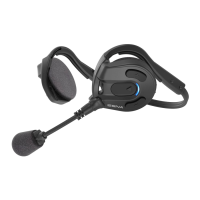
The Sena Expand Boom can be paired with non-Sena Bluetooth
headsets for Bluetooth intercom conversation.
1. Turn on the Sena Expand Boom and a non-Sena Bluetooth headset
which you want to pair with.
2. To enter the voice conguration menu, press and hold the
Center Button for 12 seconds until you hear a voice prompt,
“Conguration menu”.
3. Tap the (-) Button until you hear a voice prompt, “Universal
intercom pairing”.
4. Perform the operation required for handsfree pairing on the non-
Sena Bluetooth headset (refer to the users’ manual of the headsets
you want to use). The Sena Expand Boom will automatically
perform pairing with non-Sena Bluetooth headsets in pairing
mode.


 To Next Page