English
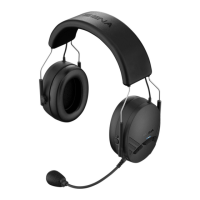
Expand Boom
CONTENTS
1 PACKAGE CONTENTS ............................................................................................4
2 GETTING STARTED .................................................................................................5
2.1 Wearing the Sena Expand Boom ............................................................................................5
2.2 Sena Device Manager ............................................................................................................5
2.3 Powering On ............................................................................................................................ 5
2.4 Powering Off ............................................................................................................................5
2.5 Volume Adjustment .................................................................................................................6
2.6 Charging..................................................................................................................................6
2.7 Low Battery Warning ............................................................................................................... 6
2.8 Checking the Battery Level .....................................................................................................6
3 PAIRING THE EXPAND BOOM WITH BLUETOOTH DEVICES ............................7
3.1 Mobile Phone Pairing ..............................................................................................................7
3.2 Multipoint Pairing ..................................................................................................................... 8
3.3 Bluetooth Stereo Device Pairing .............................................................................................9
3.4 Pairing with the Sena SR10 Bluetooth Two-way Radio Adapter ............................................9
3.5 Pairing with Selective Prole: HFP or A2DP Stereo ..............................................................10
4 MOBILE PHONE CALL MAKING AND ANSWERING .......................................... 11
4.1 Mobile Phone Call Making and Answering...........................................................................11
4.2 Speed Dialing ........................................................................................................................ 12
5 STEREO MUSIC .................................................................................................... 13
5.1 Bluetooth Stereo Music .........................................................................................................13
5.2 Music Sharing .......................................................................................................................14
6 INTERCOM ............................................................................................................. 14
6.1 Pairing with Other Sena Expand Boom Headsets for Intercom Conversation ....................14
6.2 Two-way Intercom .................................................................................................................16
6.3 Three-way Intercom ..............................................................................................................18
6.4 Four-way Intercom .................................................................................................................20
6.5 Intercom Failure.....................................................................................................................21
6.6 Intercom Reconnection .........................................................................................................21
7 UNIVERSAL INTERCOM ....................................................................................... 22
7.1 Universal Intercom Pairing ....................................................................................................22
7.2 Two-way Universal Intercom .................................................................................................23
7.3 Three-way Universal Intercom ..............................................................................................23
7.4 Four-way Universal Intercom ................................................................................................24
8 FUNCTION PRIORITY ........................................................................................... 26
9 CONFIGURATION SETTING ................................................................................ 27
9.1 Multipoint Pairing ................................................................................................................... 27
9.2 Phone Selective Pairing ........................................................................................................28
9.3 Media Selective Pairing ........................................................................................................28
9.4 Assigning Speed Dial ..........................................................................................................28
9.5 Enabling/Disabling Voice Prompts .......................................................................................29
9.6 Enabling/Disabling Advanced Noise Control™....................................................................29
9.7 Delete All Bluetooth Pairing Information ...............................................................................29
9.8 Universal Intercom Pairing ....................................................................................................30
9.9 Reset to Factory Default Setting ...........................................................................................30
9.10 Exit Voice Conguration Menu .............................................................................................. 30
10 FIRMWARE UPGRADE ......................................................................................... 31
11 TROUBLESHOOTING ........................................................................................... 32
11.1 Fault Reset.............................................................................................................................32
11.2 Factory Reset ........................................................................................................................32



 To Next Page