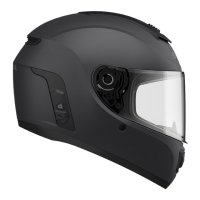
M1 Smart Mountain Bike Helmet | 13
3. PAIRING THE BLUETOOTH SYSTEM
WITH OTHER BLUETOOTH DEVICES
When using the Bluetooth system with other Bluetooth devices for the
first time, they will need to be “paired.” This enables them to recognize
and communicate with one another whenever they are within range.
The pairing operation is required only once for each Bluetooth device.
The Bluetooth system can pair with multiple Bluetooth devices such
as a mobile phone, GPS, or MP3 player via Mobile Phone Pairing and
Second Mobile Phone Pairing.
3.1 Phone Pairing
There are three ways to pair the phone.
3.1.1 Initially Pairing the M1
The Bluetooth system will automatically enter the phone pairing mode
when you initially turn on the Bluetooth system or in the following
situation:
• Rebooting after executing Factory Reset
1. Press and hold the (+) Button and Center Button for 1 second.
Phone Pairing
=
1s
HOLD
“Phone Pairing”
=
Alternating blue and red flashing lights indicate the device
is now discoverable.
2. With your mobile phone in Bluetooth-pairing mode, select M1 in the
list of devices detected.
CHAPTER



 To Next Page