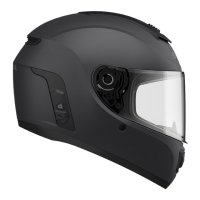
M1 Smart Mountain Bike Helmet | 19
6 BLUETOOTH INTERCOM
6.2 Two-Way Intercom
You can start or end an intercom conversation with an Intercom Friend
by tapping the Center Button.
Start/End Two-Way Intercom with Intercom Friend 1,2,3
=
1x
TAP
Intercom
Friend 1
=
2x
TAP
Intercom
Friend 2
=
3x
TAP
Intercom
Friend 3
6.2.1 HD Intercom
HD Intercom enhances the two-way intercom audio from normal quality
to HD quality. when you enter into a multi-way intercom, HD Intercom
will be automatically disabled. If this feature is disabled, the intercom
audio will change to normal quality.
• HD intercom is only active for two-way intercom.
6.3 Multi-Way Intercom
Multi-Way Intercom enables conference-call-style conversations
with up to three Intercom Friends at the same time. While Multi-
Way Intercom is in progress, mobile phone connection is temporarily
disconnected. However, as soon as Multi-Way Intercom terminates, the
mobile phone connection will be reestablished.
6.3.1 Starting a Three-Way Intercom Conference
You (A) can have a Three-Way Intercom Conference with two other
Intercom Friends (B & C) by establishing two intercom connections
simultaneously.
1. You (A) need to be paired with two other Intercom Friends (B & C)
for three-way conference intercom.
2. Start an intercom conversation with one of the two friends in your
intercom group.



 To Next Page