M1 Smart Mountain Bike Helmet | 29
11. TROUBLESHOOTING
11.1 Fault Reset
When the Bluetooth system is not working properly, you can easily reset
the unit:
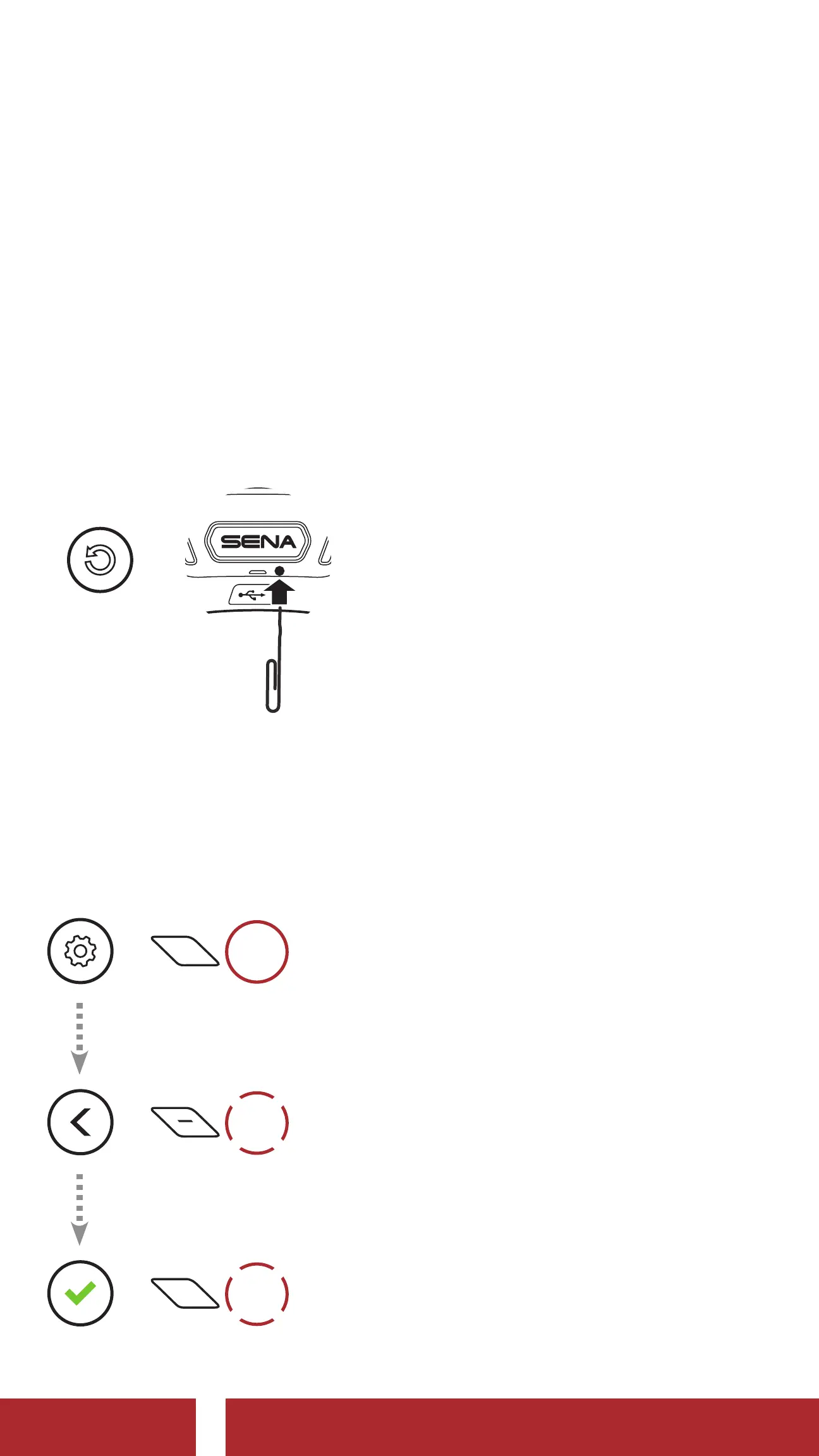
1. Locate the pinhole reset button below Sena logo at the back side of
the helmet.
2. Gently insert a paper clip into the hole and press and Fault Reset
Button for 1 second with light pressure.
=
FAULT
RESET
11.2 Factory Reset
To erase all of your settings and start fresh, the system can be restored
to factory default settings using the factory reset.
=
15s
HOLD
=
2x
TAP
=
1x
TAP
CHAPTER



 To Next Page