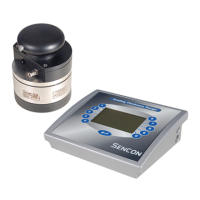
Status Indicators - used to show whether the instrument is in
measure mode, calibrate mode or set-up
mode with the top indicator used to warn of a
reading fault such as damaged lacquer,
pinhole or missing lacquer.
Lacquer Number Display - used to indicate which channel number (1
to 50) is selected in fixed channel mode or
which lacquer number (1 to 99) is selected in
custom channel mode.
Film Weight Display - displays the reading or set-up value. Note,
because the unit is a comparator (see 1.2)
the Film Weight Display will always be in the
same units as the known sample.
Numeric Keypad - used to select channel/lacquer number,
line numbers and used to enter preset values
when in custom channel mode.
Operation keys - used to select between measure, calibrate
and set-up mode, change channel/lacquer
numbers, clear incorrect keystrokes and by
using the up and down keys, select a
channel or lacquer number.
2.5 SWITCH ON AND SELF TEST
The mains on/off switch on the back of the instrument case is a push on -
push off type. When the unit has been plugged in it may be switched on and
a self test routine will be initiated.
First the integrity of the battery-backed memory is checked and should an
error be detected, the main display will flash "FAIL". If this occurs a master
reset should be performed, see section 2.7. The CLEAR key can be pressed
to continue operation of the gauge, but the chance that previously saved
readings are corrupted is very high.
If the battery-backed memory passes its test the displays will cycle from 0 to
9 and all indicators will illuminate. Any faulty indicators or displays can
therefore be identified.
2.6 UNIT DOES NOT WORK



 To Next Page