6.3 CONNECTING THE PRINTER
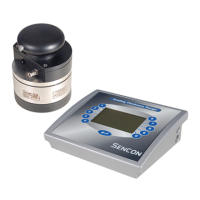
The printer connection is the 3 pin socket at the side of the instrument as
shown. The pin out and cable colour code for printer connections are given
below;
PIN FUNCTION SENCON
CABLE COLOUR
1 GROUND BLUE
2 TxD (TRANSMIT DATA) RED
3 CTS (CLEAR TO SEND) YELLOW
6.3.1 THE EPSON FX OR EX PRINTER
This printer will need to be fitted with the Epson #8143 serial interface which
offers a 25 way D type female connector. The wire connection is as follows.
SI9500 PIN COLOUR EPSON PIN
1 BLUE 7
2 RED 3
3 YELLOW 11
It should be noted that a number of other printers share this type of connector
and pin connection.



 To Next Page